Excel 2003 has limited undo level, until you use our tip to increase the number of actions than can be reversed. Excel 2007 lets you undo 100 actions; with Excel 2003, the limit is 16 but that’s an arbitrary limit set by Microsoft. If that feels too restrictive, you can
By default, Outlook displays either your Inbox or the Outlook Today page when you open it. What if you’d like it to display your calendar instead? Or, perhaps you’d find it handy to open two Outlook windows, one showing your Inbox and the other your calendar. By default, Outlook displays
Word 2007 has changed the Rand() feature and not entirely for the best. One of Word’s quirky, tucked-away features is the rand() function. It lets you quickly insert a block of text in a document. To use the function in pre-2007 versions of Word, at the beginning of a line
Does Excel have a bug that forces an unchanged worksheet to be saved again? Gordon H writes: “Here’s a long standing bug in Excel that Microsoft has never fixed. I open a Word document, look at it then close the document – there’s been no change to the file so
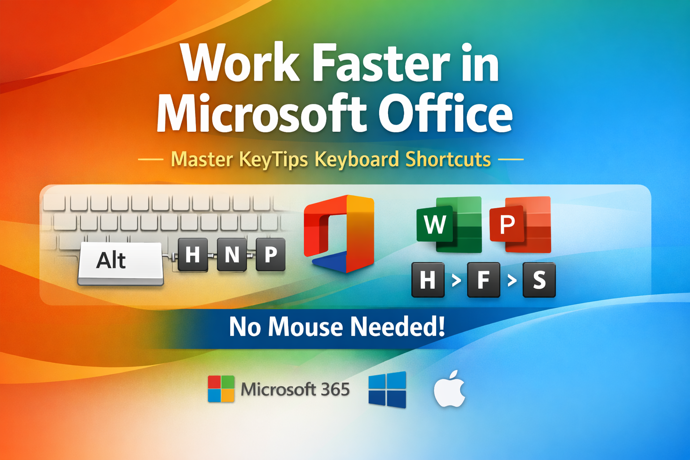
The new ‘ribbon’ interface in Office 2007 is officially called the ‘Fluent’ interface and there are some nifty shortcut tricks available. The new ‘ribbon’ interface in Office 2007 is officially called the ‘Fluent’ interface and there are some nifty shortcut tricks available. First off, keep in mind that the ribbon
Some tips for cutting back on the brochures you lug back from a trade show or conference. Going to a trade show can be interesting and tiring. One strategy for getting though the booths in a reasonable time is to just collect the brochures and keep moving. The problem then
Why the Deleted Items folder is your friend There’s a feeling around for some people that they need to keep their Outlook ‘clean’ or ‘uncluttered’ with messages removed from the Inbox immediately and even the deleted items folder kept empty. While this sounds like a good idea, it’s really not
More tips and suggestions for taking your Powerpoint presentation on the road. In a previous Office for Mere Mortals we talked about Powerpoint presentations and how to copy the entire presentation so you can show it elsewhere, even when Powerpoint isn’t installed check out Now we’ll look at some of
Some Outlook Calendar tips we collected while writing ‘Effective Outlook CALENDARS’ Our latest ebook is Effective Outlook CALENDARS – a comprehensive look at the calendar, appointment and events in Outlook 2002 (XP), Outlook 2003 and Outlook 2007. In this issue we’ll share some of the tips we found while writing
If and how to use Outlook’s AutoArchive feature – by Kara Monroe. STORING OLD EMAIL WITH AUTOARCHIVE AND OTHER OPTIONS by Kara Monroe Chances are if you’ve used Microsoft Outlook for any period of time, you’ve been prompted to AutoArchive your old items. AutoArchive is a tool that backs up
We have a look at some of the basic date formulas and how to combine them to make more powerful date-based functions. By Michael Barden In the last edition of Office for Mere Mortals we looked at the basics of the date and time formats, the different ways they can
What happens when a good Excel worksheet goes bad. Based on an article by Helen Bradley What happens when there’s an error in a worksheet? The answer is that it depends on what the worksheet is calculating and how bad the error is. Theoretically if an error were to over
We look at marking index entries across multiple pages, hidden text and a nifty add-on for regular indexers. By Michael Barden In the last issue of Office for Mere Mortals we looked at the basics of indexing in Word – setting up a document to be indexed and then generating
An index is a list of terms or topics that can be found within the document. We look at how to create an index in Microsoft Word. By Michael Barden In this and the next issue we’re going to talk about creating indexes in Microsoft Word. ‘Real’ books often have
How to make a Table of Figures in Microsoft Word. By Michael Barden In last week’s issue, we looked at how to make a table of contents. This week, we’ll look at the similar concept of how to make a table of figures. That’s a list of the images, graphs,
The basic options for making a Table of Contents in a Word document. In this issue we’ll look at the basic options for making a Table of Contents in a Word document. It’s very easy to do this in Word and it’s not just for people who are making books,
Wrapping up our comprehensive look at installing Office 2007. In our pre-Christmas issue of Mere Mortals we’ll continue our series on installing Office 2007, where we go far beyond the simple and simplistic instructions you’ll get from Microsoft. The parts of this series are online at: Part 1 Part 2
Tips on what to do after installing Office 2007. In the last two issues of Office for Mere Mortals we talked about installing Office 2007, firstly what hardware is sufficient to run Office 2007 properly (as opposed to Microsoft’s fanciful ideas) and then the things to do before installation and
All the options for installing Office 2007 including the complete listing of customise options. In the last issue of Office for Mere Mortals we talked about the hardware requirements for Office 2007, comparing Microsoft’s self-serving recommendations with some suggestions of our own for a computer that will not just run
We’ll show you the basics of sharing a Word document and how it’s certainly better than the way you do it now. JUST WORD Microsoft loves to talk about collaboration, sharing, reviewing and otherwise scare many people into thinking that these Word features are way too complex. Once you’ve tried
In part 2 of our “Invisible Office” articles, we point out another assortment of simple, yet often “invisible” features in Office. THE INVISIBLE 80% OF OFFICE – PART 2 By Michael Barden According to Microsoft, around 80% of the feature requests they get for Office are already currently within the
Microsoft has a number of free programs that you can use to view (but not change) Microsoft Office documents. USING THE FREE OFFICE VIEWERS Microsoft has a number of free programs that you can use to view (but not change) Microsoft Office documents. In this issue we’ll show you why
There are many ways to reduce the file size of an image. Many of you will have compression options already installed on your computer as part of Microsoft Outlook or Office. There are many ways to reduce the file size of an image. Many of you will have compression options
In this article we’ll explain what section breaks in Word are, how they work and some nifty purposes that you can put them to. SECTIONS BREAKS IN WORD You may have noticed the Insert | Break option in Microsoft Word and wondered what it was for, or worse, tried to