MS Office Picture Manager is a good choice of photo management software because many people already have the software even though they may not realize it. By Helen Bradley About two weeks into getting a new digital camera you’ll have discovered that photos, like wire coat hangers, have a habit
We address the problems related to certain types of searches that the AutoFilter in Excel won’t perform. By Helen Bradley In a recent article of Office for Mere Mortals I showed you how to extract data from a list using the AutoFilter tool. At the time I suggested there were
We look at a few Excel functions that are beyond the basic level of the =SUM function. We see how they work and tell you when they can be applied. By Helen Bradley If you’re fairly new to Excel you’ve probably cranked out a few Sum functions and added and
While Access or a database program is undoubtedly the best place to store complex data, Excel is great for simple lists and even more so if you’re using Excel 2003. By Helen Bradley You and I use lists for everything from Christmas shopping to packing for a trip. We also
PowerPoint Action buttons are a handy tool for creating side trips within your presentation. By Helen Bradley While you might think of PowerPoint presentations as proceeding from the first slide to the last without interruption, that’s not always the best solution for your presentation needs. Just like traveling on side
Collaborating with Word documents has become much easier over the years, it is a great way for someone to review, edit and comment on a document without altering the original text. Collaborating with Word documents has become much easier over the years, it is a great way for someone to
The last few versions of Powerpoint have included “Presenter view” which takes advantage of multi-screen mode in Windows to give presenters a much more effective way to manage their speeches. At the moment Office Watch editor-in-chief Peter Deegan is sailing the high seas on the Radisson Diamond and has been giving
We look at a particular timesaving technique that involves setting up a PowerPoint slide show so it runs all by itself. This week we look at a particular timesaving technique that involves setting up a PowerPoint slide show so it runs all by itself. That may sound like a ho-hum feature, but
We look at how to add Template tabs into Office’s File New dialog boxes. One tip that I’ve been meaning to publish for many months now has to do with those confounding tabs in Office’s File New dialog boxes. Most of you know that you can specify two different locations
We show you how to clean up after people who inevitably type two spaces after every period – quickly and easily. My last missive on co-opting the “backwards P thingy” button on the Standard toolbar brought an avalanche of mail. And I was shocked! Many of you took me to
We take you through a few of the more common sources of unexpected information in Word documents. Office Watch last week and again this week exposed all sorts of hidden information in Word documents posted on the Internet. I’ve heard from many of you, wondering how we got into this sorry
We take a secondary look at one reader’s field code related problem. Okay. I blew it. What can I say? In the last edition of Office for Mere Mortals I told you about my friend and his untimely encounter with a weird {HYPERLINK …} thingy in one of his Word documents.
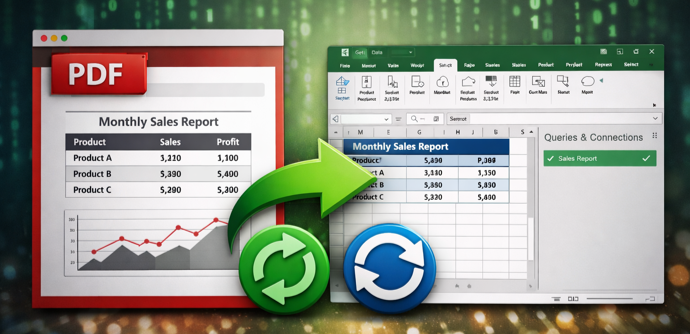
If you’re going to send a .doc file to someone, or post it on the Web, seriously consider converting it to PDF before you let it go. Three years ago, I recommended that you convert your documents to PDF format before handing them out. I’ve mentioned PDF a dozen times