New Artistic Pens Arrive in Word and PowerPoint “Fountain Pen” and “Brush”
Word and PowerPoint now have two highly anticipated drawing tools, namely, the Fountain Pen and Brush Pen. The Fountain Pen lets you vary line thickness based on stylus speed or pressure for fine detailing, while the Brush Pen adapts stroke width dynamically based on direction, enabling effortless artistic strokes.are getting two more digital pens to write and draw with.
If Fountain Pen and Brush seem familiar, that’s because they were added to OneNote last year. Now the two extra pens have been added to Word and PowerPoint.
On the right of the pens on the Draw tab there are two more available.
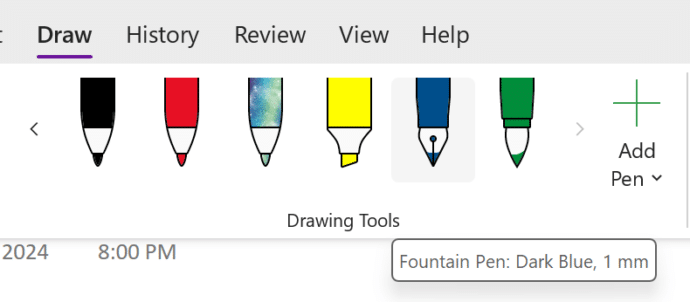
Check the ‘Add Pen’ drop down to see any pens that are hiding.

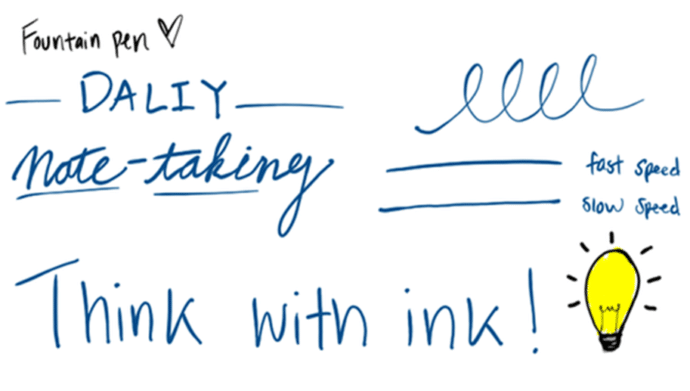
Fountain Pen
Change the speed and pressure of the digital pen to change the line thickness.
Brush Pen
The thickness of the line changes according to the direction of the pen stroke.

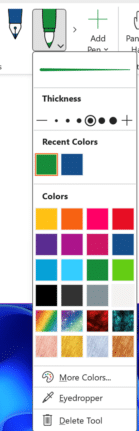
Change color and thickness
Like all the digitial ink pens there are options to change the thickness and color including ‘More Colors’ and the eye-dropper.