Microsoft Publisher Ends October 2026: How to Keep It Working
Microsoft Publisher is ending in October 2026, and what happens to you depends entirely on how you bought it. If you use Publisher 365 from a Microsoft 365 plan, the app will simply stop opening on October 1st. That is a kill switch, not a polite end of support notice. If you have Publisher 2019 or Publisher 2021 from a one off Office purchase, it keeps running but gets no more security fixes. Here is exactly what changes, when, and the steps to take now so you do not lose your newsletters, brochures and flyers.
Publisher is Microsoft’s desktop publishing software that’s been available since 1991 mostly as part of some Microsoft Office bundles but also sold separately. It’s part of the desktop software (Windows only) in most Microsoft 365 plans.
Two different end dates
Publisher is being stopped (Microsoft’s euphemism is ‘end-of-life’) on two slightly different dates and what happens is also different.
Publisher 365 stopped working entirely on 1 October 2026 20 days ago.
Publisher in Microsoft Office 2021 ends support on 13 October 2026 8 days ago but will continue to work after that date.
Publisher in earlier versions of Microsoft Office (2019, 2016 etc) are already out of support but still work.
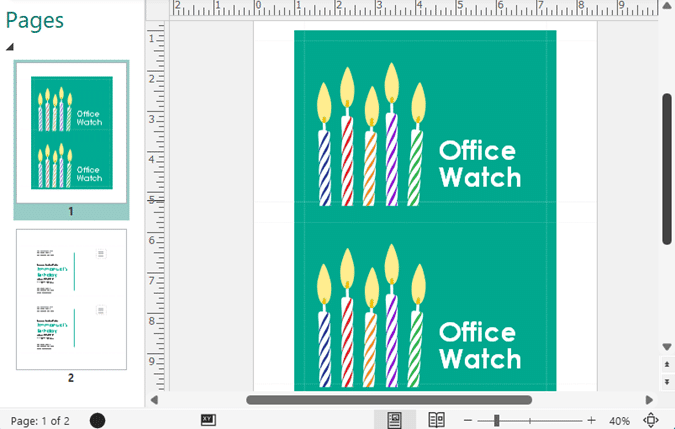
There are three ‘current’ versions of Microsoft Publisher, depending on how you purchased the software.
Publisher 365
Existing installs of Publisher 365 will STOP WORKING after 1st October 2026 20 days ago. It’s a ‘kill switch‘.
This version is supplied with Microsoft 365 plans which include Windows desktop software.
It will continue to be installed with Microsoft 365 until it’s “end of life” on 1 October 2026. After that date, installations of Microsoft 365 will not include Publisher and any installed Publisher won’t work at all.
Publisher without subscription continues
Any non-subscription version of Publisher will keep working after 13 October 2026, but without any security or bug fixes.
That includes standalone Publisher or Publisher sold with some Microsoft Office bundles like Office 2021 or Office 2019.
Some sites sell older versions of Office, see Ultra-cheap Microsoft Office deals, are they legal and work? for details and warnings.
We recommend taking action before October. Better to be prepared and also get ahead of any rushed buying or shortages around the deadline.
Publisher 2019 standalone
The latest standalone version of Publisher is the 2019 version.
It’s hard to find, even on the Microsoft site (try here but that link will probably be redirected) you might be able to buy it separately from another retailer. The retail price is US$160.
This version will keep working after October 2026, but without any security or bug fixes.
Beware of scammers selling “Publisher 2019” to take advantage of the October deadline and people desperate for a replacement.
Publisher 2019 and 2021
Easier to buy is an older version of Microsoft Office which has Publisher included. Make VERY sure the bundle you buy has Publisher (not all do).
Publisher is included in the ‘Professional’ and ‘Professional Plus’ versions of both Office 2019 and Office 2021. See Which Microsoft Office (Including Publisher) Can You Still Buy.
See How to Install Only Publisher and Skip the Rest of Microsoft Office for important advice on setup of Publisher with less risk of conflict with other versions of Microsoft 365/Office.
There’s little difference between Publisher 2021 and the 2019 release. Microsoft doesn’t list any changes at all.
These two versions will keep working after October 2026, but without any security or bug fixes.
Publisher 2019 as part of Office 2019 has already ended support on 14 October 2025 or about 1 year ago
Office 2021’s end of support is the same day as Publisher’s end-of-life, 13 Oct 2026 or 8 days ago
Office 2024
Office 2024 does NOT include Publisher in any of its bundles.
Installing Office 2024 or later over an existing Office 2021/2019 (or any Office version with Publisher) will delete Publisher along with all the other apps of the older Office.
How to keep Publisher
To keep a copy of Publisher after October 2026, you’ll need to have either:
- Publisher 2019 standalone
- Office 2021 ‘Pro’ version, which includes Publisher 2021
- Or Office 2019 Pro with Publisher 2019
See Which Microsoft Office (Including Publisher) Can You Still Buy for details.
Once you have Office 2019 or Office 2021 see how to Install Only Publisher and Skip the Rest of Microsoft Office.
These versions will continue to work after October 2026 and can be reinstalled on other computers (subject to the usual license rules, in particular OEM products).
But the software won’t have security or other bug fixes.
Keeping Publisher with newer Office apps or Microsoft 365
As noted above, installing a later version of Office may well delete Publisher which is part of an earlier version of Office.
It’s not possible to install two versions of Microsoft Office/365 on the same computer. At least not reliably. Microsoft does not support having multiple versions of the Office apps on the same computer.
A standalone Publisher (like Publisher 2019 or earlier) might co-exist with Office/365 but there’s likely to be conflicts at some stage. It’s not advisable.
If you install or reinstall Microsoft 365 on a machine with Office 2021 or Office 2019 it will remove the older version of Office. Microsoft 365 will override the earlier version of Office.
You can try installing Publisher (standalone or from Office) AFTER installing Microsoft 365 or more recent Office. That might work at first but is likely to strike a problem at some time due to a software conflict.
The safest way to keep Publisher
As we’ve noted above, it’s not supported nor practical to try mixing two versions of Office or parts of Office on one computer.
The safest way to keep Publisher software (standalone or in Office 2021/2019 Pro) is to keep that installed software on a separate computer or virtual machine.
That keeps Publisher separate from any conflicts with later software and prevents accidental deletion when installing a later version of Office or Microsoft 365.
Maybe you have a older computer or laptop that can get a second life as your “Publisher computer”. Or buy a cheap second-hand laptop.
Virtual Machine
A virtual machine (VM) is basically a computer inside your computer. It’s software that mimics an entire physical machine, complete with its own operating system, storage, and memory, even though it’s actually just a program running on your real hardware. Think of it like a house within a house: your actual PC (say, a Windows laptop) can run a completely separate “guest” computer (like Linux or a second copy of Windows) in its own sealed off space. That guest doesn’t know it’s not real, and anything you do inside it, install, break, or delete, stays contained and doesn’t touch your actual system. This is why VMs are so popular for testing software or running old programs without the risk of messing up your main computer.
Windows 10/11 (except Home) has Hyper-V virtual machine software included or there’s VMware Workstation. Mac users have Parallels.
If you’ve not used virtual machines before, it is a bit more setup, but worth it for a more stable and reliable Publisher.
A virtual machine can be moved to another computer in the future. You have a contained ‘machine’ with no risk of conflicts with other software.
Using a virtual machine (possibly without network access) reduces the risk of software that no longer gets security fixes.
Both our Windows ebooks have chapters explaining virtual machines, how to make one and setup software in it.
Will .pub Publisher files still work?
Any .pub files can be opened with the right software at any time. .pub files have no deadline and no kill switch.
In other words, the deadline or kill switch applies to the Publisher 365 software, not the files it makes.
Convert Publisher to Word
Microsoft suggests a roundabout method of converting Publisher files into Word documents via PDF.
See Convert Publisher to Word, we try Microsoft’s method for some examples of how that trick works in practice … hint: don’t expect too much.
Alternatives to Publisher
There’s LibreOffice, its Writer word-processor can import Publisher .pub files.
Scribus is an open source alternative which will import Publisher .pub files.
More expensive options include Canva, Adobe InDesign or QuarkXPress.
Some have asked if Microsoft would sell off Publisher to another company. That’s unlikely because the software has ‘common code’ or links into functions that are shared with other Office apps.
Microsoft said they were considering changes to Word, PowerPoint and Designer to provide some of the Publisher features. Nothing came of it, and it was probably just an empty promise.
Convert Publisher to Word, we try Microsoft’s method
Publisher 365 Kill Switch: What Microsoft’s New Email Gets Wrong
Keep Publisher Working: Which Microsoft Office Version to Buy in 2026
How to Install Only Publisher and Skip the Rest of Microsoft Office
Which Microsoft Office (Including Publisher) Can You Still Buy in 2026?
Beware the Publisher 365 kill switch deadline
Ultra-cheap Microsoft Office deals, are they legal and work?
Office 2024 for Windows & Mac: Features, Pricing and Everything You Need to Know
Office 2019 Is Still Getting Security Updates, But Only for Some