Microsoft 365 – the subscription / annual fee plan for Microsoft Office on Windows, Mac, iPhone, iPad and Android.
Includes Word 365, Excel 365, PowerPoint 365, Outlook 365 and many other ‘365’ programs, apps and services.
Explore Cloud Fonts: A Fast, Free Design Boost in Office 2024 and Microsoft 365
Cloud fonts—your next creative shortcut—are now seamlessly integrated into Office 2024/2021 and Microsoft 365. These lightweight fonts download instantly when needed, bypassing the hassle of system installations and making them ready for use across your Word, PowerPoint, Excel, Outlook (and more) apps in mere moments. Whether on Windows or Mac, simply pick the font from the dropdown, […]
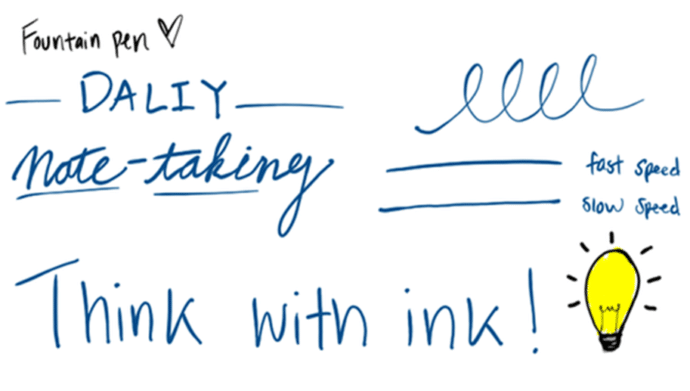
New Artistic Pens Arrive in Word and PowerPoint “Fountain Pen” and “Brush”
Word and PowerPoint now have two highly anticipated drawing tools, namely, the Fountain Pen and Brush Pen. The Fountain Pen lets you vary line thickness based on stylus speed or pressure for fine detailing, while the Brush Pen adapts stroke width dynamically based on direction, enabling effortless artistic strokes.are getting two more digital pens to […]
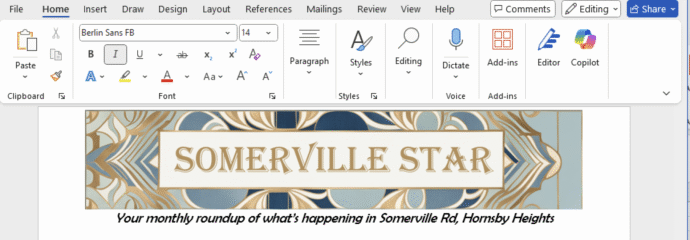
Create Eye‑Catching Titles for Word Docs with Microsoft Designer
Use Microsoft Designer to make compelling but effortlessly professional titles for Word documents, sheets or slides. We’ll explain how to do it, not the simplistic way that Microsoft hypes, but how Designer works in the real world. Start a banner, tweak sizing, customize fonts and colors, then seamlessly insert your perfected headline. According to Microsoft, […]
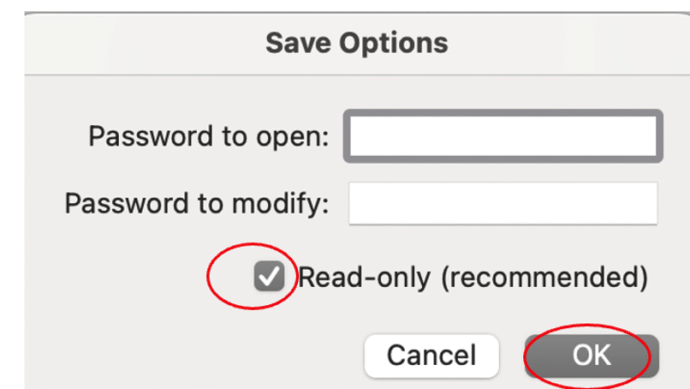
Protect or Encrypt Your Excel Workbooks
In Excel there are various ways to either protect sheets or cells from access, make a them read-only or totally encrypt the workbook with a strong password. It’s important to understand the difference in Excel between Protect and the stronger Encrypt feature. Excel’s password protection is more complicated than in Word or PowerPoint because there […]
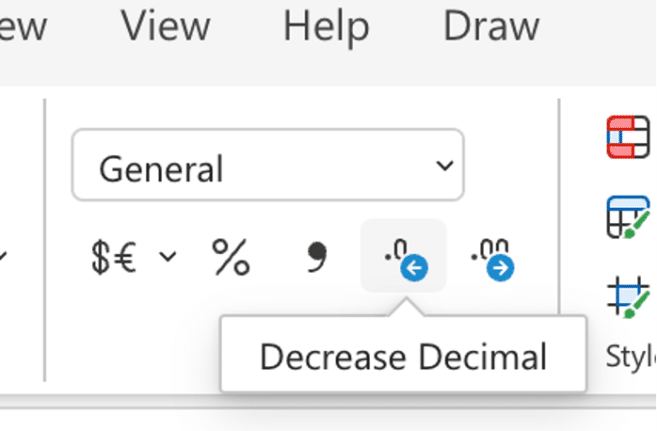
Excel increase/decrease decimal buttons change
Keep a close eye on the increase/decrease decimals buttons on the Excel ribbon because Microsoft has changed them for one version of Excel. Increase / decrease decimals is a very common Excel feature to change the visible accuracy of a number. For example, choosing Currency or Accounting style (which defaults to two decimal places / […]
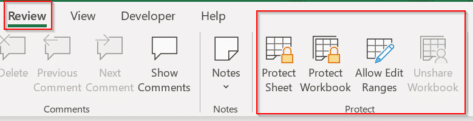
How to protect Excel sheets from unwanted changes – Part 1
Protecting an important Excel worksheet from careless editing, or allowing only specific cells to be modified is all part of a powerful and highly flexible feature in Microsoft Excel known collectively as “Protect”. It’s been there for a long time but is little understood, so we’ll do our humble best to fix that. The idea […]
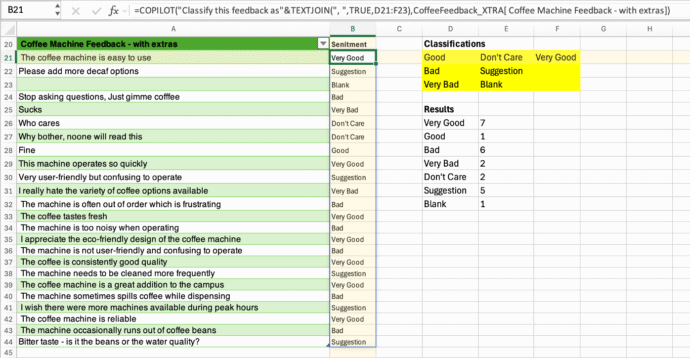
How to use Copilot() in Excel for analyzing text
The new Copilot() function can be great for taking disorganized data like feedback from people and grouping it quickly. We’ll explain the best ways to do that and the pitfalls of relying on AI. One of Microsoft’s examples for Excel 365’s Copilot(() caught our eye and we were pleasantly surprised when we extended their example. […]

New Outlook for Windows stops for 19 hours
Last Monday into Tuesday there was a serious outage that affected Outlook for Windows users. It shows how a failure on Microsoft’s server can stop new Outlook software from working at all. About 5% of global Outlook for Windows customers were unable to open the new Outlook desktop client on Windows devices for up to […]
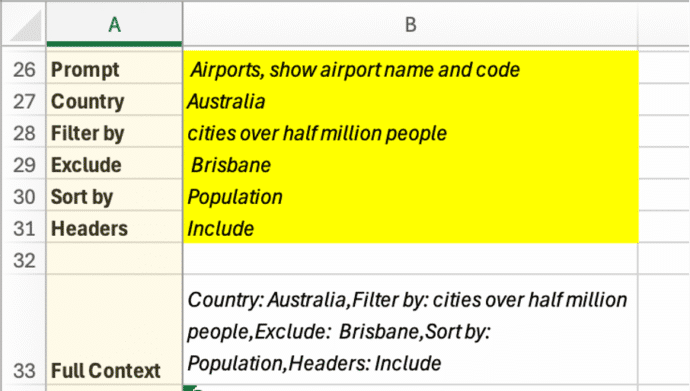
Discover the COPILOT Function in Excel
It had to happen, there’s now a Copilot() function in Excel to drop AI responses directly into spreadsheets. It’s a clever trick but, as usual, there are problems that Microsoft overlooks in their hype. Excel’s new COPILOT() function brings AI directly into spreadsheet formulas. Available now in Excel for Windows and Mac (Insider Beta channel), […]

Make a Word table with picture background
How did we make a Word table with a picture background for a recent article – asks an Office Watch friend? She meant this table of Zoom shortcuts for toggling audio and video . There’s a similar table for Teams shortcuts. The quick answer is … we cheated! Word can’t have a table with a […]

How to Get Old-School WordArt Back in Modern Microsoft Word
Miss the classic WordArt from Word’s glory days — the arched text, the rainbow slopes, the wavy headlines that screamed “1990s”? Those old gallery styles are still alive inside every modern version of Word, including Word 365 and Word 2024. They’re just well hidden. Here’s the simple compatibility mode trick that unlocks all the retro […]
Another Microsoft price rise by stealth
Microsoft has announced a price rise for many volume license customers using one of their time-honored stealth tactics. For as long as anyone can remember, Microsoft changes their pricing plans by a repeating cycle of “customizing” plans then later “simplifying”, “consistent” or “standardizing” the same plans. All of those changes inevitably mean more money for […]

Simple ‘one click’ force an update to Microsoft Office
A simple way to update Microsoft Office 365 for Windows with one click instead of digging into the menus to do it. We’ll show you the simple command line with options that make it possible. Normally, the Windows versions of Microsoft Office 365, Office2024, Office 2021 and Office 2019 all update automatically and you don’t […]

Python in Excel for Microsoft 365 Consumers: Available Now
Microsoft has begun rolling out Python in Excel—the powerful integration that allows users to write Python formulas directly inside Excel—to Microsoft 365 Family and Personal subscribers. That’s great news because Python adds a lot to Excel, making available a lot of features that previously Excel users could only dream about. What’s Available Now (Preview) For consumer […]
Excel gets Python – who, when and why
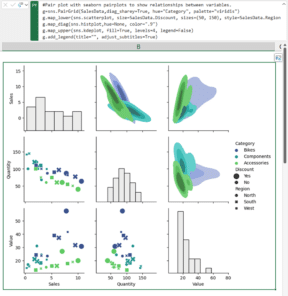
Excel 365 has access to the Python language and packages. We’ll explain what that means, who gets it and why Python in Excel is a big deal. Python is a high-end and widely used programming language with many features in its many packages or add-ons. It’s this last bit that makes Python an important extension […]
Python Meets Pixels: Excel Now Analyzes Images Like a Pro
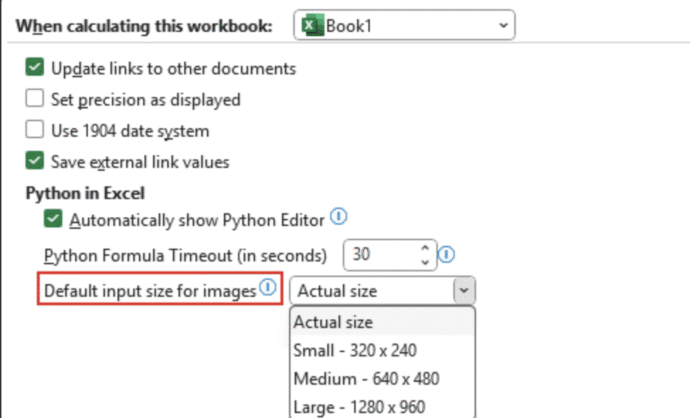
Excel, long known for its love affair with numbers, has now developed a taste for images—thanks to Python. Microsoft has rolled out a feature that lets users insert images into individual Excel cells and analyze them using Python code. Yes, the spreadsheet just got a little more artsy and a lot more tech-savvy. Forget floating […]









