Microsoft 365 – the subscription / annual fee plan for Microsoft Office on Windows, Mac, iPhone, iPad and Android.
Includes Word 365, Excel 365, PowerPoint 365, Outlook 365 and many other ‘365’ programs, apps and services.
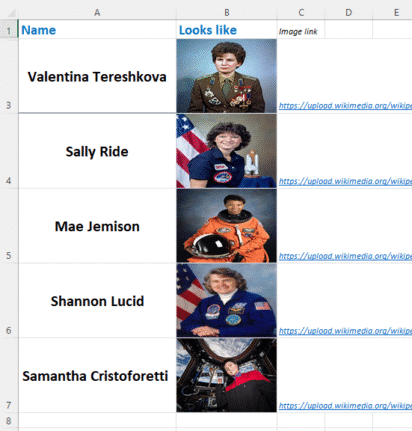
A smarter way to add pictures into Excel
Discover a smarter way to insert images directly into Excel cells with the IMAGE() function — no more awkward floating pictures. With just one formula, you can pull in external images using a secure URL, control how they fit or fill the cell, and even fine-tune dimensions with pixel-level precision. This modern approach, available across […]
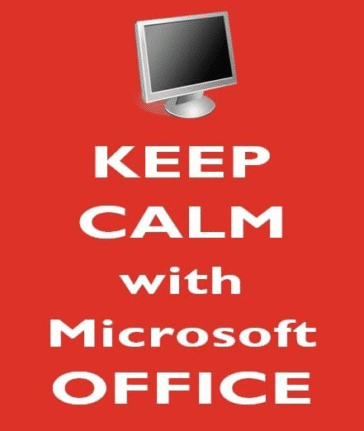
Make your own “Keep Calm and Carry on”
The BBC has published a good history of the famous “Keep Calm and Carry On” poster from World War 2 but missed what, to us, is the most important 21st Century innovation. When “Keep Calm and Carry On” first became popular, we saw the opportunity to showcase what Word and PowerPoint can do beyond standard […]

PivotTables get auto refresh at long last!
Finally, PivotTables are going ‘live’ and will automatically refresh if other parts of the workbook change. It’s something that Excel users have wanted for years. Auto Refresh turns your PivotTable into a live mirror—updates to source data within your workbook now instantly refresh any connected PivotTables, without you lifting a finger. No more manual “Refresh” […]
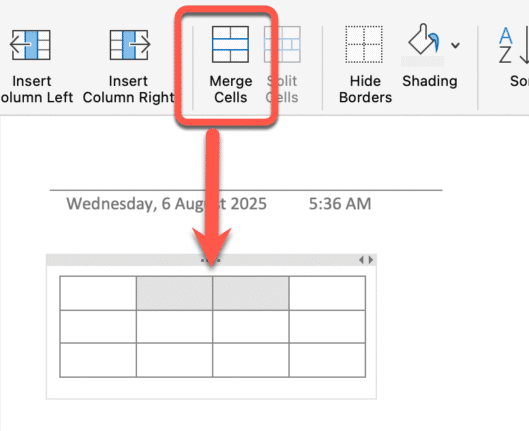
OneNote’s overdue updates; Paste Text and Merge Cells
Microsoft has finally rolled out two highly requested updates for OneNote users on Windows, macOS, and iPad: Merging table cells and a paste text shortcut. Merge Table Cells No more resorting to convoluted workarounds or dragging your content into Excel. Now, select two or more adjacent cells in a OneNote table can be merged, just […]

Microsoft Alert: Update Office or voice features are silenced
Microsoft has officially warned all Microsoft 365 customers to update Office—or risk losing handy features like Read Aloud, Transcribe, and Dictate. Most people will already be OK but it’s worth checking to make sure. Microsoft is totally revamping the backend services that powers the voice related parts of Microsoft Office; Dictate, Read Aloud or Transcribe. […]

See which Excel cells need updating or stale
Excel 365 is getting (at last) a clear warning that some cells have not been recalculated aka a ‘stale cell’ with the addition of a ‘Format Stale Values’ option. This feature only applies if you’re using partial or manual calculation modes. Most of us use the default Automatic mode where Excel updates cells when necessary. […]
Ctrl + Shift + V paste shortcut returns to Outlook
There was a sudden disappearance of the Ctrl + Shift + V Paste Special shortcut in Outlook classic for Windows. We explain what caused the issue, when Microsoft will finally roll out a fix, and why the delay happened, so you can get back to efficient email editing without the hassle. Ctrl + Shift + […]
Microsoft Store Edition of Microsoft 365 Apps Is Heading Into Retirement
Microsoft has quietly announced that the Microsoft Store version of Microsoft 365 apps will no longer receive feature updates after October 2025, nor security updates after December 2026. Microsoft 365 for Windows via the Microsoft Store was delivered via the Store’s Appx installation—sandboxed, safe, but increasingly outdated for modern enterprise needs. There was a time when […]
Secret stuff saved on your OneDrive
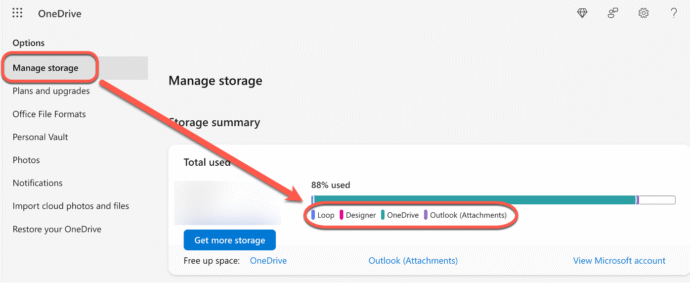
OneDrive isn’t just used for documents and photos. Microsoft saves a lot of related files in secret, hidden folders taking up the space customers pay for and preventing proper backup. Let’s look at the messy mix of things hidden in OneDrive and other Microsoft online locations. You can see what’s saved on your OneDrive storage […]
How to Switch Back to Classic Outlook from New Outlook
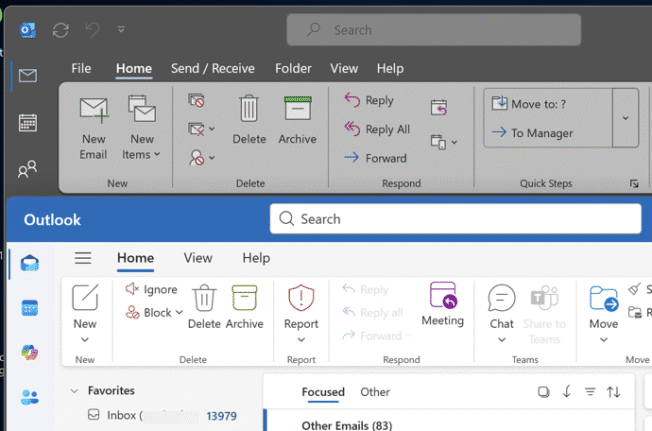
Looking for a way to revert to classic Outlook after trying the new Outlook for Windows? This guide provides step-by-step instructions on how to switch back to classic Outlook, explains how both versions are probably on your PC. If you’ve tried the new Outlook for Windows and wish to return to the classic version, follow […]
Why doesn’t an Outlook change of address stick?
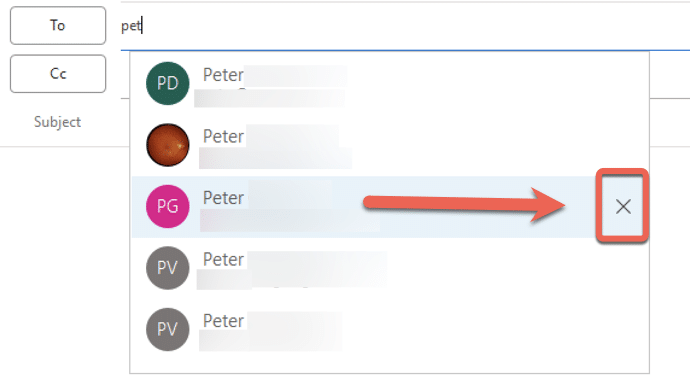
If you’re wondering why a contacts address change in Outlook doesn’t stick, you’re not alone—many Outlook users face this frustrating issue. There are three possible reasons starting with a little known quirk in how Outlook saves email addresses. An Office Watch reader asks why Outlook keeps remembering an old email address despite updating the contact […]
Add shortcuts for all Word heading styles
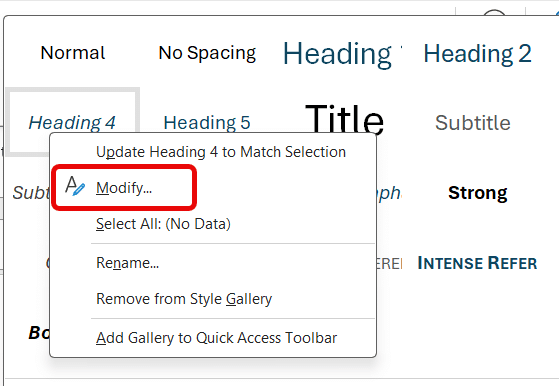
Transform how you format Word documents with keyboard shortcuts—going beyond the built‑in ones for Headings 1–3 by adding your own for Heading 4, 5, 6 (and beyond) that Microsoft has forgotten. With these simple tweaks, your document structuring becomes faster and more consistent. Word’s in-built Heading styles come with some shortcut keys, but not enough for most people. […]
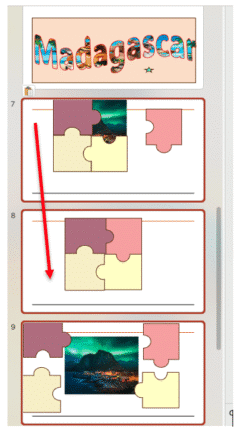
Easy Way to Copy Slides Between PowerPoint decks
Microsoft is retiring the Reuse Slides feature, however you can still copy slides manually—and it’s simple. Whether you’re preparing for a meeting, a lecture, or a project presentation, knowing how to quickly and efficiently move or copy slides between presentations can save you both time and hassle. To get started, you will need to have […]
SharePoint Security Alert: Critical Zero-Day Vulnerabilities and Emergency Updates
Recent zero-day vulnerabilities in SharePoint have exposed serious “ToolShell” risks, prompting Microsoft to issue an update then an emergency patch when the original fix wasn’t enough. We break down the latest SharePoint security flaws and the steps administrators need to take which go beyond just applying patches. The ‘zero day’ security hole affected SharePoint servers […]
Microsoft buys poo to look ‘green’
In the ongoing race to win the “We’re Totally Green Now” medal, Microsoft has galloped ahead—by offloading human waste and investing in tree-planting projects that may or may not be in the same hemisphere as their data centers. Editors note: never, in the 30 year history of Office Watch, did I think we’d have a […]
Protect Your Files from OneDrive: Beware Microsoft Account Lockouts
Worried about losing files in OneDrive or getting locked out of your Microsoft account? You should be worried. Reading about one horrifying OneDrive experience. Here’s what you need to know about keeping your data safe, why regular backups matter. Discover practical tips to protect your files and avoid the common pitfalls of relying on a […]









