An upcoming release of Outlook 2016 for Mac will get something that Outlook/Windows users take for granted: Read Receipts and Delivery Receipts. It’s hard to believe but the current and past versions of Outlook for Mac don’t have these features. Source: Microsoft The feature is now available in Outlook 2016
The ability to make a new Outlook item from an existing one by drag and drop is, finally, coming to Outlook for Mac. This feature lets you drag an email to the calendar or tasks folder, Outlook will make a new appointment or task using the email as a basis.
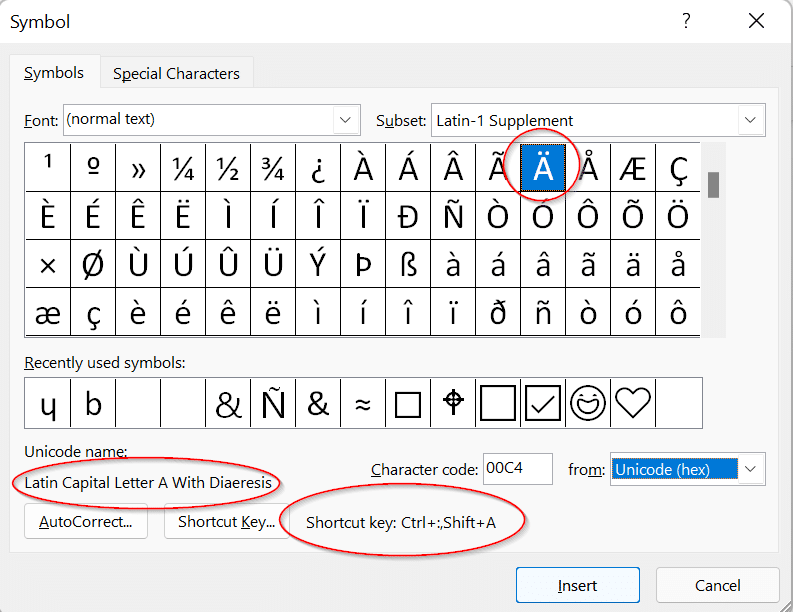
Microsoft is a slow learner. After seven years they’ve finally fixed an annoying emoji bug in Outlook and they’ve done it in a typically sideways fashion. Current versions of Office display an incompatible smiley emoji that often appears as the letter J – instead of 😊 If you’ve ever seen
Microsoft is joining the voice device market alongside Amazon’s Echo and Google’s Home with the enticing possibility of making Outlook speak to you via Invoke. Harmon Kardon will be releasing Invoke, a speaker and Cortana powered device. Details are few at this stage however it opens up the possibility of
Apple has announced a change to how third-party products, like Microsoft Outlook, connect to iCloud services. From 15 June 2017, you’ll need an ‘app specific password’ for Outlook and other programs to connect with Apple services. This makes two-factor authentication for Apple ID’s compulsory if you use external products. Two-factor
Everyone is talking about ransomware now that the WannaCrypt has spread like crazy across the world. These nasty viruses target your documents and precious files including Microsoft Office files and Windows backups. This is a little embarrassing for us because Office-Watch.com has just released a new book that’s suddenly become
Microsoft has moved quickly to block a security hole in their own anti-virus software, Windows Defender. We’re used to seeing email or instant messaging used to infect a computer when opening a document in Word or Excel, maybe an email in Outlook. But this is quite different and very worrying.
Coming soon is a new version of Windows, the Windows 10S. What does it mean for Microsoft Office users? The 10S is a stripped down and limited version of Windows 10. Some advanced features aren’t available while others are set to Microsoft’s preferences automatically. To buy 10S is cheaper than
Last week, Microsoft released the Dubai font to their Office 365 customers only. Now the city-state of Dubai has released it to everyone. Dubai is a new font which has both western and Arabic characters in the one package. It was created by the Dubai government with assistance from Microsoft.
At last the cries of eager Signal supporters have been heard – the latest releases allow secure transfer of Office documents, PDF and more. Signal is a well-respected, very secure and private messaging system. The makers of Signal licence their open-source encryption to other messengers like Google, Facebook and WhatsApp.
Sensepost has revealed an interesting way to hack your computer via Outlook. Microsoft’s public response has been to deny there’s a problem and put the responsibility on customers. The method hasn’t been used ‘in the wild’ and it’s not easy to infect Outlook. But we’ve heard that before (especially from
If you send an email to an invalid email address, that address will ‘stick’ in Outlook via the AutoComplete list. Here’s how to fix that. Let’s say you send an email to fence@fred.daggcom (misplaced period/fullstop). The email will ‘bounce’ with an error message. Despite that, the wrong email address still
Microsoft puts corporate pride and weasel words ahead of their customers safety and security. Hackers take advantage of Microsoft’s patch release scheduled to release a virus as widely as they can in the days before fix was available. The Dridex security bug was known to Microsoft but they stubbornly stuck
Microsoft has quietly released a new service To-Do with apps for Apple, Android and Windows devices plus a web interface. It’s in preview or beta. To-Do lets you make simple lists of ‘action items’. According to Microsoft what makes the service special is “With its intelligent Suggestions, To-Do removes all the
The cheap, introductory pricing for Outlook.com Premium is now available until 30 June at us$19.99 instead of $49.99 but there’s some hidden ‘gotchas’ in Microsoft’s offer. The discount offer was to expire at the end of March but has been extended. Officially it’s because Outlook.com has been ‘so popular’ but
Proton Mail is a secure email service run from Switzerland. How does it compare with standard email using Microsoft Outlook for Windows? Proton Mail is an option to consider if you’re looking for secure email messaging but it’s not as easy to use as some instant messaging services available. Proton
It seems that every day there are more suggestions on how to reduce ’email overload’, here’s some that caught our eye. Bain & Company analyzed their staffs use of Microsoft Outlook and similar applications: Senior executives receive more than 200 emails each day A typical frontline supervisor spends about eight hours a
One of the colors in the Crayola box is being dropped. Never fear, the color Dandelion can be part of your Office documents as can any other Crayola color. It’s not the same as the smell and feel of a Crayola crayon but it’s better than losing the color entirely.
Outlook for Windows can set reminders to follow up on incoming emails but what’s less well known are the two options for follow up on emails you send out. Attaching a flag to an email you sent means Outlook will pop-up to remind you. For outgoing emails it’s a great
When you send an email, Outlook can add a ‘Follow up’ reminder to appear later. This is a reminder for you, the sender. There’s a separate option to send a reminder to the email recipients. From an open email message go to Home | Tags | Follow Up For a
Outlook for Windows (not Mac) can send an automatic reminder with an email. Ideally, this means the recipient will get a ‘pop-up’ reminder to do whatever you’re talking about in the email itself. In this article, we’ll show how to send a reminder with your email. We’ll look at how
Shared Calendars is now available for the Outlook apps for Android and Apple devices. The Outlook app for iOS was recently updated to include shared calendars. This brings the Outlook apps into line with this important Outlook for Windows/Mac feature. Shared Calendars let one person make their appointments visible or
Amazingly, Microsoft has at least three programs that are called ‘Outlook 2016’. It’s not a trivial point, knowing which ‘Outlook 2016’ you have is important if you ask for help or tech support. Confused? Join the club. When Microsoft talks about ‘Outlook’ they probably mean ‘Outlook for Windows’. ‘Outlook 2016’
Microsoft makes it hard for people to move from their Entourage program data to modern Outlook for Mac. Entourage was the email/calendar/contacts part of Office for Mac. Office 2011 replaced it with Outlook 2011 for Mac. Outlook 2011 had a conversion option that let former Entourage users move to the