Office for iOS changes
The evolution of Office for Apple devices continues with the release of Word, Excel and PowerPoint v1.14 for iOS.
New in this release are:
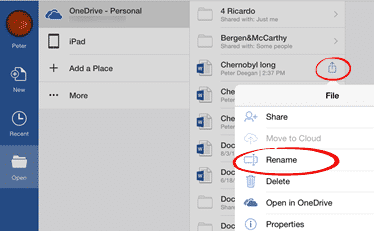
- Rename is now available from the File menu
- Word: New navigation method for long documents. “Scroll, hold and drag” to jump directly to a page.
- Word: Missing fonts are downloaded automatically. Exactly what fonts and where they are downloaded from isn’t disclosed by Microsoft. So it sounds like a good idea but don’t expect it to handle all fonts.
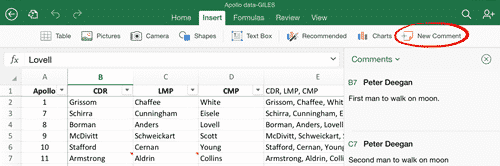
- Excel: There’s now a Comments pane to view and edit comments. Until now Comments appeared over the cells which wasn’t helpful with a tablet interface. The Review tab has a Show/Hide comment button or tap on the comments icon on a commented cell. New Comment is on the Insert tab.
The update has probably been pushed to you automatically or go to the App Store updates to get the latest version.