Office 2011 for Mac only available until 22 Sept.
If you want a copy of Office 2011 for Mac on your Office 365 subscription, you’ve only got until 22 September 2016 (about 6 weeks away) to get it.
On your Office 365 account install web page there’s an option Install previous version. Click on that link to get Office 2011 for Mac but there’s a warning:
” On this page, you can install Office for Mac 2011, which is available to Office 365 customers until Thursday, September 22, 2016.”
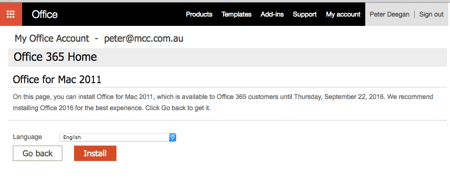
Office 2016 for Mac is the best option for the vast majority. Maybe you need Office 2011 for compatibility with others or just because it’s familiar?
Existing Office 2011 installations will continue to work after 22 September, but you won’t be able to install or reinstall it. So grab Office 2011 while you can and have a good backup of the install files.