Office for Android improvements
Office for Android has been given some useful upgrades in a January 2016 update.
Overall
- Share documents using WeChat and QQ apps. These are interesting choices because both are chat services mostly for the mainland Chinese market. Use the Share option to send a document or link via any compatible service installed in the devices including Skype or Telegram. The market leader, WhatsApp, can’t transfer Office documents. See Safely Sending Files Via Messaging Apps.
- Signing up for a new free Microsoft account, from within the app, is easier.
Word
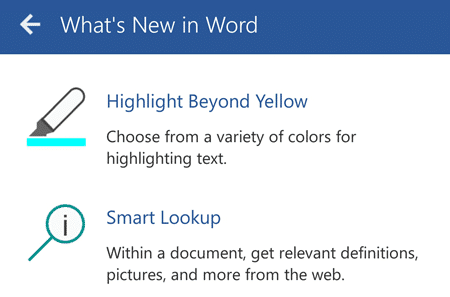
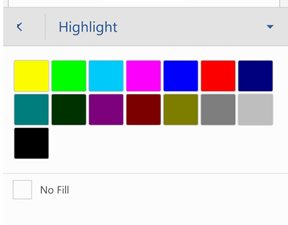
- Multiple Highlight colors are now available
- Smart lookup: is much the same as Office 2016. Select a word or phrase, on the pop-up menu is ‘Smart Lookup’. Choose that to see a web search result including definitions and pictures.

Excel
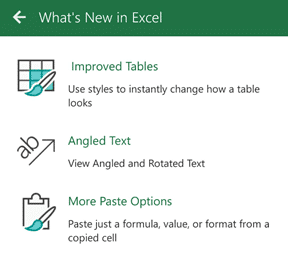
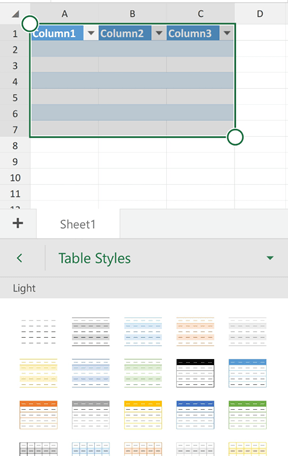
- Table styles are now available.
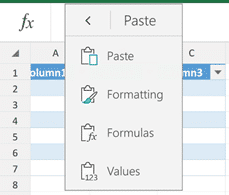
- Better Paste choices: Paste just a formula, value, or format from a copied cell. Click on the down arrow next to the Paste icon.
- Angled and rotated text is now visible
PowerPoint

- Multimedia Playback: embedded media files are now playable within presentations
If you have an Android device – phone or tablet – then get the Microsoft Office apps. They are free with some extras for Office 365 customers.