Three more Word features reach the web version
Three more familiar Microsoft Word features have reached the ‘on the web’ or browser based version of Word. Editing header/footer, columns and line numbering.
Headers/Footers
Word for the web has been able to view headers/footers for some time but now they can be added or edited as well. Go to Insert | Header & Footer.

There’s also a choice to insert page number (e.g. 1, 2 etc) plus optional page count (e.g. 1 of 3, 2 of 5 etc). Only digits, not the range of page numbering formats we’re used to in Word for Windows or Mac.
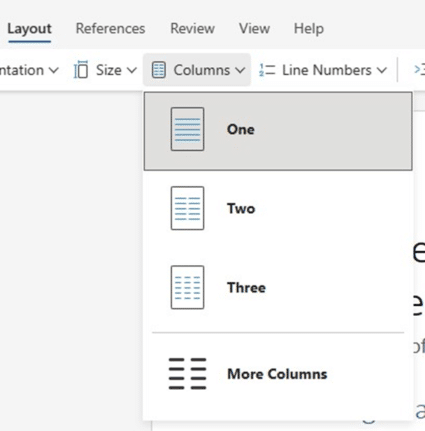
Columns
On the Layout tab is the ability to make a multi-column section.
Line Numbers
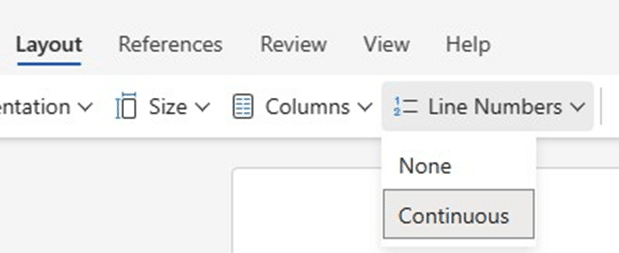
Also on the Layout tab should be a Line Numbers button with the Continuous choice only.
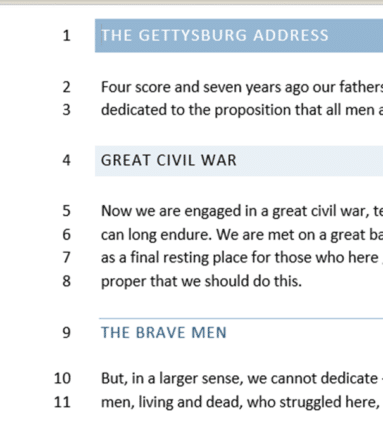
In Word for Windows/Mac there are many more options with Line Numbers. Here’s how they look, on the left-side of the document. See Line And Paragraph Numbering In Word for a lot more detail.
Premature Proclamation
These features were announced on 7 March 2024 as “now available to all Word for the web users.” but so far only the Header/Footer feature has appeared ‘in the wild’.
Yet again Microsoft’s practice of announcing something before it’s generally available aka Premature Proclamation™