Document Properties in Word and Office
Document Properties is one of those long-standing parts of Office that is worth another look. It can be quite useful and not always in the ways that Microsoft intends. At first, document properties looks like a fixed and rigid feature with limited use. However it can be used in much wider and creative ways. Any […]

What is Sway and should we care?
Microsoft has announced the existence but not availability of a new part of Office, Microsoft Sway. https://sway.com/ Sway is a new way to make a web based presentations with text, images, video, social media integrated. It certainly looks interesting. We think of it as a 21st Century version of PowerPoint, aimed at a connected world […]
Office Mix new features
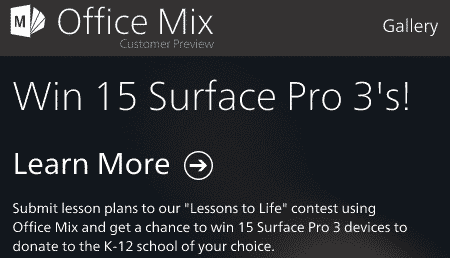
A few months ago we told you about Office Mix, a way to put PowerPoint presentations online. Microsoft has given us several attempts at sharing presentations online. Office Mix is probably the best integration of PowerPoint slides and some features only possible online. For a plain showing of PowerPoint slides online you can use PowerPoint […]

Word – Insert Symbol wish list
The Insert | Symbol feature in Office is overdue for an overhaul. Our venture into the new Unicode symbols and symbol fonts highlighted how much work Microsoft needs to do on this part of Office. Insert | Symbol has changed for a long time and many versions of Office. Here’s Insert | Symbol in Word […]

What is Microsoft Delve?
What is Delve and what does it mean for Microsoft Office? At the recent Microsoft conference there was mention of Microsoft Delve. But what the ?^%$ is ‘Delve’? It’s an enhanced search tool for your documents and online info. Not just standard Office documents but also videos, audio, links to web sites etc that are […]

Get a wireless second screen
Miracast gives you a wireless external screen for PowerPoint and a lot more. Miracast is a clever trick that lets you wirelessly connect some Windows 8.1 portable computers, Android and other devices to any HDMI capable monitor or TV screen. All you need is a Miracast dongle available online for around US$20 or perhaps a […]

Office Mix updates
Updates to Office Mix – a new way to make PowerPoint interactive. A while ago we told you about Office Mix, Microsoft’s way to put a presentation online with quizzes and other interactive elements. Mix has been updated with a wider range of examples via a Public Gallery It’s nice to see that Mix is […]

Office Mix in depth
A close look at how to Mix your PowerPoint presentations. Office Mix is a way to turn a PowerPoint 2013 slide deck into what Microsoft calls an ‘interactive online lesson’. It’s squarely aimed at the educational market. The idea is to expand a PowerPoint presentation into a full online lesson containing: The presentation that can […]

Office ScreenTips in other languages
A free way to show Microsoft Office help in other languages Office Screentips is a way to show tooltips for Word, Excel, PowerPoint, Outlook and other programs. This free addon from Microsoft doesn’t interfere with how the programs work or the wording of the tabs and ribbons. Only the tooltips that appear when you hover […]

Incomprehensible PowerPoint advice
Why your PowerPoint slides should NOT make much sense … Over on Slate there’s a nice little slideshow about making PowerPoint presentations that don’t bore your audience into a coma. In short, the advice is to make your slides incomprehensible. Well, not quite. The idea is that the slide content should complement or support what […]
Getty images in presentations
Can you use the free Getty images in your PowerPoint presentations? Getty Images, has announced that 35 million of their images are now available free. Does that mean you can use them in your PowerPoint presentations or Word documents? Sadly, no Getty Images is now allowing free embedding to some images in their vast collection. […]

Picture problems in Office
How to find your pictures to insert into an Office document. Even a simple thing like adding a picture to an Office document or email has subtleties and annoyances. When you choose Insert | Picture in recent versions of Office, it opens, by default, in the Picture Library. That seems sensible, at least to Microsoft. […]
Editing Office documents with Evernote
Evernote for Android now comes with the ability to edit Office documents. Our favorite notemaking system, Evernote, now has the ability to edit Office documents within their Android version. Yes – we very much prefer Evernote over Office Onenote. Evernote runs very well, syncs seamlessly and completely across all popular platforms and devices. Evernote has […]
More buzzwords or less – your choice
Contrary advice – how to add more buzzwords to your documents or remove them! Firstly, new guidelines from the UK government in an effort to reduce jargon in press releases. Some of the rules are pithy in themselves deliver – unless it’s a pizza or post drive – unless it’s cars or cattle foster – […]

New from existing document .. the alternatives
Other ways to make a new document based on an existing one … There’s more than one way to get a similar result as ‘New from Existing…’ that are worth keeping in mind. They apply across all recent versions of Word as well as Excel and Powerpoint too. You can just open the source document […]
Office Mobile Apps coming soon
Microsoft Word, Excel and PowerPoint will soon be on mobile devices. One interesting snippet generally overlooked in the Office 365 Small Business announcements was the mention of Office Mobile Apps. There’s been plenty of talk about Microsoft Office coming to mobile devices, especially non-Microsoft devices but the Office 365 announcement was the first time Redmond […]