Microsoft has announced a new Symbols Server for Microsoft Office which is a good move but not what most people think of when they see the word ‘Symbols’. These symbols are NOT characters like £ € ™ nor emoji such as ❄️❤️🎂 or the infamous eggplant🍆 😁 The new symbols
You have an Apple iPad but do you know all the different ways that Microsoft Office can run on an iPad. There are four different options, some free and others you have to pay for. Why bother? Surely you just install the Office mobile apps and that’s it? Sadly no,
When you open a master document in Microsoft Word it might give you a scare. Instead of showing the document text all you see is some links. All the subdocuments will appear as hyperlinks in the master document. To see the entire master document with sub-documents go to View |
Making unique (not duplicated) list in Excel is possible in three ways that update automatically. One is headspinningly hard. One has some minor quibbles. The best option is a lot easier and relatively new in Excel. We’re talking here about making a list of unique (non-duplicate) values which update automatically
Microsoft Word’s Styles Gallery can be fixed to show the styles you want, rearrange to the order you want, not the collection and order decided by Microsoft. It makes sense to have the styles you use most frequently in a prominent place in this panel, and Word allows you to both add styles
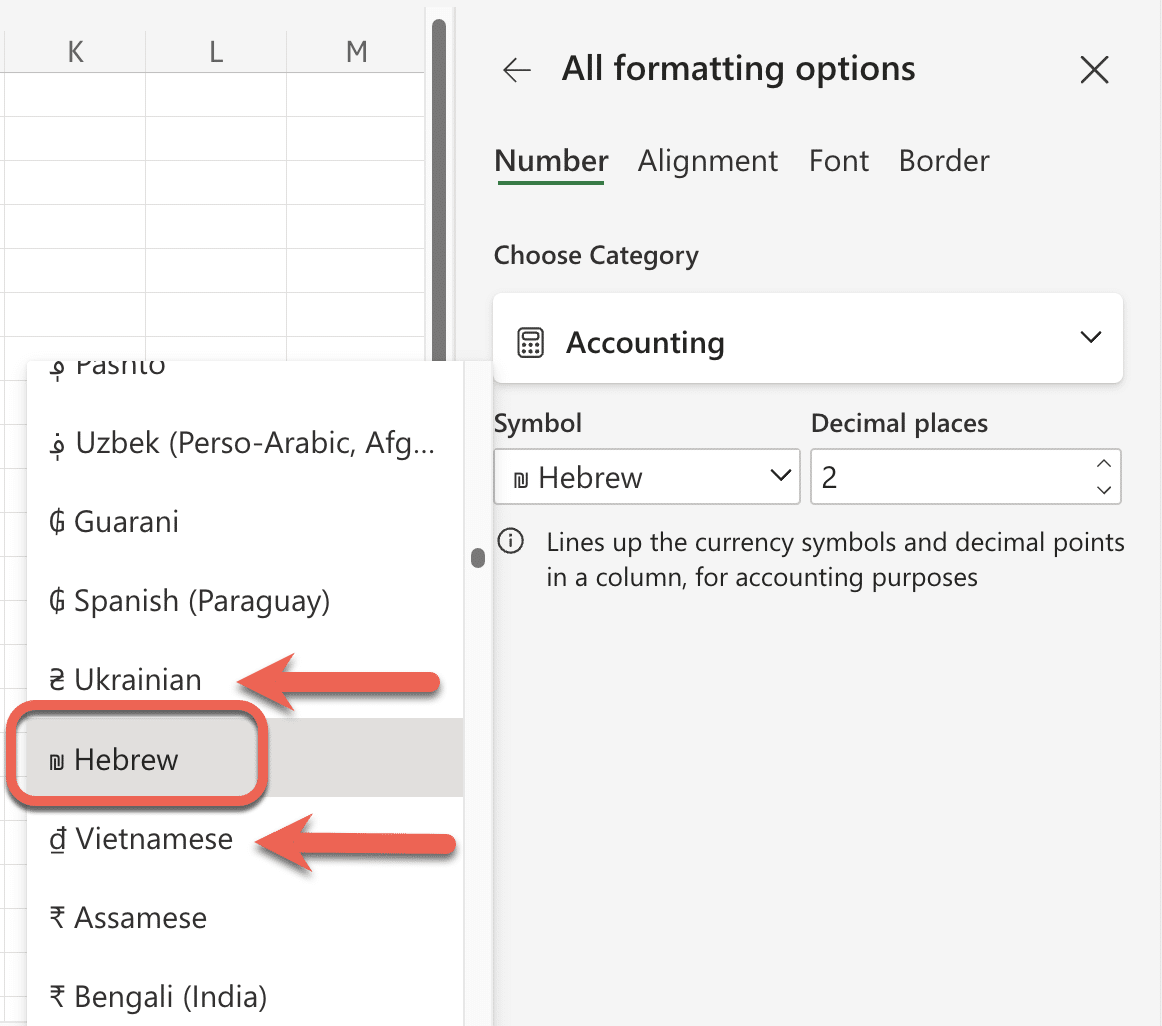
Segoe Fluent Icon is a handy extra symbols font with some icons that aren’t easily available anywhere else. It’s free for Windows and Mac. Here’s how to use it in Word and Office. Segoe Fluent Icons is intended for use by developers making their Windows apps but there’s no reason
A new embarrassment for Microsoft as they scramble to fix a bug in Outlook 365 for Windows which crashes when trying to display some emails, most commonly receipt emails from Uber. Office Watch goes into detail of this bug. It’s more serious than just blaming Uber for a bug in
Microsoft 365 services are stopping for Office 2019 and Office 2016 two years before their announced software end dates Microsoft is being especially cruel to Office 2019 customers. In October 2023 (i.e 14 months from now) services like Exchange Online, SharePoint Online, and OneDrive for Business will not be supported
An easy way to make fancy text, especially headings, with extra style and flourish is with the OpenType Ligatures in Word for Microsoft 365, 2021 and earlier versions of Word including Word for Mac. Microsoft Word supports OpenType Ligatures. Apart from Word, OpenType Ligatures are also applicable in Publisher and,
There’s a way to convert a sentence into an Excel Formula using modern AI. You’d expect this to come from Microsoft but instead it’s the work on one smart man who has made the Excel Formula Bot. David Bressler has created a way to turn human sentences into an Excel
Once you have the basic setup for the I ♥ or I Love … sign, the fun begins. Making your own variations for a Word document or PowerPoint presentation. Start by making your own I ♥ or I Love … sign based on the original I Love NY logo. Font
It’s pretty easy to make a similar I ♥ or I Love logo, in Microsoft Word or PowerPoint. It’s even a little easier for Mac users. Check out Making the original I Love NY sign to see how the original logo is put together. We’ll show you the little subtleties
Here’s the design details of how the famous I ♥ NY / I Love NY logo was made. The font, colors, symbols and how they come together to make an iconic sign imitated all over the world. The logo was created by Milton Glasner in the back of a taxi
Type the Smiling Face with Open Mouth and Smiling Eyes 😄 into Microsoft Word, Excel, PowerPoint or Outlook. Both in Office for Windows and Office for Mac. Smiling Face with Open Mouth and Smiling Eyes 😄 emoji is used to express genuine joy, laughter, or excitement. It’s just one of
There’s an interesting New York Times piece on the Unicode standard that’s used by Office, Windows, Mac and other computer systems. Unicode is the global standard for identifying letters, symbols and characters across many computer systems. It’s how very different devices can identify the letter A, Euro currency symbol or
Section Symbol § can be typed into Microsoft Word, Excel, PowerPoint or Outlook. Both in Office for Windows and Office for Mac. Section Symbol § is used for referencing numbered sections of a document, such as US legal code e.g “ 50 U.S. Code § 1861 “ . § in Footnotes
Look inside the changes Microsoft made to the Office VBA blocking / Mark of the Web documentation More VBA macro blocks coming to Office, detailsMicrosoft reverses Office macro blocks without telling customersBlocking Office VBA macros resumes but why? Which made us wonder what’s changed in the documentation. Surely, it’s a
Microsoft has resumed rollout of their new Office macro blocking system after the feature was mysteriously suspended a few weeks ago. But why? Microsoft hasn’t explained why they stopped the new macro blocks and their reason for restoring the feature is both incomplete and nonsensical. The new system totally blocks
The inverted or Spanish exclamation mark ¡ is available in Microsoft Word, regardless of language setting. There’s even an in-built shortcut. ¡ is most commonly used in Spanish for the start of an exclaiming sentence. As far back as the 1660’s there have been attempts to introduce ¡ inverted exclamation
PowerPoint presentations don’t have to be full-screen, that’s the default and normal way to show a deck, but a window option is also there. A windowed presentation lets you display the slides in other software like virtual cameras or desktop capture. Go to Slide Show | Setup Slide show and
One of the many small, but annoying, limitations in Office for Mac is the Insert Symbol feature. In Word for Windows it’s quite developed with a list of recently used characters: Or open up the main dialog to scroll through many more symbols or jump to exactly the one you
How to view a .msg file in either Windows or Mac. .MSG are Outlook for Windows message files which aren’t supported on Outlook for Mac, let alone Outlook mobile or in a browser. We’ve already explained about Outlook .msg files and why they are NOT recommended. In short .msg files
Viewing an .MSG file in either Windows or Mac isn’t always easy or even possible. We’ll explain what a .msg file is and why to avoid .msg in favor of better ways to share Outlook information. What is a .msg file? .MSG files is the “Outlook Message Format” are made
Microsoft Word’s collaboration features are changing, again, with Track Changes cards appearing for each edit in a document with a preview option in Word 365 for Windows. Track Changes cards are already in the browser-based version of Word. They are now coming to Word 365 for Windows and Mac. With