TrimMean() function is a slightly different and useful measure than the regular Excel Average(). It’s still an average/mean but without the high and low, extreme or outlier values in the list. Average() (and its partners AverageA() and AverageIFS() use all the values in the array or list provided. TrimMean() excludes
Office 365 for Windows is getting a ‘visual refresh’ a changed look to the ribbon and overall appearance of Word, Excel, PowerPoint and Outlook (the other Office apps will change later). This new look is currently in beta testing and may change a little before public release. It’s only fair
Type the Weary / Distraught face 😩 into Microsoft Word, Excel, PowerPoint or Outlook. Both in Office for Windows and Office for Mac. Weary / Distraught face 😩 emoji is also called Wailing, Frustrated or Sadness. How Weary / Distraught face 😩 looks in different fonts. Here’s some examples of
The Office Watch “Shortcut of the Week” tips for Outlook, Excel and PowerPoint from 2005 in the one convenient place. Tip 1 – Outlook navigation The Outlook navigation shortcuts could be more intuitive but here they are: Switch to Mail CTRL+1 Switch to Calendar CTRL+2 Switch to Contacts CTRL+3 Switch
Office 2007 and later to Office 365 not only has keyboard shortcuts but in many ways they are better than previous versions of Microsoft Office. For the most part the shortcuts used in Office XP and Office 2003 still work in Office 2007 through 365 also – despite the very
We place all of the “Shortcut of the Week” tips from 2004 in the one convenient place. Tip 1 – Undo The Undo function has become especially important over the years as Microsoft puts more ‘intelligence’ into their products. Sometimes it ‘corrects’ your spelling or re-formats something you were quite
Type the Fire 🔥 symbol or emoji into Microsoft Word, Excel, PowerPoint or Outlook. Both in Office for Windows and Office for Mac. Fire 🔥 emoji has many names like Hot, Lit, Flame and Snapstreak How Fire 🔥 looks in different fonts. Here’s some examples of how Fire 🔥 looks
Excel isn’t just for budgets and number crunching, you can use it for making lists and even organizing your love life! Lisa used Excel to find her True Love. She listed all her dates in Excel with details somewhat like this… Excel, combined with some personal rules. eventually led her
Tim Harford has an interesting long read on spreadsheets from its origins in the late 14th Century Italy to modern Excel with diversions into smallpox, Enron, Covid and even teasing Bill Gates. The Tyranny of Spreadsheets is on the Financial Times web site. It’s usually firewalled but the link should,
Microsoft changes what’s displayed in Excel Map Charts depending on your location and Microsoft’s policies in certain countries like China. We’ve had reports from people in China and Hong Kong that they can’t ‘see’ Taiwan on their Excel Map Charts. In most of the world, China and Taiwan show up
Yet more examples of strangeness and inconsistencies with Excel Map Charts with some unexpected workarounds. When Bing ‘accidently’ dropped images of the Tiananmen Square ‘Tank Man’ (not the first time such politically convenient ‘bugs’ have creeped into Bing). It made us wonder how Excel Map Charts (a Bing cloud service)
Esports (online gaming) is getting serious. Tomorrow the Financial Modelling World Cup pits eight Excel experts against each other in an online tournament. Instead of fighting battles or virtual sports, this is a test of Excel skills. It’s being called the ‘888 Battle’ 8 Contestants from 8 Countries on 8th
Office for Windows can have an extra on the Home pane – Recommended Documents which tries to suggest documents you’re involved with. Here’s what’s possible with this feature including how to hide it away and leave more screen space for the things you want to see. Source: Microsoft Recent Documents
A few annoying things in Excel 365 / 2019 / 2021 / LTSC Map charts that Microsoft should fix. We’ll explain the traps and some workarounds. Making our COVID-19 Vaccination workbook reminded us of some anomalies in Excel Map Charts. Always check the Map area options Whenever using the Map
Some of the features, tips tricks in our new COVID-19 vaccination statistics workbook for Excel 365. See Get COVID-19 vaccination stats and more from Excel for info on the workbook and what it does. We’ve made this workbook as a practical example of some important recent Excel features and how
We have a new COVID-19 statistics workbook with a new automatically updating Excel spreadsheet that shows the latest cases and vaccination rates by country and region. All our Office Watch readers can get the entire workbook today. We’ve made this workbook as a practical and timely example of some important
For just US$2,000 you can buy a way to hack into a computer via Microsoft Office. All you need to make your own malware is the money and a willing seller on the dark web. A recent survey by Trend Micro and reported by Dark Reading searching posts that advertised
Microsoft has been getting serious about drawing features in Office so we thought it was time to look at what’s available and possible across all the Office applications. Word, Excel, PowerPoint and some nice drawing stuff in OneNote Once upon a time, drawing onto a Word document or Excel worksheet
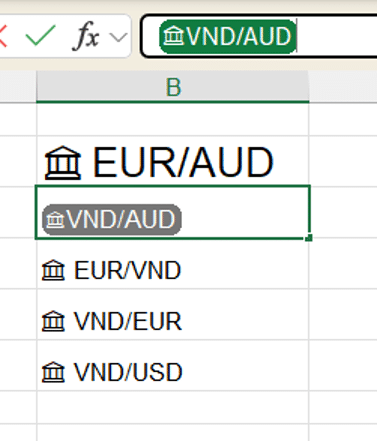
Excel 365 for Windows is getting an expanded Linked Data Types feature with more categories of data and extra features. Here’s what’s possible and the traps that Microsoft doesn’t mention. Stock, Currency and Geography data types have been in Excel 365 (Windows and Mac) for some time. Now it’s expanding
Sometimes Excel 365’s Linked Data Types are great (Stock and Currencies) and other times they’ll drive you crazy or lead you to use wrong statistics. Here’s some problems we found trying out the, supposedly, simple City data type compared to the similar Geography and Location data types. Just getting the
Something new in Excel 365 Linked Data Types is nested data types. If a data field can itself be linked to another data type, Excel will add it automatically. See the ‘Director’ names (from the Movie data type) have little icons next to them? That’s because Excel has added the
How to insert the Psi upper case Ψ, and Psi lower case ψ symbols in Microsoft Word, Excel, PowerPoint, or Outlook. Both in Office for Windows and Office for Mac. Psi (uppercase Ψ / lowercase ψ) is the 23rd letter of the Greek alphabet. The symbols are commonly used within physics to
Insert the Xi upper case Ξ, and Xi lower case ξ symbols in Microsoft Word, Excel, PowerPoint, or Outlook. Both in Office for Windows and Office for Mac. Xi (uppercase Ξ / lowercase ξ) is the 14th letter of the Greek alphabet. The symbols are used within various contexts. The uppercase letter
” How can I enter a duration in Excel with the format days:hours:minutes:seconds ? If I enter 5:32 Excel converts that to 5:32am but I want to record 5 hours and 32 minutes.” Time durations aren’t very clear in Excel, but they are possible. The time features are mostly aimed