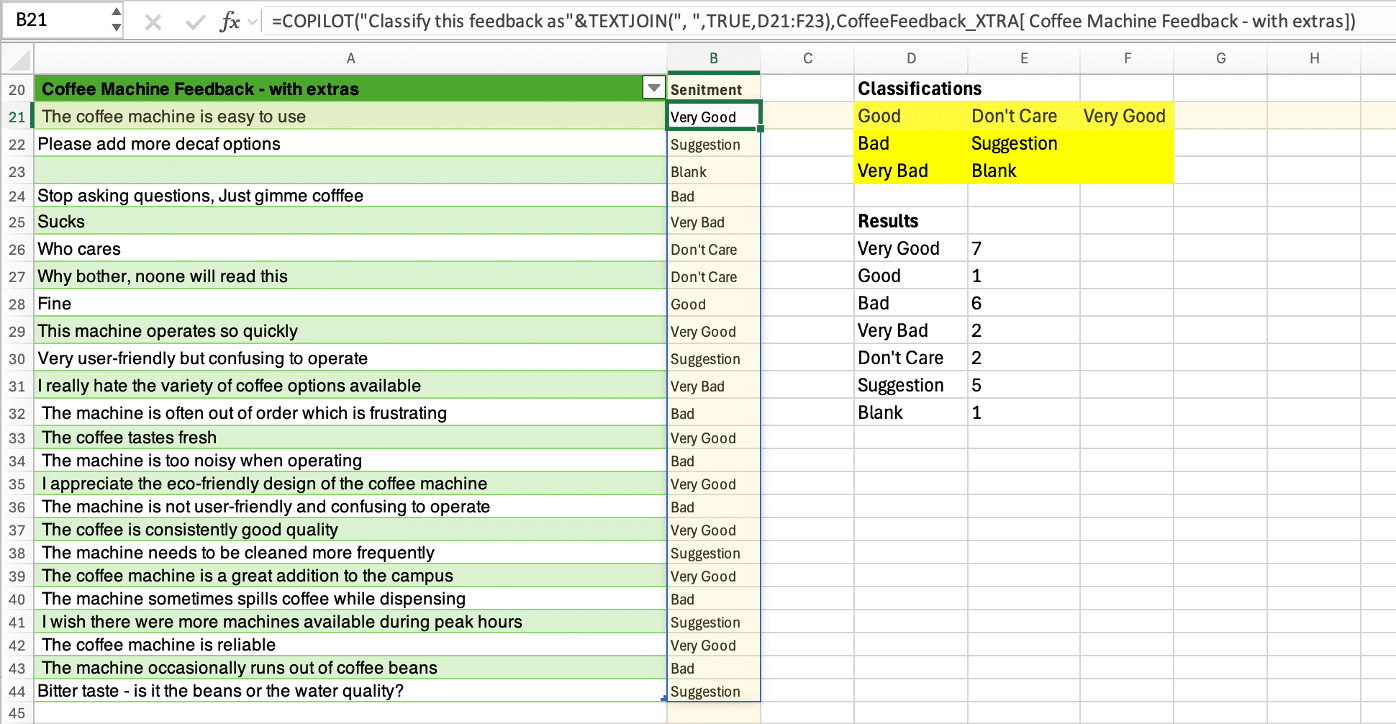
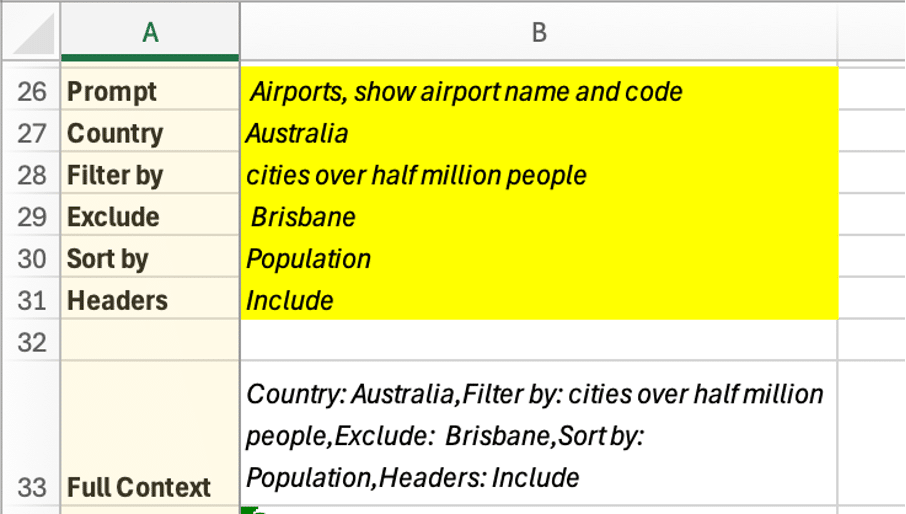
The excellent Excel Formula Bot is now available as an Excel addin for subscribers to the Bot service and now can explain a formula in plain language. Excel Formula Bot is a wonderful service which converts human-speak into Excel formula-speak or vice-versa. Since we last reported, David Bressler has added
Hidden Text Printing in a Word document is possible but is more complex than it should be. Here’s how to change the setting quickly from the ribbon or change the print setting just for one print job. By default, the hidden text will not be printed, but you can choose
Two simple Word add-ons to put quotes before and after a block of text – either pasted from the clipboard or selecting some text already in the document. Your choice of ‘single’, “double”, smart or some other quotation marks. “For me and, I am sure, many other writer, quotes are
A new way to insert a picture directly from an Android device into a Word document or PowerPoint slide on a Windows or Mac computer. Plus alternatives you can use now and might be more reliable. How it’s (supposed) to work In the online (browser) versions of Word and PowerPoint,
What to do if you see a #BLOCKED cell error message in Microsoft Excel. The fix is simple, if you can get past Microsoft’s unhelpful, er, ‘help’. Open uṗ a workbook and see #BLOCKED in some cells. The message ‘Check privacy settings’ is typical Microsoft message. It’s strictly correct but
Find or change many web links in Word documents using the Replace command, here’s the two tricks – one is good and the other not so effective. For example, you might need to change the domain name due a corporate restructure or update links so they are secure (https) instead
You’re not stuck with the Microsoft automatic settings when inserting a new shape. Change the defaults to whatever you like for faster shape formatting in Office; Word, Excel, PowerPoint or Outlook. When you Insert | Shape, something like this probably appears. Blue fill, 1pt black single line outline, no effects
In late 2016, Microsoft removed the PowerPoint audio ‘Change Picture’ option from the right-click menu for the music icon and they show no interest in bringing the choice back. The feature hasn’t gone away, it’s just not on the right-click menu where it should be. The workaround is on the
If you don’t like the large Office Backstage pane, the older and more powerful Open and Save dialog boxes are still available via shortcuts or changing a Microsoft Office setting. Microsoft has spent a lot of time and effort changing the Word, Excel and PowerPoint File panes to add more
Pantone has announced their “Color of the Year” for 2023 is “Viva Magenta” and, as usual, we’ll explain how to use that exact color in Word, Excel, PowerPoint and Outlook. And we’ll look at the purple prose that’s become a hallmark of Pantone’s annual promotion. The color of 2023 is
How to tell which Microsoft 365 plan (Personal, Family/Home, University etc.) you’ve bought and the expiry date. Or maybe you’re sharing a Microsoft 365 Family/Home plan. The Microsoft 365 plan, status and expiry doesn’t appear in the Office software (that would be too easy). See: Microsoft 365 which email address am
In Microsoft Word you can use Find combined with your own actions and easily switch between the Find and editing. That’s great for situations where a simple Replace command isn’t enough. Find results show up in the left-hand pane or dialog box, you can move between find results and editing,
One major use for Find and Do in Microsoft Word is to find highlighted text and let you change them. Highlighted text is often used to mark parts of a draft that need more work. There’s always the risk that the final document will go out with highlighted, unfinished,
Each Microsoft 365 (aka Office 365) account is linked to a specific email address, how can you find out which address you’re using for your Microsoft 365 login? This might seem like a strange question but we hear it quite often. Most of us have multiple email addresses and it’s
Powerpoint is a quick way to make a photo collage or presentation that you can use as a separate photo for any purpose, including as a virtual background! Today is the 80th birthday of an amazing man. We’ll be meeting up on Zoom to celebrate the big day and we’d
Microsoft Office rules might let two users or more use the same copy of Office on a computer. It depends on which type of Office you have on a Windows or Mac computer. Office can work for multiple separate users on the one computer. Most commonly, there are separate Windows
Outlook profiles is one of the most important but least known parts of the program. Profiles can be very useful, sometimes essential to getting Microsoft Outlook working. An Outlook profile is a group of settings for connecting to the email server, and where to store the emails and other data.
Outlook for Windows doesn’t have a direct way to rename an Outlook Profile but it’s still possible. Outlook for Mac, on the other hand, can rename a profile from the Manage Profiles list. Properly label a Profile instead of using the one or two word names Microsoft defaults to. This
Function Keys in Excel are a convenient and quicker way of doing tasks by using keyboard instead of mouse. Here’s the Excel function keys (F1 to F12) and their many tricks. F1 – Help, Ribbon, Chart, new sheet F1 – Displays the Excel Help pane Ctrl +F1 – Displays or hide the
There’s a simple trick to ensure that an email is real, not a phishing trick to get your personal information. But Microsoft makes it easy for phishing attacks to pretend that are the real thing.. Hover over a link in an Outlook email to see the real url that you’ll
If you’re having trouble with Office for Windows, try these tips first. They might fix the problem or help narrow down the cause. You’ll often get these suggestions from Microsoft Support or forums. They are things to try before asking for help with a Microsoft Office problem for two reasons:
What to do if you get the “Sorry, something went wrong” error message trying to use PowerPoint’s Reuse Slides feature. This error message might appear if you’re trying to use PowerPoint’s Reuse Slides feature. It seems to happen only for non-business users (for example Microsoft 365 Family/Personal plans). The current
There’s a faster way to clone or reuse slides from existing PowerPoint presentations. Reuse Slides lets you pick a slide and copy it in a flash. Which sounds great unless you’re an unlucky person who hits a useless and unhelpful Microsoft error message. Reuse Slides is mostly promoted as a
The 2022 ‘Ventura’ release of macOS has a new way to switch between apps called ‘Stage Manager’. It works well with Office for Mac, making it easier to see what’s open and available. But Stage Manager has its frustrations in this first release. Stage Manager appears on the left side,