Remake your own photos for Halloween
Microsoft Designer has a simple way to take a photo and turn it into something scary or spooky for Halloween.
Use it at Halloween to transform a photo of children or grandkids.
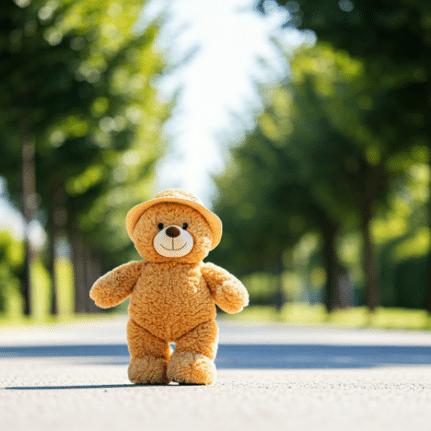
Designer’s Restyle Image has gone to software heaven but the basic features are still there to convert an image into something with a different style. We’ll start with this teddy bear photo (despite the temptation 😀, we didn’t want to embarrass any child or parents by using a real photo).
Go to Designer’s Image Creator
Describe your image: upload the image of a person you want to use.
Add a text prompt like this:Using the attached image.
Convert to Block Print style
with scary black spiders in the background
Color: choose a color scheme or leave blank.
Size: your choice.
Click Create then wait while Microsoft’s AI does it’s thing.
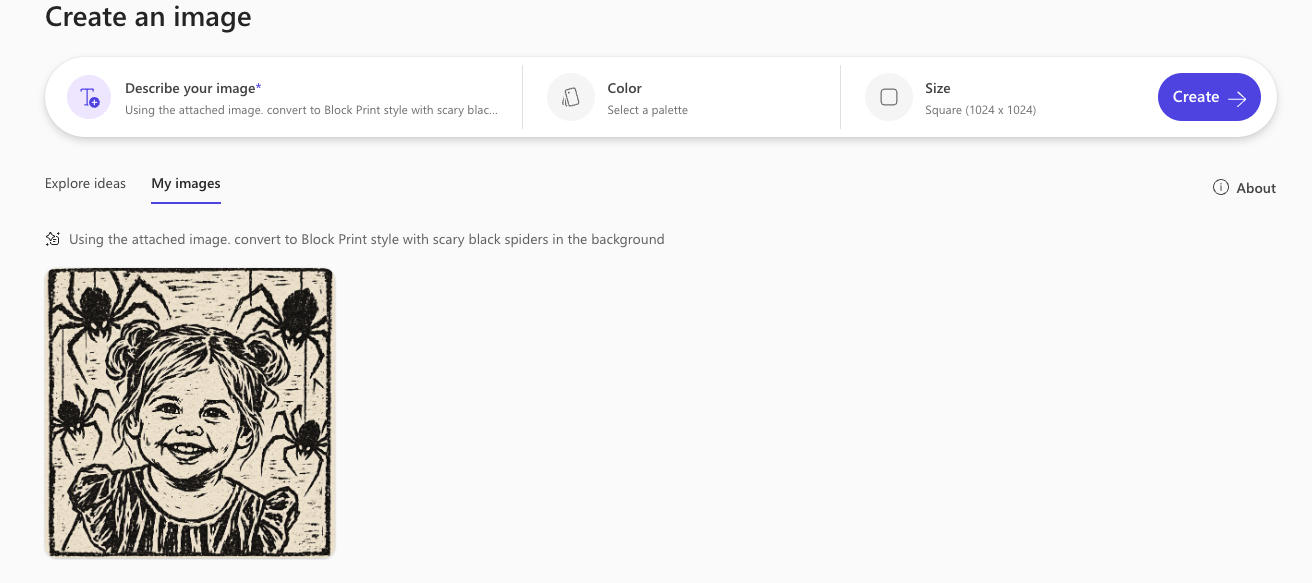
We chose Block Print which usually makes something dark.
As you can see above, the 2026 version totally misinterprets the source image turning a teddy bear with a hat into a little girl with ponytails. So we tried again specifying a ‘colorful’ Block Print and ‘little’ spiders.
Using the attached image.
convert to colorful Block Print style
with scary little black spiders in the background
This time the bear turned into a dog.
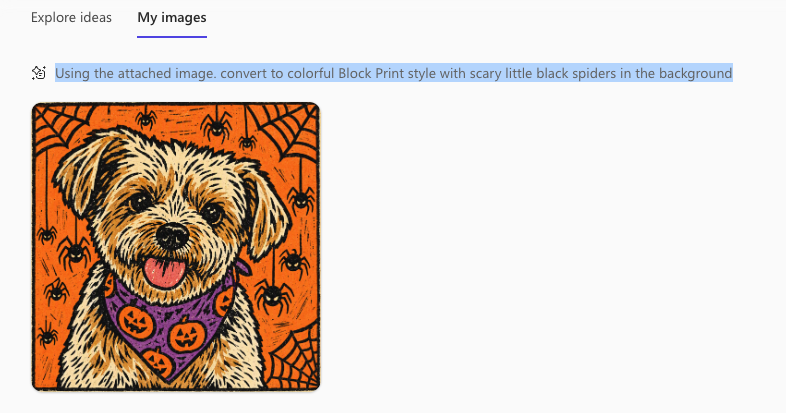

That’s quite different from Designer’s efforts back in 2024. Alas, sometimes the development of AI isn’t always an improvement.
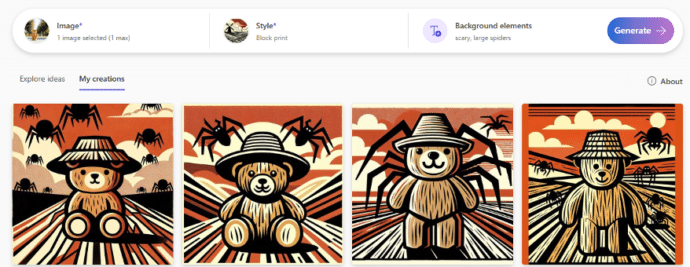
Transform a photo with Restyle Image in Designer
Microsoft Designer: Straight Talk
Microsoft Designer has discovered landscape images