Use Facebook’s Messenger to move Office documents
Facebook has an instant messaging/chat feature that can be used to transfer Office documents. It’s worth keeping in mind if you want to share a document with a Facebook friend.
Messenger is different from Facebook’s WhatsApp which only has limited file transfer options.
Rather than use the cluttered Facebook.com pages, go to http://Messenger.com instead.
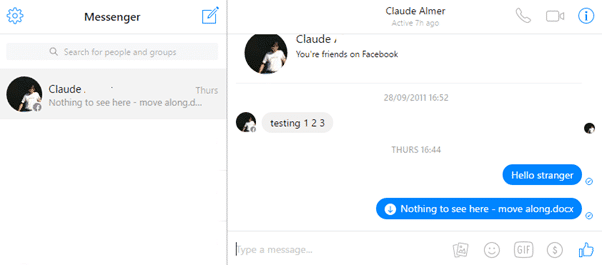
http://Messenger.com is the same Facebook IM system but on a dedicated and uncluttered page. Use your Facebook login to see the same chats.
Click on the Add Files icon to select a file on your computer to send.

This is NOT a secure transfer method. Neither Messenger nor WhatsApp (both Facebook products) are properly secure. That’s despite Facebook’s assurances about WhatsApp.
We don’t recommend using any insecure cloud or online transfer service. IM’s like Telegram or Wickr are much better. See Safely Sending Files Via Messaging Apps
However, it’s not always possible to use the most secure method. Sometimes an option like Messenger.com is worth keeping in mind.