Mystery Office Mobile updates for Windows 10
Microsoft has released updates to the free Office Mobile apps for Windows 10 – Word Mobile, Excel, Mobile, PowerPoint Mobile, and OneNote.
But what are you getting in the updates? There’s nothing with the updates to tell you. The Windows 10 Store seems to have no provision for documenting updates at all … not even a few words like ‘bug fixes’ or ‘performance improvements’.
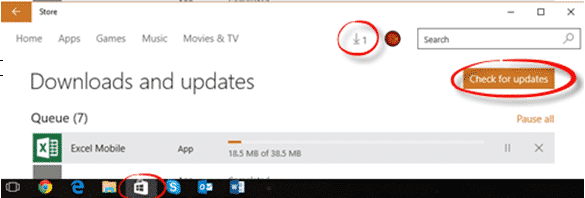
To get the updates go to the Store app. You might not need to do anything because the default is to automatically download and install app updates.
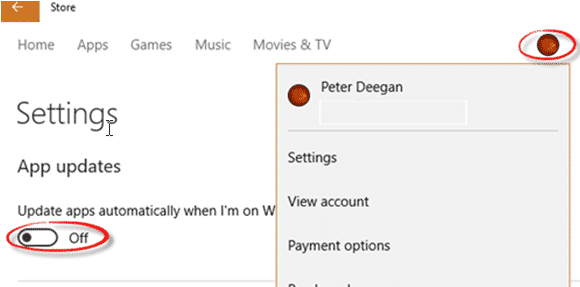
Given Microsoft’s less than perfect track record with updates, we suggest you turn that OFF. From the Store app, click on your Windows account image (next to the Search box), then Settings and turn off the option ‘Update apps automatically when I’m on Wifi’.
When you want to update, choose the discreet updates button (a number with down arrow). If necessary, click ‘Check for updates’ to get the latest list of app updates. Then choose the updates you want or ‘Update All’.