How to count up total Onedrive use
Microsoft is replacing the 1 TB-per-person OneDrive allowance with a shared 2 TB pool for Microsoft 365 Family and Premium plans. That could mean losing up to 4 TB of household storage. Before the switch, you need to find out how much OneDrive space your family actually uses and Microsoft doesn’t make that easy.
We’ve covered the OneDrive storage changes in detail: what the Microsoft 365 OneDrive storage cut means for Family and Premium plans, how the new Microsoft 365 Pro plan compares to Premium, and the latest on Microsoft 365 Family Copilot sharing. This guide focuses on the practical step Microsoft left out — finding your household’s actual storage total.
There is no single screen that shows your whole household’s OneDrive total. There should be, but Microsoft hasn’t bothered despite its importance to their customers.
The subscription owner can only see their own usage, so each person on the plan has to check their own storage and you add the numbers up yourself. That matters now because Microsoft is replacing the old 1 TB per person allowance with one 2 TB pool shared by everyone.
Why the owner can’t see everyone’s usage
Microsoft treats each member’s account as private, even from the person paying for the plan.
The new shared storage doesn’t change the privacy part. Members share the storage quota but not the files; each person can only reach their own files unless they choose to share them.
Bluntly, this is a gap. Microsoft is cutting a full household from 6 TB to 2 TB and hasn’t given owners a simple way to see the total OneDrive use. Not the files, just the storage used.
There might be something for customers already on the new shared OneDrive but that should be visible for all Microsoft 365 plan owners so they can plan ahead.
How each person checks their own usage
Ask every person using a Microsoft 365 Family, Premium or Pro plan to let you know how much OneDrive they are using:
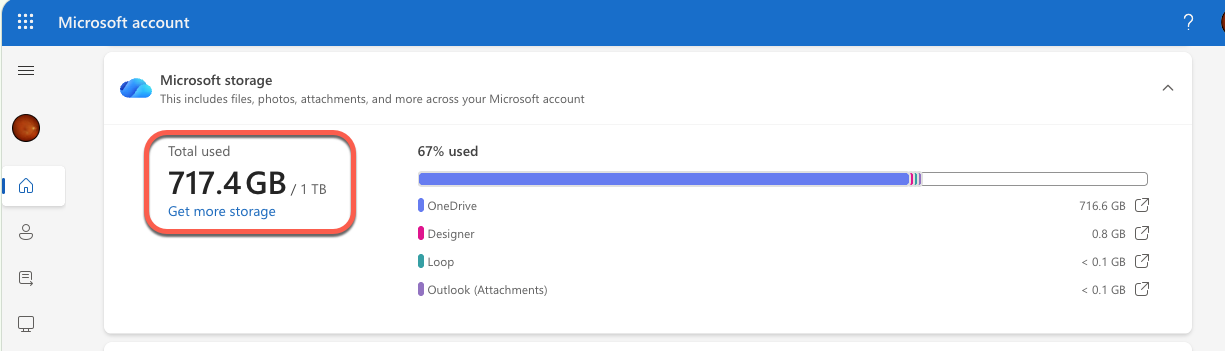
Microsoft Account
Sign in at https://account.microsoft.com and note the total Microsoft storage used.
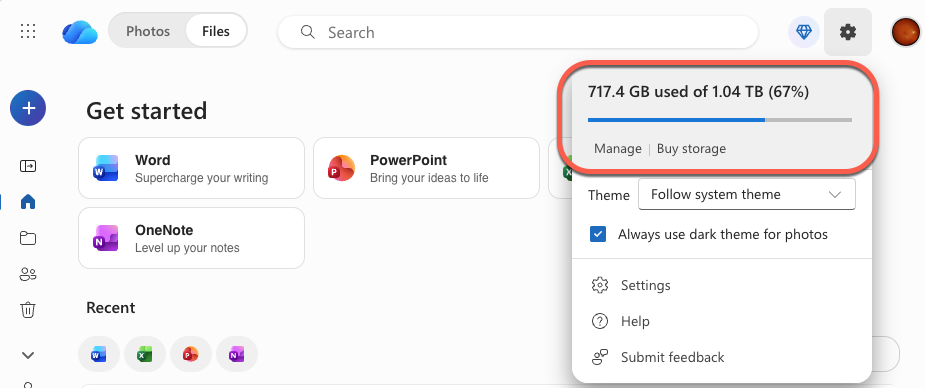
Website
OneDrive.com: the used amount appears under the cog icon at top-right.
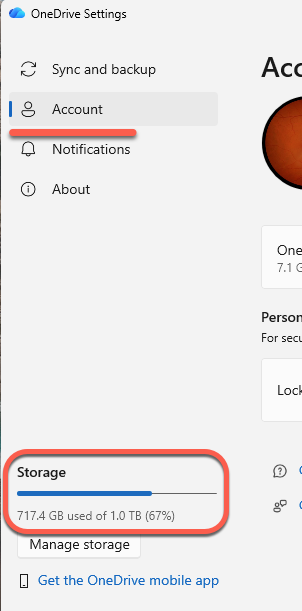
Windows
Click the OneDrive cloud icon in the taskbar, then the cog/gear, then Settings | Account.
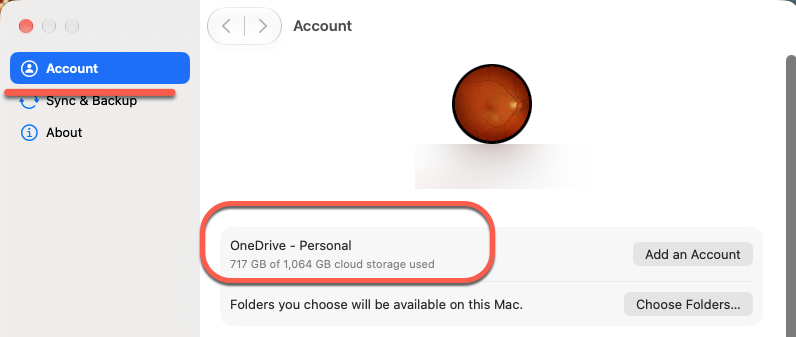
Mac
Choose OneDrive | Settings | Account from the top menu bar.
The easiest approach is to ask each person to send you a screenshot of the storage page.
Use the total storage figure, not just OneDrive files
The number that counts is bigger than what’s in each person’s OneDrive folder. Microsoft’s storage quota covers OneDrive files and photos (including phone camera roll backups), items in the OneDrive Recycle Bin, Outlook.com attachments and inline images, Teams attachments and recordings, Loop files, and images in Designer projects.
Add up each OneDrive quota
Here’s an example for a household of six:
- Owner: 450 GB
- Partner: 620 GB
- Teenager: 300 GB
- Teenager: 180 GB
- Grandparent: 90 GB
- Guest member: 40 GB
Total: 1,680 GB, which fits under 2 TB (about 2,000 GB) with some room to spare.
If your total is near or over 2 TB, you need a plan to reduce usage before the switch.
Leave headroom too, since phone photo backups keep growing every month.
If your plan is already on shared storage
New and upgraded subscriptions since October 8, 2026 already use the pool.
Microsoft’s support page says only that the storage dashboard shows how much you’re using and how much is available. It doesn’t promise a per person breakdown, so you’ll still need each member’s figure to find out who is using the most space.
More on Microsoft 365, OneDrive and Storage
The storage cut is part of a bigger shake-up across Microsoft 365 consumer plans. Microsoft 365 OneDrive Storage Cut: What to Do Before You Lose 4 TB walks through the timeline, what happens if you’re over the limit, and your options before the switch.
Microsoft is also opening up AI features to everyone on a Family plan, but with a shared allowance that could leave each person with very little. Microsoft 365 Family Copilot Sharing: What’s Changing and What to Watch Out For breaks down what’s promised and what’s still missing.
If the storage cut has you wondering whether the new Pro plan is worth the upgrade, Microsoft 365 Pro vs Premium: Is $1,200 a Year Worth It? compares the two side by side. Spoiler: the extras are thinner than you’d expect.
OneDrive does more than store files. How to Extract, Merge, Encrypt and Compress PDFs in OneDrive and What Anyone Can Do with PDFs in OneDrive PDF Editor: Free Tools You Didn’t Know You Had show what’s built into OneDrive that most people overlook.