Microsoft 365 – the subscription / annual fee plan for Microsoft Office on Windows, Mac, iPhone, iPad and Android.
Includes Word 365, Excel 365, PowerPoint 365, Outlook 365 and many other ‘365’ programs, apps and services.

Two Outlook bugs to watch out for
Here’s two Outlook for Windows bugs to watch out for. One is too easy to trigger and the other will affect people with a LOT of email to handle. Copy bug with Input Method Editor With Outlook 365 (classic) and using the Input Method Editor, Outlook might crash or hang when trying to copy text. […]
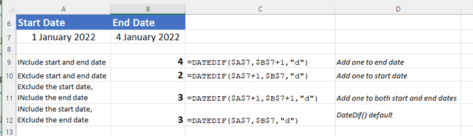
The hidden trap in Excel’s DateDif()
There’s a hidden trap in Microsoft Excel’s DateDif function that rarely gets a mention and is too easy to overlook. DateDif() is a long-standing Excel function that returns the duration between two dates. It’s not a ‘full’ Excel function because it was added for compatibility with Lotus 123 and has a known bug. Despite that, […]
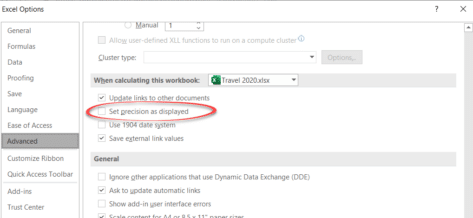
The big difference between what Excel shows and what Excel knows
Understanding the difference between Excel’s stored value for a cell and its displayed value is important. It happens a lot and can make a big difference to the results. Back in the day we detailed a bug in Excel 2007 where the wrong number appears on the screen yet Excel ‘knows’ the right value for […]
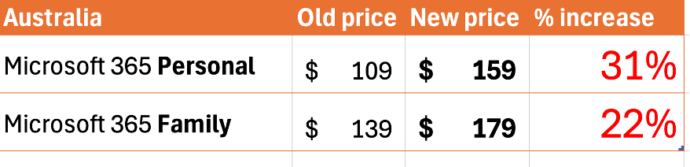
Australian prices of Microsoft 365 up by over 30%
Australians are now paying up to 31% more for Microsoft 365 after the prices were quietly raised. A limited Copilot trial is now included. Both the Microsoft 365 Personal (one person) and Family (six people) plans have risen in price. Microsoft 365 Personal now AUD$159 Microsoft 365 Family now AUD$179 The 31% increase in the […]
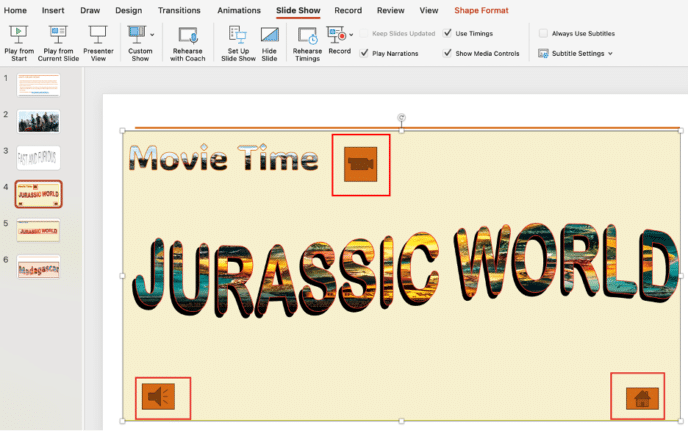
Adding Action Buttons to PowerPoint
A PowerPoint action button is a shape you can add to your slides, allowing you to hyperlink to another slide or webpage, play a sound, or trigger other actions. It’s an easy way to add interactivity and navigation to your presentation with very little effort. It’s also a way to control the presentation within […]
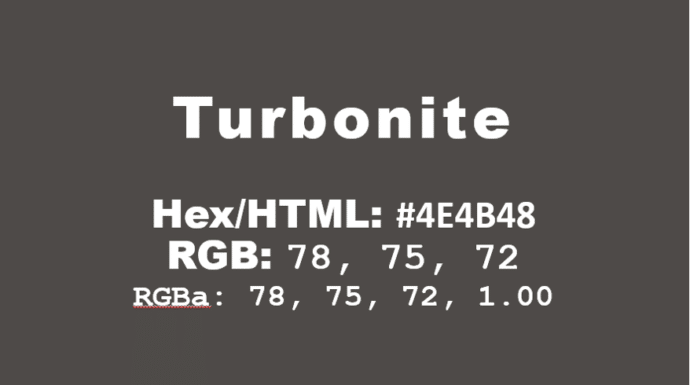
How to get the official Porsche color in Word and Office
How to get the official Porsche color “Turbonite” in Microsoft Office for Word documents, PowerPoint slides and more. The color has been announced by Pantone with the code PMS-2336-C. Porsche Turbonite is described in the usual flowery terms by Pantone: Turbonite color codes It’s easy to apply the Turbonite color to Office documents using these […]
Get more from your Keyboard: How to Turn the Caps Lock Key Into Something Useful (or Disable It)
If you often hit the CapsLock key by accident,sending part of your text into unwanted ALL-CAPS mode, you’re not alone. But rather than letting it stay a nuisance, you can repurpose it or disable it altogether. Stop accidentally turns CAPS ON when you don’t want it. On Windows or Mac you can remap CapsLock to […]
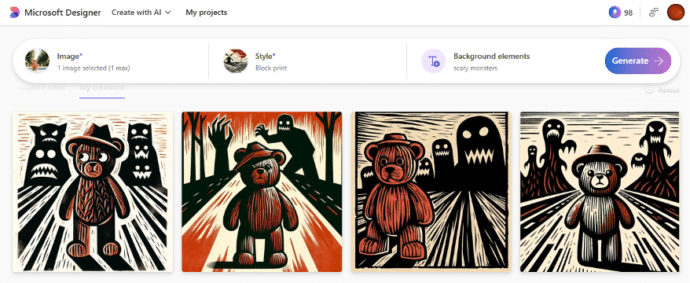
Remake your own photos for Halloween
Microsoft Designer has a simple way to take a photo and turn it into something scary or spooky for Halloween. We’ve already explained about Designer’s Restyle Image option that converts a photo into a graphic in a style and additions you choose. Use it at Halloween to transform a photo of children or grandkids. As […]
Excel blooper history – mistakes by users and Microsoft
Excel is now 40 years old and it’s capable of some amazing things. Let’s not forget some of the mistakes made by users and serious bugs by Microsoft along the way. First a reminder of some Excel bugs and how Microsoft never seems to learn from their mistakes. Excel bug adding rows and columns Back […]
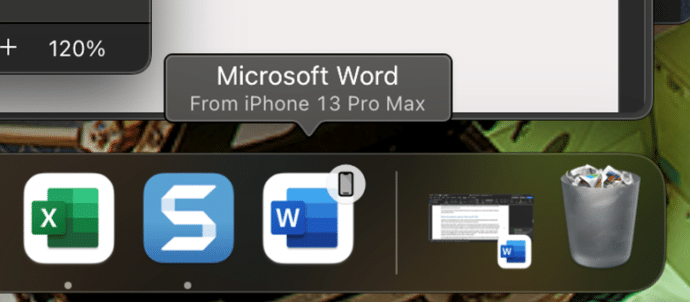
Apple Handoff now in Word, Excel and PowerPoint
Microsoft 365 for Mac can now use the Apple Handoff option to pass a document between a Mac computer, iPhone or iPad. We’ll also explain how to get a similar feature on any combination of devices Apple or Android. Apple Handoff lets you pass control of an open document between Apple devices. For example a […]
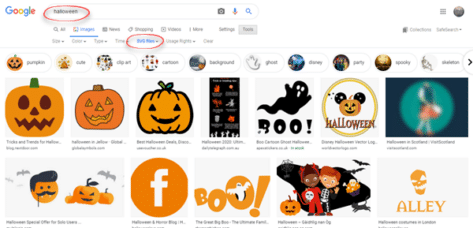
Halloween icons and symbols for Word, Powerpoint and more
Quickly add a Halloween ghost, pumpkin, witches’ hat and more to your Outlook email, Word document or PowerPoint slides which have many in-built icons, graphics and pictures to enhance your “All Hallows’ evening” Icons, Stock Images, Stickers and Illustrations are all available in Microsoft 365 for Windows or Mac. Some Icons are also available in […]

Spice up Halloween with Microsoft Designer
Microsoft Designer makes it easy to create a unique and personal little graphic for Halloween, full size with animation, sticker or clipart Office Watch shows you how to use Designer for Halloween and some of the little tricks needed to make Designer work better. It took only a few minutes to make this small, personalized, […]
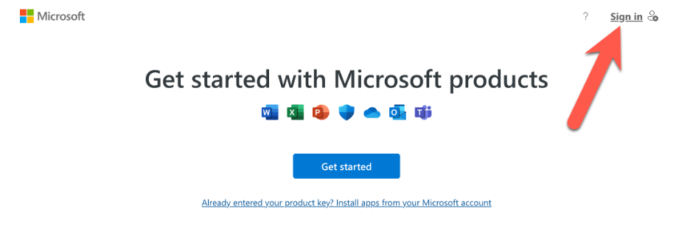
Get Microsoft 365 for less money
There are simple and legal ways to save money on consumer Microsoft 365 plans, either Personal or Family. Don’t give Microsoft more money than you have to. Microsoft 365 is NOT a normal subscription Microsoft 365 Personal or Family plans are different in three, potentially, money saving ways: A Microsoft 365 consumer/retail subscription isn’t like […]
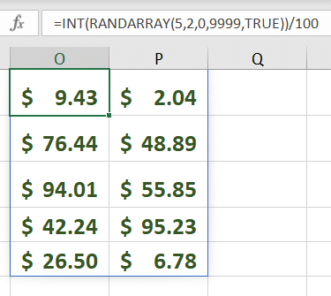
RandArray – Excel’s best way to get random numbers
My ‘go to’ way to get random numbers in Excel is the new-ish RandArray because can do everything that Rand() or RandBetween() can and more. RandArray() fills cells with random numbers for as many rows and columns as you want. It’s in Excel 365, Excel 2024 and Excel 2021. The most basic version of the […]
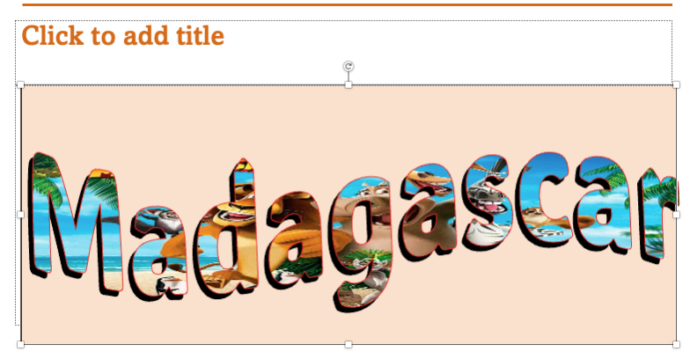
Great PowerPoint heading with picture fill
Adding a picture to PowerPoint text background look great and is easier than you might think. Even better, are many hidden options to adjust the image and position it exactly as you want. Curious about how to create text effects like in the image below? Look no further—if you have PowerPoint, you can easily do […]
Copilot shock in latest Word release
Office Insiders will get a nasty Copilot shock when they start a new document in Word 365. Microsoft has gone ‘over the top’ in their latest effort to push Copilot. The latest Insiders release of Word 365 with a paid Copilot plan has this when a new blank document is started. Talk about unsubtle. Not […]









