Office Watch reader Steve G is having a problem in Word. The F9 key isn’t updating fields in a Word document. He suspects a buggy patch of Windows or Office. Here’s how to find the source of the Function key or any keypress problem and fix it. Hint – it’s
If your Microsoft Office 2016 apps suddenly started crashing last week, you’re not alone. Fortunately, Microsoft has rolled out an emergency fix to help users get back on track after one of their security update caused Outlook and other Office 2016 apps to stop working. The troubles started began after
Stricter requirements are coming on mass mailings to Microsoft hosted mailboxes including Outlook.com. The new rules also affect anyone with a Microsoft managed Inbox. Any organization (domain name) sending “over 5,000 emails daily” will have to comply with new rules from 5 May 2025. At the same time, Microsoft is
Emails you want to see might end up in Junk Email as Microsoft imposing new standards to ensure emails are legitimate. Microsoft isn’t allowing any way to bypass their new rules for emails you want. The new standards apply to senders but there are important and less well promoted effects
There’s a little undocumented surprise on the right-click menu. Tucked away at the top is ‘Search the menus’ help. Sadly the underlying help system is still woefully inadequate. Right-click in a document (Word, Excel, PowerPoint or Outlook) and the top item isn’t ‘Cut’ but a “Search the menus” box. This
Outlook (new) has some more ads appearing in it as well as a handy way to add calendar events from an email. An incoming email to Outlook (new) can have a “Show on Calendar” option at the top when the software detects an event like a flight booking. Look for
The Washington Post has done an interesting comparison of AI services and their email drafts for some difficult situation. Microsoft’s Copilot came last. Check out “We asked 5 AI helpers to write tough emails. One was a clear winner.” (login may be required) The headline is a little misleading. Copilot
Shapes, images, and other items can be grouped together and often should be in Word, PowerPoint and other Microsoft Office apps. When you group shapes or objects, you can move, resize, rotate, flip them all at once, as if they were a single object. If you’ve ever had trouble moving
For the last three days (since 3rd March) the Apple Mail app for iPhone and iPad hasn’t always been able to connect to Microsoft hosted mailboxes. While Microsoft delays, here’s the fix they won’t mention. Since Monday, many Apple Mail users have been pestered with login requests for their Microsoft
The new Outlook for Windows has what Microsoft calls “Mail Merge” which could be useful but bear NO relation to the standard Word/Outlook “Mail Merge” to send many emails. In the new message Options for Outlook (new) is an enticing button “Start Mail Merge” but don’t get too excited. This
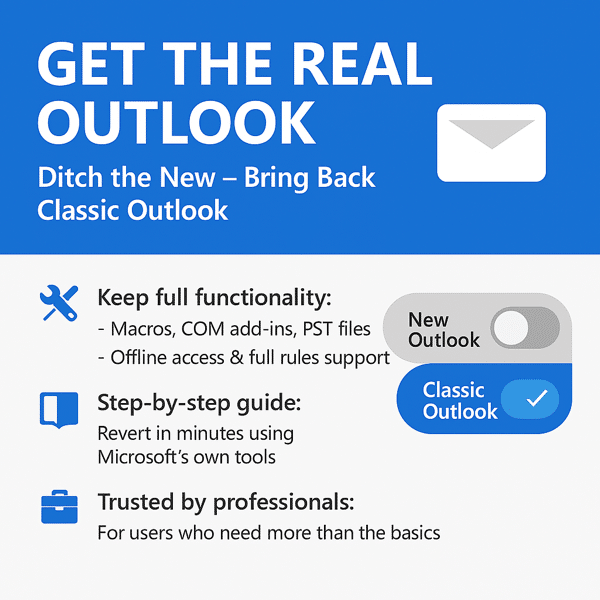
Outlook (classic) for Windows, the one we’ve all used for many years has been dropped from some Microsoft 365 installations even though the replacement Outlook (new) is still a “work in progress”. Here’s how to still get the ‘real’ fully-functioning, classic Outlook. Outlook (new) is the eventual replacement for what’s
Here’s how to stop Copilot prompts appearing in your documents, sheets and slides. Microsoft 365 customers are now seeing “Copilot Clutter” appearing in their Microsoft 365 apps, Word, Excel and PowerPoint. There is now a way to Disable Copilot available to some Microsoft 365 customers A Microsoft executive expressed surprise
Outlook mobile for Apple iPhone and Android devices have two new features. Minimizing draft emails and, at last, Recall sent messages. Minimize draft emails It’ll soon be possible to minimize a draft email then resume writing the new or reply message later. This is a good change but not a
The Outlook Calendar views can change quickly with some shortcuts that work for both Outlook for Windows (classic and new) plus Outlook for Mac. The shortcuts follow the order of the Home | Arrange buttons in Outlook for Windows. Day – Ctrl + Alt + 1 Work Week – Ctrl
Fast access to important Outlook features! The ribbon in Outlook isn’t the only way to efficiently things done. Use the keyboard shortcuts that have been available in Outlook (Windows or Mac) for Microsoft 365 or Office 2024 and many earlier versions. Outlook for Windows Here are some keyboard shortcuts that
Quickly change between Outlook views using these keyboard shortcuts that work for three different Outlook’s, Windows classic and new plus Outlook for Mac. With all the changes in Outlook for Windows or Mac, it’s nice to see that some keyboard shortcuts have survived all the upheavals. This works with both
Outlook for Windows and now Mac have a ‘Recall Message’ option for messages already sent but is now not needed, been replaced or you’ve realized was a mistake. But Recall isn’t all that Microsoft says it is. A ‘recall’ request message either to delete the message or sometimes replace it.
There’s important change in the way Microsoft handles browser logins to Microsoft accounts. If you’re using someone else’s computer or a public terminal, you need to know about this new security hole. Whenever you’ve signed into a Microsoft account for a web site, you’ve almost certainly seen this box. Stay
AI technology without limits is available in Microsoft Office with Copilot Pro. AI features are integrated into Word, Excel, PowerPoint and Outlook for personal customers. Here’s how to get Copilot Pro and the secrets to getting it working. Copilot is Microsoft’s name for their AI based cloud services. They have
Microsoft 365 customers around the world are waking up to a new look in their Word, Excel, PowerPoint and Outlook apps. It’s part of Microsoft’s huge changes to Microsoft 365 Family and Personal plans which include a very limited Copilot AI service and a big price rise. Microsoft 365 users
There is a way to stop Outlook (new) from being forced onto Windows 10 computers, but you have to act now before Microsoft does. There’s a registry entry that will block the February 2025 security update from forcing Outlook (new) onto your Windows 10 computer. See New Outlook coming to
How to prevent Microsoft from pushing a change from classic Outlook for Windows to their new and incomplete Outlook (new). Microsoft is pushing customers to use Outlook (new) even though the software doesn’t have basic features like proper offline support or interactions between mailboxes. New Outlook also has a serious
Microsoft will soon be pushing the new Outlook for Windows to all Windows 10 users whether they like it or not. They are doing it in a peculiar and self-serving way. Outlook (new) for Windows is the totally revamped replacement for Outlook (classic) sold with MS Office and the Windows
Microsoft 365 Family and Personal plans are getting Copilot AI integration into their Office apps but it comes with a big price increase and many limits to what people get for the extra cost. Customers in Australia, New Zealand, Malaysia, Singapore, Taiwan, and Thailand have seen massive prices rises in