UK government moves from DOCX
Last year, the UK government announced that they were using the Open Document Format (ODF) rather than Microsoft’s similar Office Open XML (docx etc.). Let’s look at how that can be done in Microsoft Office.
When you install Microsoft Office, the default document types are set to Microsoft’s preferred formats; docx for Word, xlsx for Excel and pptx for PowerPoint plus other variations. But they are just the automatic settings.
You can open and edit documents in other supported formats. If you get an OpenDocument file, Office will open it, let you view/edit it and save the file. Go to File | Open and the ‘All Word Documents’ filter (or equivalent for Excel and PowerPoint) includes Open Document files.

The Microsoft document formats and the Open Document Format are technically quite similar. They are both based on XML which is compressed with the common ZIP system.
It’s possible to change the defaults so that new documents use another format. Go to Options | Save | Save files in this format.
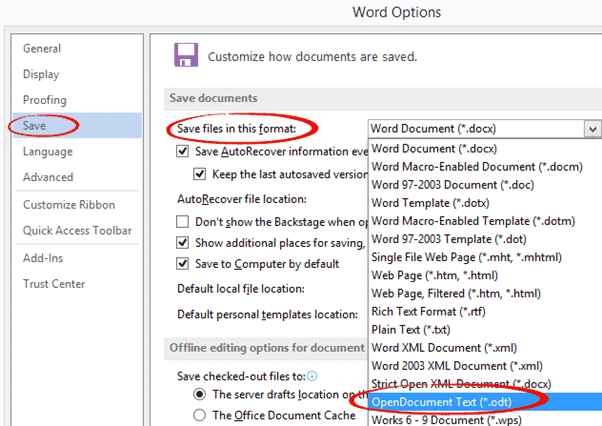
You’ll get the choice to change all Office programs to the same document standard.
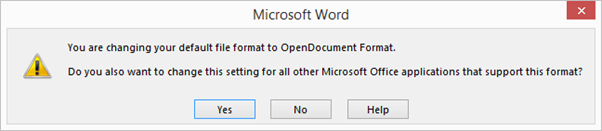
When you save to a non-Microsoft format there’s a warning.
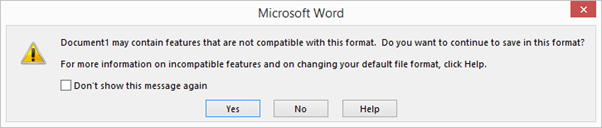
Click on Help to see the differences in features caused by moving to the Open Document format. Most regularly used features are supported with some limits that rarely apply. For example, Tables are OK but are limited to 64 columns.
Microsoft really prefers customers use the Open Office XML formats (.docx etc.). You get the full features of Office. Microsoft prefers us to use their formats because that makes it harder to change to some rival office software.
Redmond feels strongly about the UK government’s move to Open Document. Even a year after the policy was confirmed and published, Microsoft was reportedly threatening individual MP’s over the issue. Microsoft says “we don’t recognize these claims” which is a curious, but typically Microsoft way, to word a denial.