Six More Warnings Hidden in Copilot’s Legal Fine Print, What Office Users Need to Know
Microsoft’s Copilot Terms of Use are already under fire for labeling the AI “for entertainment purposes only,” but that headline-grabbing clause is just the beginning. Buried deeper in the fine print are six more warnings that shift legal risk squarely onto you, the user. From indemnifying Microsoft against claims arising from your use of Copilot’s output, to blanket disclaimers on copyright, privacy, and accuracy, these conditions apply inside Word, Excel, and Outlook every day. Here’s exactly what those clauses say and what they mean in practice.
We’ve already pointed out that the ‘entertainment purposes only’ phrase only applies to individual use of Copilot, not organizations.
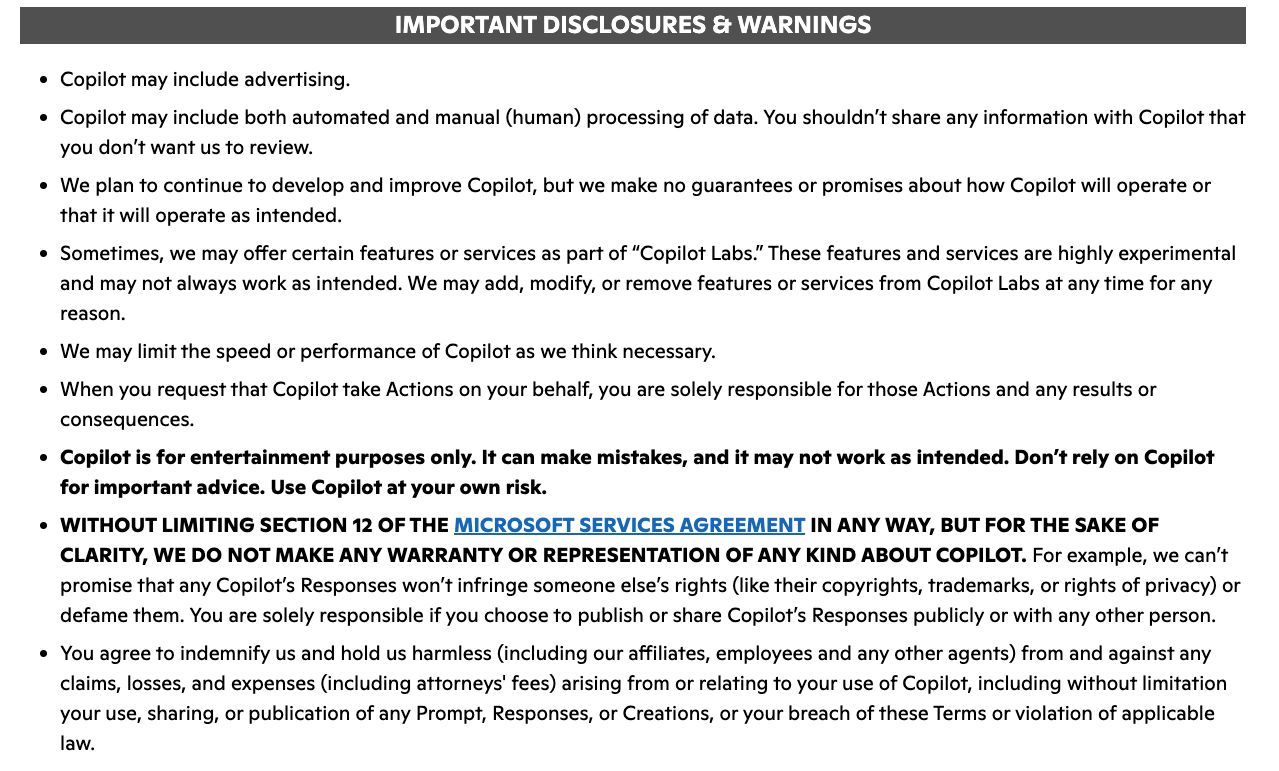
There are more worrying legal conditions in the same “important disclosures” section that the infamous “entertainment purposes” phrase occurs.
Advertising – Copilot may include ads
Copilot can be human – Copilot can include “manual (human) processing of data”.
Privacy – what privacy? Microsoft says you should not send to Copilot any data “that you don’t want us to review”
Copilot might break the law – if Copilot breaches copyright, trademarks or other laws, don’t blame Microsoft.
Copilot? What Copilot – Microsoft takes no responsibility for Copilot at all … “WE DO NOT MAKE ANY WARRANTY OR REPRESENTATION OF ANY KIND ABOUT COPILOT”
This is the Pontius Pilate clause, Microsoft washing it hands of any responsibility for their Copilot product.
Don’t blame Copilot – customers are responsible for any Actions that Copilot takes.
It’s all standard legal disclaimers that most companies have. Another reminder to be very careful using AI.
Microsoft Calls Copilot “Entertainment Only” While Selling It as a Productivity Tool
Uncovering Microsoft’s Hidden Copilot Legal Trap
Are You Protected with the Copilot Copyright Commitment?
Is Microsoft Using Your Data to Train Copilot AI: The Facts
Microsoft Kills Free Copilot Chat in Word, Excel and PowerPoint: What Happens on April 15
Microsoft Copilot Bug Read Confidential Emails Without Permission
How to Disable Copilot in Microsoft 365: Step-by-Step Guide
Copilot Access Levels for Microsoft 365 Consumer Plans: What You Actually Get
Turn Off Copilot Training: Protecting Your Data from Microsoft
Microsoft Dials Back Copilot in Windows — Will Microsoft 365 Get the Same Treatment?