All about Microsoft Office for Apple Mac. Word, Excel, PowerPoint, Outlook on macOS, Microsoft 365 for Mac, Office 2021 for Mac and earlier versions.

How Not to Redact a Word Document: a lesson from Down Under
Down in Australia there’s another example of a mistake when redacting a Word document before public release. Make sure you delete any links to redacted text, such as a Table of Contents or summary. What caught our eye was the latest example of an oversight when redacting a document. Aussie public servants forgot to remove […]
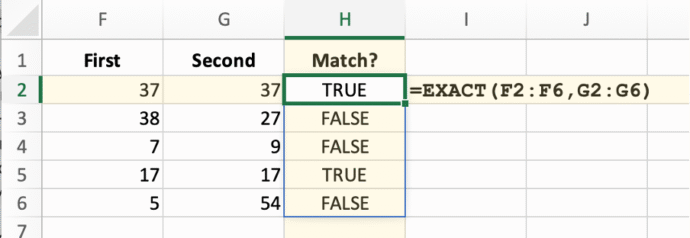
Make any Excel function dynamic (almost)
Many common Excel functions have a great new power added to them with little fanfare. They can become dynamic array functions which improves the consistency of worksheets. It’s simple and easy to do. When Microsoft added dynamic arrays to Excel, all the focus was on the new functions like SORT, FILTER, and SEQUENCE that “spill” […]
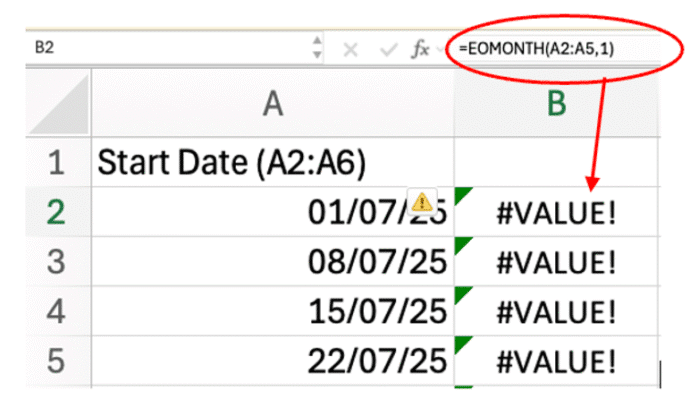
Excel Spill Mystery: Why It Happens and How to Fix It
Some Excel functions won’t spill their results in the way you might expect. Edate(), EOmonth(), IsEven(), IsOdd() and RandBetween(), among many, need an extra little trick to become a dynamic array function. We’ve already explained how many common Excel functions (Round(), Trim(), Upper() and many more) can “spill” their results into multiple cells. But then—bam!—you […]
July Office updates include a real worry
The July 2025 security bug fixes list plugs another 137 problems found in Microsoft software. Some are really serious and need patching right away for all Microsoft 365 and Office users. BitLocker also gets some security fixes. This months load of Microsoft Office security updates includes a fix for a series of “Remote Code Execution” […]
The Grammar Mistake Microsoft Word Still Doesn’t Catch — And Why It Matters
There’s a mystery English grammar rule that any native speaker knows but probably can’t explain. It’s the order of adjectives before a noun (e.g why “Brown Big Cat” is wrong). The Microsoft Word grammar checks for this rule but doesn’t always ‘see’ or fix it. Adjective order is a mystery to most native English speakers, […]
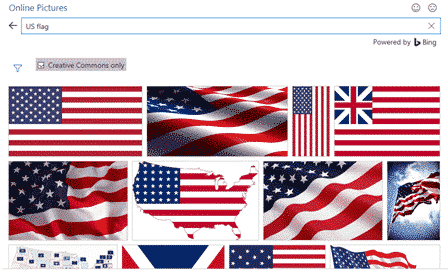
Add the US Flag to Word, Excel and PowerPoint in High Quality
Want to add the US flag to Word, Excel or PowerPoint without ending up with a blurry, stretched mess? This guide shows you exactly where to get a high quality flag image, including the scalable SVG version that stays sharp at any size, how to insert it in seconds, the official red, white and blue […]
Why can’t AutoSave work with a macro in a Word or Office document ?
Autosave in Microsoft 365 and Office is one of the more frustrating features with annoying limitations. One of them is not automatically saving any macro-enabled Word, Excel or PowerPoint file. We’ve talked before about how Autosave is used to push customers into using OneDrive to save documents. Autosave could work for all files, not matter […]
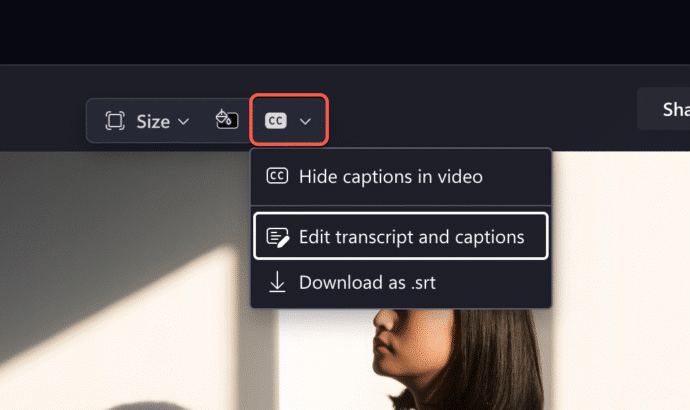
Transcript can now trim Clipchamp videos
Clipchamp has a clever new feature that makes editing videos a lot easier and faster. Instead of trimming the video, just delete parts of the transcript, Clipchamp will do the rest. Clipchamp can already make a text transcript from the audio of a meeting or conversation. Microsoft Word can also convert prerecorded audio into a […]
OneNote Clipper to replace Pocket
OneNote Clipper is a quick way to save a web page so you can read it later. It can replace Pocket, the lovely clipping service that’s about to leave us. Pocket, the ‘read it later’ service, is ending on July 8, 2025. Pocket is/was a ‘ready it later’ service to tag a web page for […]

PowerPoint Placeholders: Smarter, Sleeker, Simpler
Discover PowerPoint placeholders — designed to make slide creation faster, easier, and more visually compelling. With smarter prompts, broader media support, and customizable layouts via Slide Master view, placeholders help you create polished, professional presentations with minimal effort. In PowerPoint, placeholders are those built-in boxes that make adding stuff like text, pictures, charts, or videos, […]
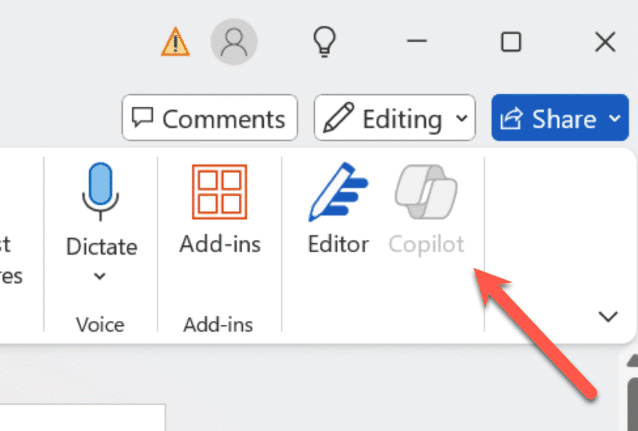
How to turn Copilot on or off for each Microsoft 365 app
Take control of Microsoft 365 by learning how to enable or disable Copilot in each app—Word, Excel, PowerPoint, Outlook, and OneNote. This guide provides step-by-step instructions to customize Copilot settings per application and explains why sometimes you can’t turn it off. Copilot integration into Microsoft 365 is a mess. Microsoft is focused on adding more […]
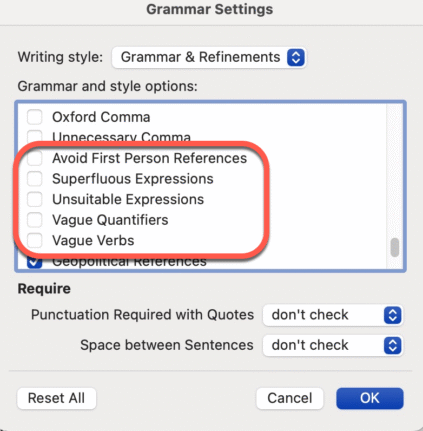
Don’t like Word’s Resume suggestions? Turn it off!
Instead of complaining about Word’s Resume style suggestions. Turn it off! It’s easy to do, here’s how. I often see social media posts bitching about a Grammar or Style suggestion given by Word. There are plenty of problems with Word’s Grammar and Refinements feature, but this one is an easy fix and it’s right there […]
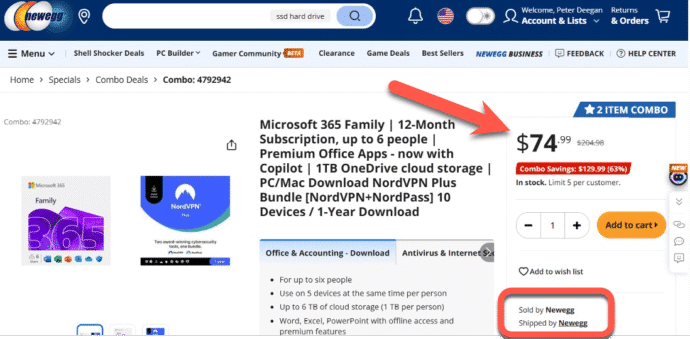
How to buy a cheaper Microsoft 365 plan
Here’s how I saved $55 on a year of Microsoft 365 Family, in the search for a cheaper Microsoft 365 plan for a friend. It’s easy, legal, anyone can do it and there’s often bonus software to use or ignore. We searched online for a reputable online retailer who sold Microsoft 365 Family below the […]
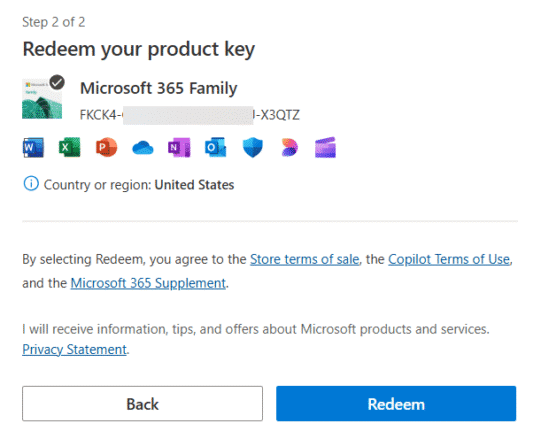
Adding a cheaper Microsoft 365 to your account
Ever since Microsoft 365 consumer plans have existed, you’ve been able to buy them cheaper from other retailers to extend your subscription. Here’s the simple steps to extend your subscription with a product key bought for less money, When you buy from another retailer, you should get a product key which is a 25 character […]
Stop Using Old Office Document Formats Now
Still using .doc, .xls, or .ppt files? These outdated Microsoft Office formats are not just relics—they’re major security risks and should be banned. Hackers exploit these older files to spread malware, ransomware, and steal data, as they often bypass modern antivirus protections. After our suggestion to ignore old style Office documents, it’s clear some folks […]
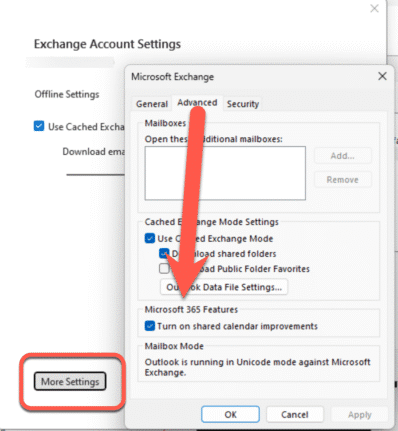
Outlook Calendar sharing goes off the rails
Microsoft has ‘improved’ calendar sharing for all their Microsoft hosted accounts but Outlook (classic) has been left behind with too many bugs with some still outstanding. The changed Shared Calendars is a good move that’s been poorly implemented for many customers. The Shared Calendar changes are an attempt to standardize the mix of different technologies […]









