All about Microsoft Office for Apple Mac. Word, Excel, PowerPoint, Outlook on macOS, Microsoft 365 for Mac, Office 2021 for Mac and earlier versions.

Introducing the new boss of Microsoft Office
Ryan Roslansky is the new boss of Microsoft Office, adding to his existing role as the CEO of Microsoft LinkedIn. His official title is Executive Vice President of Office, leading Word, Excel, PowerPoint, Outlook, and the Microsoft 365 Copilot. The new post is part of yet another internal reorganization of Microsoft. I wonder how many […]

Fit more tabs across an Excel workbook
Struggling with a sea of worksheet tabs at the bottom of your Excel window? Whether you’re managing dozens of tabs or juggling shared workbooks with tight screen space, discover how to fit more visible tabs across your Excel workbook can transform your workflow. In this guide, we walk through both simple and clever techniques to […]
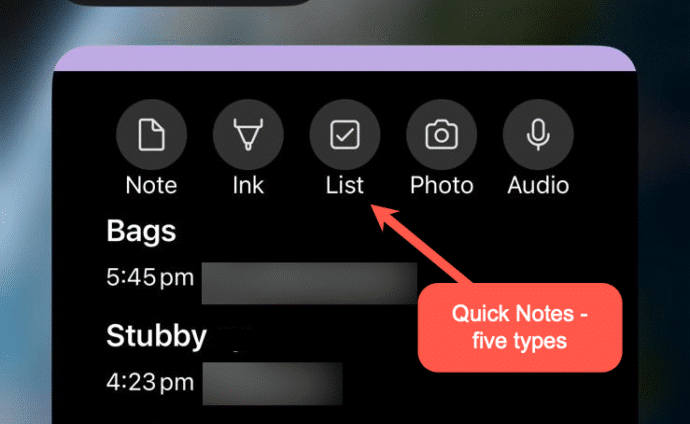
Make OneNote Quick Notes anywhere
OneNote Quick Notes is the fast way to add a short ‘jotting’, image or whatever. How a Quick Note is made varies a lot for each OneNote app; Windows, iPhone, iPad, Mac or Web. Windows Windows has shortcuts and a taskbar icon for Quick Notes In the OneNote app, go to View | New Quick […]
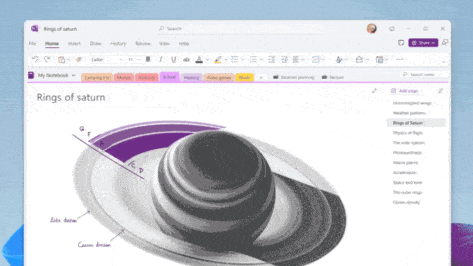
Quick Notes in OneNote for Windows
OneNote offers an electronic equivalent to the ‘sticky note’ or side-note. Most OneNote demos show off the full-size pages with a full range of feature but Quick Notes is the smaller and faster part of OneNote for Windows. Let’s explore how to make a Quick Note, what they can do and where they are saved […]
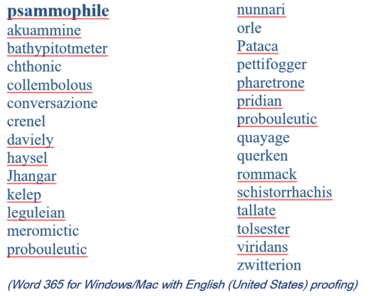
2025 Spelling Bee champs vs Microsoft Word
Our annual look at the words that challenged the Scripps Spelling Bee champs to see how many are recognized by the spell check in Microsoft Word. Again in 2025 Word was beaten by some very clever 14 year olds. Here’s a selection of the last round words from the 2025 Bee, starting with the winning […]
Microsoft money grab from non-profits
Microsoft has decided to discontinue the free Microsoft 365 Business Premium licenses previously granted to non-profit organizations. They’ll now have to pay a discounted price or move away from the Microsoft 365 desktop apps. Effective immediately, nonprofits will no longer receive ten complimentary Business Premium licenses, which included desktop versions of Office applications and management […]

Collective Nouns – Copilot to the rescue.
Can Copilot do a better job adding the right collective noun for an animal or group? The answer is a good example of why NOT to trust AI fully. Plus, another AI trick and the better answer from ChatGPT. Microsoft Word grammar has a problem with collective nouns, see our article Collective Noun check in […]
Watch Out for Fake Microsoft 365 Purchase Emails
A new scam is making the rounds via email. It pretends to be a receipt for a Microsoft 365 subscription renewal—usually with a high price to scare you. Worse – noone is sure how the hackers are doing it. The email urges you to call a phone number if the charge looks wrong. But don’t […]
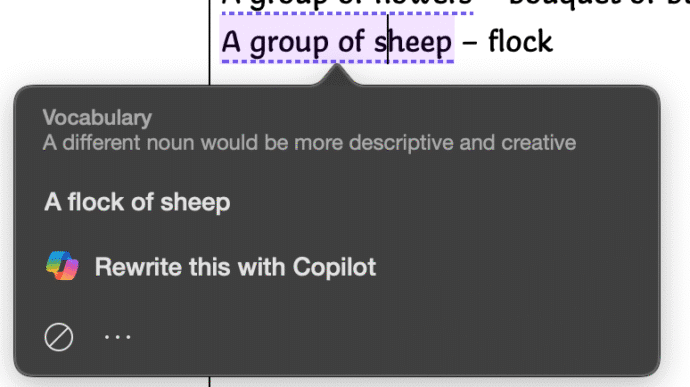
Collective Noun check in Word isn’t great.
Microsoft Word makes too many mistakes with collective nouns because only a few are detected by the grammar and style checks. Only US English notices “Subject-verb agreement with collective nouns” with other dialects ignored for no obvious reason. Many English words have a collective noun to describe a group pf those things. It’s not a […]

Copilot image making is now a LOT better
Microsoft has updated Copilot’s image making features in two important ways. Now it can spell properly and properly change your own photos. Available in both Copilot and it’s ‘parent’ ChatGPT we’ll show you what’s now possible and a lot better. You may have read that Copilot is now using OpenAI’s GPT-4o model – which means […]
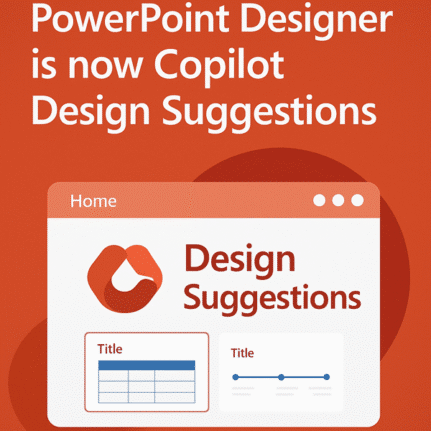
PowerPoint Designer is now Copilot Design Suggestions
Microsoft is replacing a feature in PowerPoint with something called either “Slide Starters” or “Design Suggestions” using Copilot AI. It offers pre-populated slide templates with structured content such as titles, placeholders, tables, and timelines, tailored to match the user’s chosen layout. “Design Suggestions” replaces “Designer” which has been in PowerPoint for the last few years. […]

What does ‘Unverified’ mean in Outlook?
Outlook might label some emails as ‘Unverified’ and the photo/initials is just a question ? mark. What does ‘unverified’ mean? Is the email safe to open and how to stop some messages showing as ‘Unverified’? Unverified can appear in mailboxes hosted by Microsoft directly (Microsoft 365, Outlook.com). It’s a feature mostly controlled by the server […]
Beware SVG graphics used to Bypass Microsoft 365 Security Measures
SVG and invisible Unicode is being increasingly used to hack Microsoft 365 and Google/Gmail users even with multi-factor authentication (MFA). It’s possible because of significant enhancements in the Tycoon 2FA platform. Hacking into accounts is big business and like most businesses, hacking has moved into the cloud. “Software as a service” (SaaS) is a big […]
Microsoft 365 Copilot Explained: Features, Limitations and your choices
Navigating the evolving landscape of Microsoft 365 and Copilot AI can be challenging amid frequent update, varying features and so much hype. Our independent guide breaks down what Copilot is, its capabilities within Word, Excel, PowerPoint, Onenote and Outlook, and the distinctions between different Microsoft 365 plans. Microsoft has changed Copilot so many times that […]
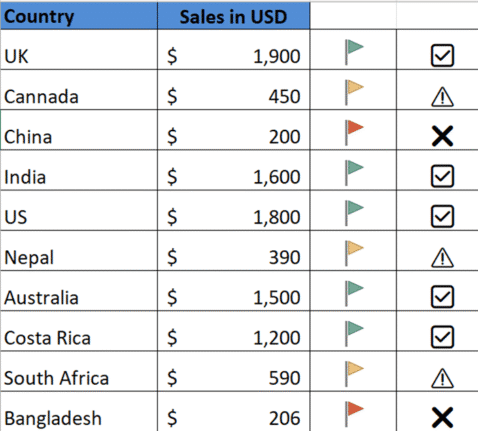
🚦 Mastering Excel’s Visual Indicators, icons and emoji
Use Excel with visual indicators to make lists easier to understand. Use IF function together with Conditional Formatting to display icons, text based on specific conditions There are so many possibilities available using Conditional Formatting or simple IF statements like these. Use IF Formula to show icons First, decide the conditions under which icons should […]
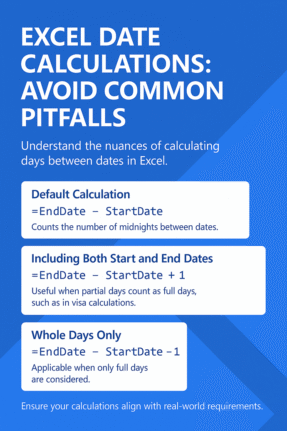
Excel Users: Are Your Date Calculations Accurate?
There’s a little trap in Excel when figuring out the number of days between two dates. Excel has one way, but the real world has two others. It’s easy to forget the differences and it can matter when the date calculation is close to some limit, for example in a Schenghen Visa Calculation. How Excel […]









