All about Microsoft Office Word, Excel, PowerPoint and Outlook, Microsoft 365, Office 2021 and earlier versions.
Microsoft 365 Classic: Watch Out for Hidden Full-Price Auto-Renewals
If you have Microsoft 365 Classic, watch for a sneaky Microsoft trick to make you pay more. They are automatically renewing Classic plans to more expensive Microsoft 365 plans without notice. That’s not just tricky but possibly illegal. We’ll explain how to keep Microsoft 365 Classic or complain if it’s already happened. Microsoft 365 Classic […]
Understand and use Excel’s Standard Error of the mean
Calculating the ‘Standard Error of the mean’ or SEM is simple using Excel’s in-built functions. Understanding ‘Standard Error of the mean’ isn’t hard either. We’ll explain the formula and what it all means. To calculate standard error of the mean get the Standard Deviation of a sample (STDEV.S() or STDEV()) then divide by the square […]
Standard Deviation made easy in Excel
Understanding Standard Deviation isn’t hard, especially with Excel’s help. This quick guide shows the difference between sample and population functions so you can choose the right one and get accurate, informative results every time. Standard Deviation in Excel The standard deviation measures the variation from the average or mean of a sample set of values. A […]

Make your own 3D models from a photo
Transform your photos into interactive 3D models in seconds with Copilot 3D, Microsoft’s experimental tool makes it easy to generate high-quality 3D models from simple images. Discover how this experimental technology can let you change the view of a person or object. Take a photo of an object with a plain background and the smarties […]
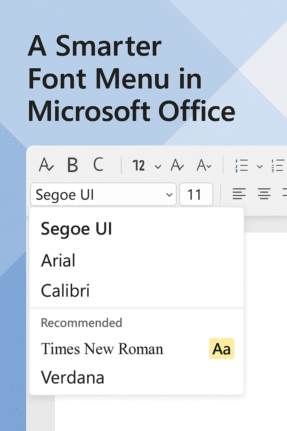
Check out the better font menu in Microsoft Office
Picking a font in Microsoft Word or PowerPoint can be confusing, especially with the existing long, long menus. Now, Microsoft 365 offers a new, easier font picker in two web apps. The new font menu has better search and simple organization, finding the right style for your document or presentation is faster and clearer than […]
Explore Cloud Fonts: A Fast, Free Design Boost in Office 2024 and Microsoft 365
Cloud fonts—your next creative shortcut—are now seamlessly integrated into Office 2024/2021 and Microsoft 365. These lightweight fonts download instantly when needed, bypassing the hassle of system installations and making them ready for use across your Word, PowerPoint, Excel, Outlook (and more) apps in mere moments. Whether on Windows or Mac, simply pick the font from the dropdown, […]
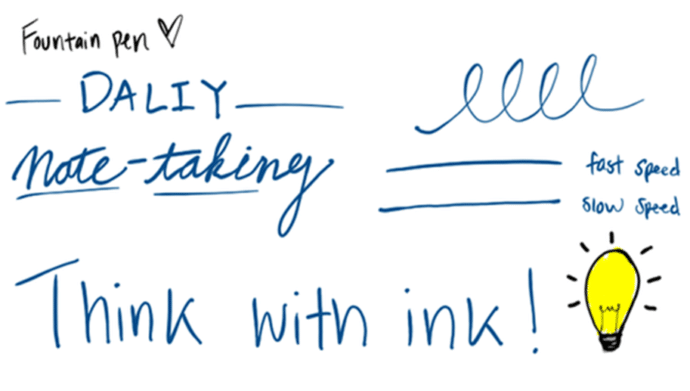
New Artistic Pens Arrive in Word and PowerPoint “Fountain Pen” and “Brush”
Word and PowerPoint now have two highly anticipated drawing tools, namely, the Fountain Pen and Brush Pen. The Fountain Pen lets you vary line thickness based on stylus speed or pressure for fine detailing, while the Brush Pen adapts stroke width dynamically based on direction, enabling effortless artistic strokes.are getting two more digital pens to […]
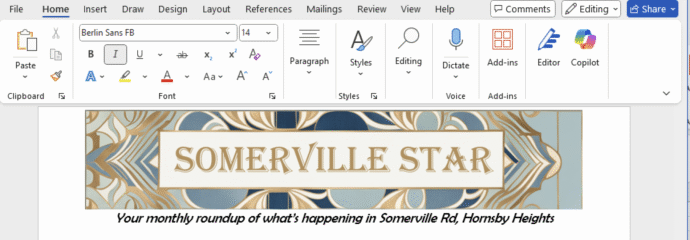
Create Eye‑Catching Titles for Word Docs with Microsoft Designer
Use Microsoft Designer to make compelling but effortlessly professional titles for Word documents, sheets or slides. We’ll explain how to do it, not the simplistic way that Microsoft hypes, but how Designer works in the real world. Start a banner, tweak sizing, customize fonts and colors, then seamlessly insert your perfected headline. According to Microsoft, […]
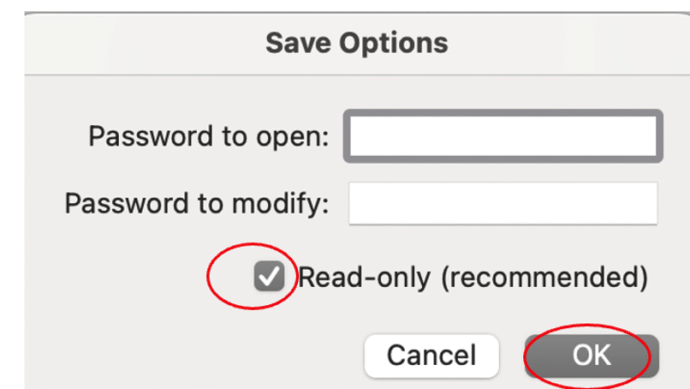
Protect or Encrypt Your Excel Workbooks
In Excel there are various ways to either protect sheets or cells from access, make a them read-only or totally encrypt the workbook with a strong password. It’s important to understand the difference in Excel between Protect and the stronger Encrypt feature. Excel’s password protection is more complicated than in Word or PowerPoint because there […]
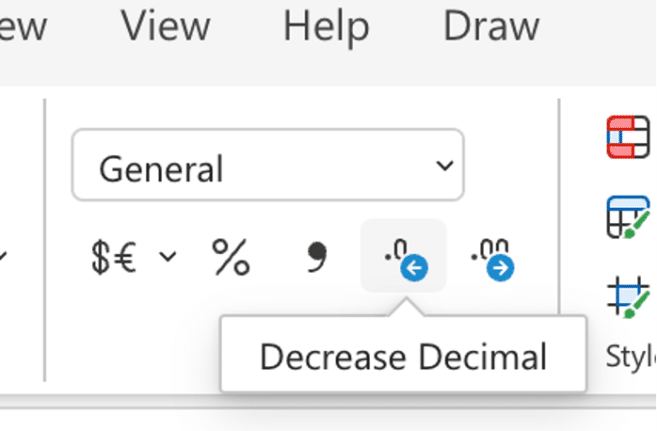
Excel increase/decrease decimal buttons change
Keep a close eye on the increase/decrease decimals buttons on the Excel ribbon because Microsoft has changed them for one version of Excel. Increase / decrease decimals is a very common Excel feature to change the visible accuracy of a number. For example, choosing Currency or Accounting style (which defaults to two decimal places / […]
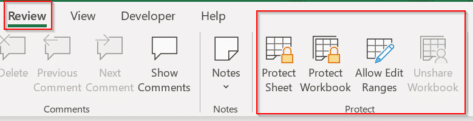
How to protect Excel sheets from unwanted changes – Part 1
Protecting an important Excel worksheet from careless editing, or allowing only specific cells to be modified is all part of a powerful and highly flexible feature in Microsoft Excel known collectively as “Protect”. It’s been there for a long time but is little understood, so we’ll do our humble best to fix that. The idea […]

New Outlook for Windows stops for 19 hours
Last Monday into Tuesday there was a serious outage that affected Outlook for Windows users. It shows how a failure on Microsoft’s server can stop new Outlook software from working at all. About 5% of global Outlook for Windows customers were unable to open the new Outlook desktop client on Windows devices for up to […]
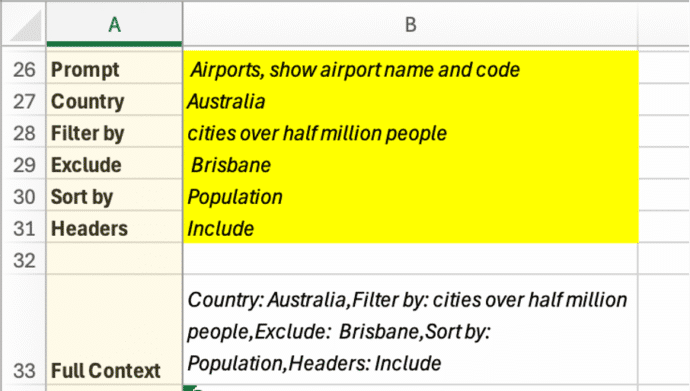
Discover the COPILOT Function in Excel
It had to happen, there’s now a Copilot() function in Excel to drop AI responses directly into spreadsheets. It’s a clever trick but, as usual, there are problems that Microsoft overlooks in their hype. Excel’s new COPILOT() function brings AI directly into spreadsheet formulas. Available now in Excel for Windows and Mac (Insider Beta channel), […]

Make a Word table with picture background
How did we make a Word table with a picture background for a recent article – asks an Office Watch friend? She meant this table of Zoom shortcuts for toggling audio and video . There’s a similar table for Teams shortcuts. The quick answer is … we cheated! Word can’t have a table with a […]

How to Get Old-School WordArt Back in Modern Microsoft Word
Miss the classic WordArt from Word’s glory days — the arched text, the rainbow slopes, the wavy headlines that screamed “1990s”? Those old gallery styles are still alive inside every modern version of Word, including Word 365 and Word 2024. They’re just well hidden. Here’s the simple compatibility mode trick that unlocks all the retro […]
Another Microsoft price rise by stealth
Microsoft has announced a price rise for many volume license customers using one of their time-honored stealth tactics. For as long as anyone can remember, Microsoft changes their pricing plans by a repeating cycle of “customizing” plans then later “simplifying”, “consistent” or “standardizing” the same plans. All of those changes inevitably mean more money for […]