AI at Work Roadmap: Microsoft Renames the Microsoft 365 Roadmap
Microsoft has renamed the Microsoft 365 Roadmap to the AI at Work Roadmap. Your bookmarks still work and nothing has moved, but from September 2026 the list gets a lot longer, with Dynamics 365, Power Platform and Dataverse entries pouring into the same page you use to track Word, Excel, Outlook and Teams. If you check the roadmap for Office news, you now need to filter it or you will spend your time scrolling past irrelevant software you do not run. Here is what actually changed, and the three settings that make the roadmap useful again.
What is the AI at Work Roadmap?
The Microsoft 365 Roadmap, now called the AI at Work Roadmap, is Microsoft’s public list of features it plans to add to Word, Excel, Outlook, Teams and the rest of Microsoft 365. Each entry gets a short description, the products it affects and one of three labels: In Development (Microsoft is building it), Rolling Out (it is being switched on for customers now) and Launched (it has arrived, though possibly not for everyone).
It is free, needs no login, and anyone can read it at https://aka.ms/AIatWorkRoadmap.
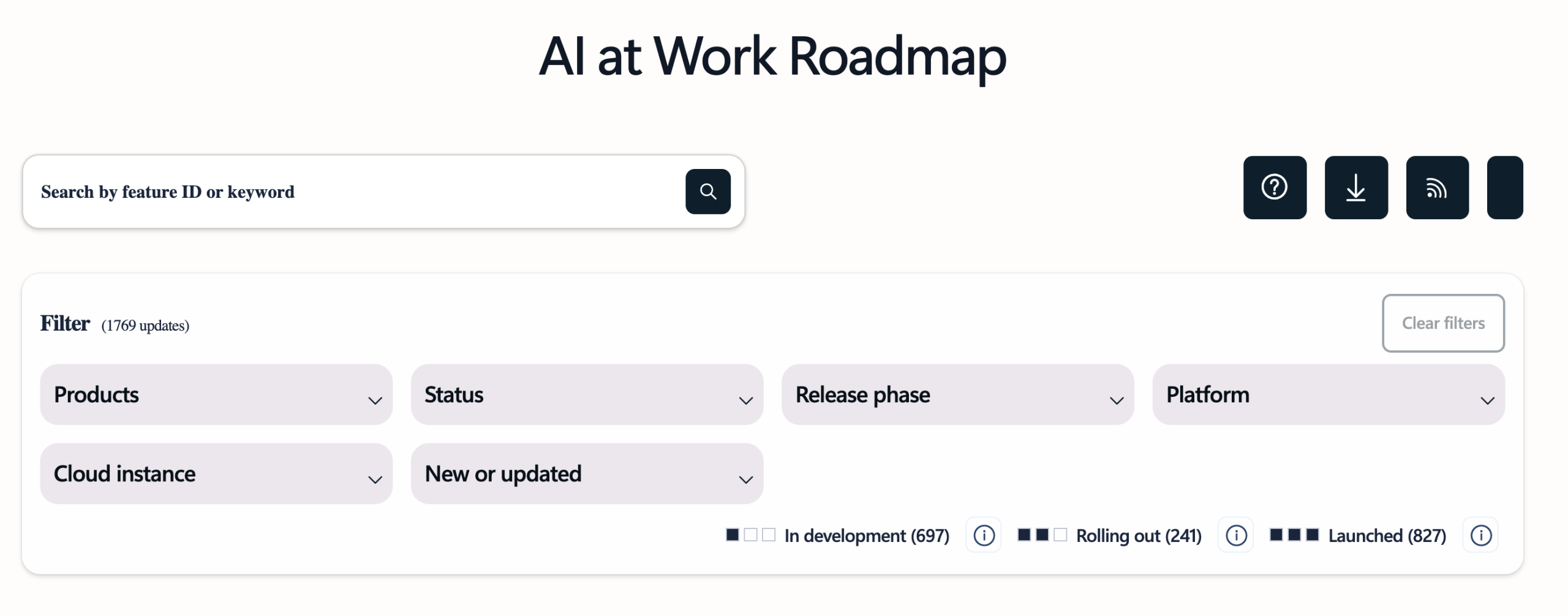
However, Roadmap dates slip, features get cut or change and the wording is often vague enough to mean almost anything. Treat it as a long-range weather forecast rather than a delivery schedule.
Why change the Microsoft 365 Roadmap name ?
It might seem like another pointless Microsoft name change, but there is a little more to it. Not much, but a little more.
Microsoft announced the change on August 25, 2026, and the site was fully rebranded by August 27, 2026.
Microsoft’s own summary says the rename “centralizes AI innovation tracking without changing access or workflows“. The buzzword “innovation” was included, naturally.
The company stresses that no action is required (which isn’t entirely true).
Translation: nothing happened, but Microsoft would like you to notice how much AI they have.
The phrase “at work” is misleading, making it appear that the roadmap is only for business and enterprise customers.
The list applies to all Microsoft 365 products (and some more), all customers (including consumers and education) and changes that have nothing to do with Copilot/AI.
What actually changed
Two things changed, and only one of them matters.
The name. That is it. Same URL, same filters, same In Development, Rolling Out and Launched stages, same content, same everything.
The scope, from September 2026. Dynamics 365, Power Platform and Dataverse roadmap entries start publishing to the same list. This part is genuinely useful and did not require renaming anything. Microsoft could have called it the Microsoft 365 Roadmap and added more products to it, the way normal software companies add things to lists.
What does this mean for me?
Your bookmarks still work. The URL never moved. Anything you saved goes to the same page. Congratulations, you have survived the transition.
The short link is https://aka.ms/AIatWorkRoadmap
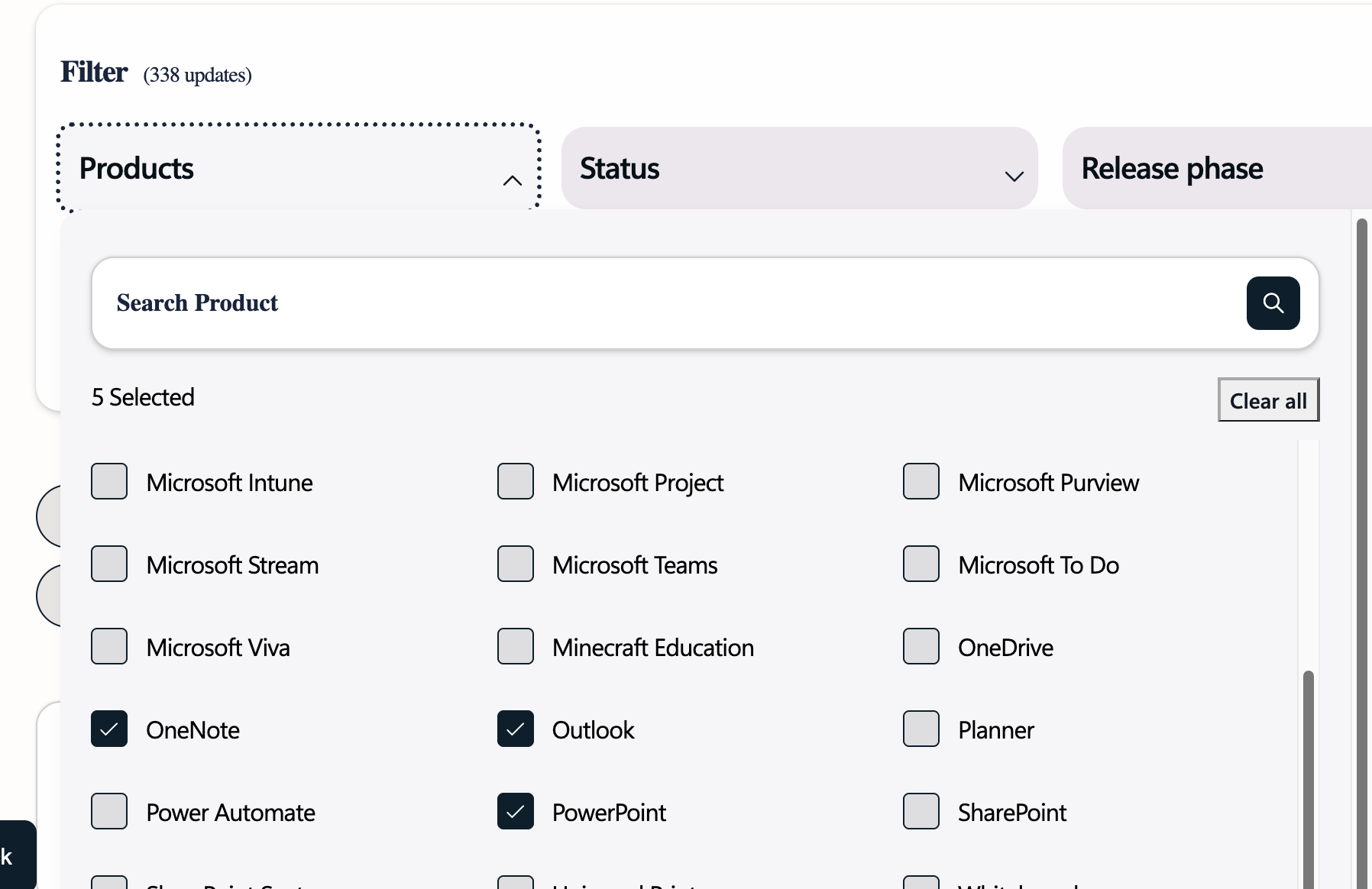
Filtering is even more important. With even more products on the “AI at work” list, make good use of the Products filter to narrow down the long list to something relevant.
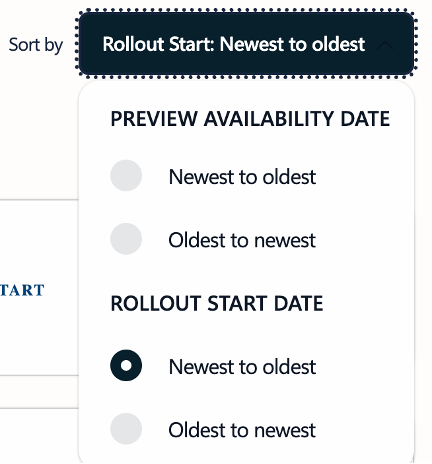
Sorting is also important. The sorting options are limited to preview or rollout availability.
Your roadmap feed gets noisier . Once Dynamics 365 and Power Platform entries land in the same list, anyone who only cares about Word, Excel, Outlook or Teams will be scrolling past a large pile of business software entries. Filter aggressively or drown.
How to make it usable again
The filtering tools are now the only thing standing between you and a firehose:
- Filter to the products you actually use, then bookmark that filtered URL rather than the roadmap home page.
- Subscribe to the RSS feed on a filtered view so items come to you.
- Use CSV export or even the MCP Server if you keep a change log or plan training around new features.
As we’ve noted before, Copilot uptake has been underwhelming despite enormous investment. Sticking “AI” on the front of a familiar admin resource is not going to fix it, and it does look like Microsoft marketing reaching for something to rename.
Message Center is more reliable than the roadmap
Message Center remains the (more) authoritative channel for organizations.
Whatever it’s called, the Roadmap says what Microsoft intends to ship to everybody, eventually, subject to change, no promises. It’s slightly more reliable than a newspaper horoscope column.
Message Center for Admins says what is arriving in organizations and roughly when. It can still have Microsoft euphemisms and selective facts. When they disagree, believe Message Center which has not been renamed … yet.
Microsoft 365 admins can find it at https://admin.microsoft.com under Health | Message Center.
What Else Microsoft Changed While You Were Not Looking
A roadmap entry only tells you a feature exists. When it lands on your desk depends entirely on which release channel you are in, and Microsoft quietly rebuilt that system too, as we covered in Microsoft Rewrites How Microsoft 365 Updates Are Delivered: What IT Admins Need to Know. If you would rather not wait, joining the early access program is one option, though Microsoft 365 Insiders: The Risks Microsoft Does Not Mention explains what you give up in exchange.
Roadmap entries also disappear. Excel’s COPILOT() function was announced, shipped and then pulled, and anyone with formulas already written had work to do, as Microsoft Drops Excel COPILOT(): Convert Your Formulas Before They Break sets out. Worse, some readers will never see roadmap items at all, because Windows 10 Users: Microsoft 365 Just Stopped Getting New Features means the whole list is now theoretical on that machine.
Renaming things instead of fixing them is becoming a habit. The same instinct produced a redesigned icon that changes nothing you can use, dissected in New Copilot Logo Is Here: Flatter, Simpler and Completely Useless to You, and a bigger consolidation covered in Microsoft is combining its two Copilot apps into one. That merge is not cosmetic either, since Microsoft’s Copilot Merge Eats Your OneDrive Space and Cuts Features shows it takes storage you were already paying for.
The reason “AI” is now stuck to the front of an admin page comes down to money and slow uptake. Microsoft 365 E7: a $99 “Frontier Suite”, the Future or an Expensive Bundle? has the seat numbers that explain the marketing panic. If you are still deciding whether any of this is worth your time, start with Microsoft 365 Copilot Explained: Features, Limitations and your choices.
And for the features that have already arrived rather than the ones still on a list, Windows 11 26H2: 5 Improvements for Microsoft Office Users covers what is actually on your PC now.