All about Microsoft Office Word, Excel, PowerPoint and Outlook, Microsoft 365, Office 2021 and earlier versions.
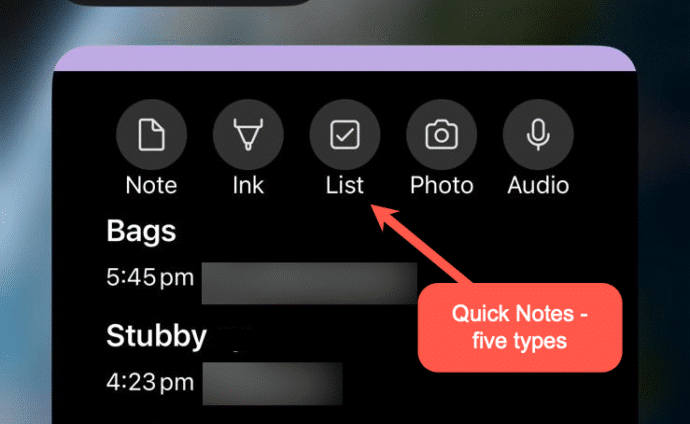
Make OneNote Quick Notes anywhere
OneNote Quick Notes is the fast way to add a short ‘jotting’, image or whatever. How a Quick Note is made varies a lot for each OneNote app; Windows, iPhone, iPad, Mac or Web. Windows Windows has shortcuts and a taskbar icon for Quick Notes In the OneNote app, go to View | New Quick […]
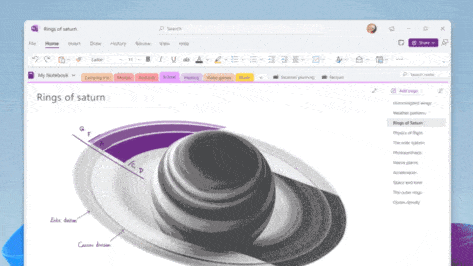
Quick Notes in OneNote for Windows
OneNote offers an electronic equivalent to the ‘sticky note’ or side-note. Most OneNote demos show off the full-size pages with a full range of feature but Quick Notes is the smaller and faster part of OneNote for Windows. Let’s explore how to make a Quick Note, what they can do and where they are saved […]

Microsoft’s New Calendar App: A Peek at Your Day—Whether You Want It or Not
Microsoft has rolled out a new Calendar app, because apparently, we all needed another way to be reminded we’re too busy. This latest tool is part of the “Microsoft 365 Companion” experience, a trio of apps aimed at helping users stay productive—or at least feel like they are. It joins the People and File Search […]
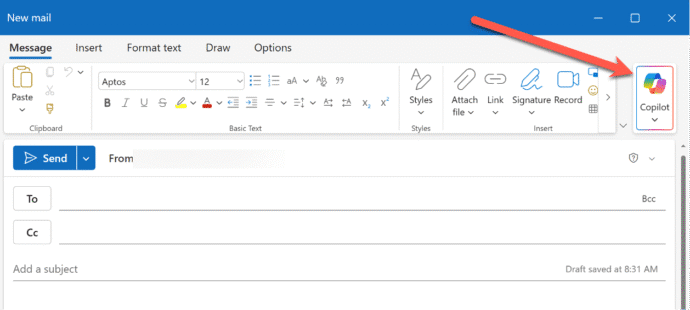
What’s new in Outlook (new) for June 2025
There are ten new or improved features in Outlook (new) for Windows. Some are welcome additions, others are ‘catch up’ from classic Outlook and one Microsoft is ‘thrilled’ about but we’re not sure why. Here’s Microsoft’s June 2025 announcements plus Office Watch extra info, screenshots and comments. As regular readers know, we don’t take Microsoft’s […]
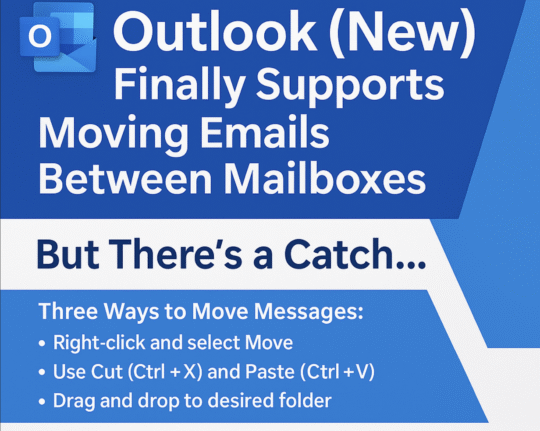
Outlook (new) lets you move emails between mailboxes
Outlook (new) for Windows is finally getting a feature that should have been there from the start … the ability to move emails between mailboxes. It’s another case of paying customers having to be grateful that Microsoft has finally provided an important feature. In businesses, especially small ones, moving emails between mailboxes is essential for […]
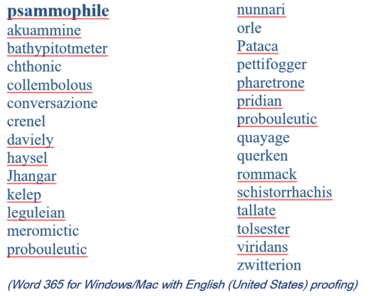
2025 Spelling Bee champs vs Microsoft Word
Our annual look at the words that challenged the Scripps Spelling Bee champs to see how many are recognized by the spell check in Microsoft Word. Again in 2025 Word was beaten by some very clever 14 year olds. Here’s a selection of the last round words from the 2025 Bee, starting with the winning […]
Microsoft money grab from non-profits
Microsoft has decided to discontinue the free Microsoft 365 Business Premium licenses previously granted to non-profit organizations. They’ll now have to pay a discounted price or move away from the Microsoft 365 desktop apps. Effective immediately, nonprofits will no longer receive ten complimentary Business Premium licenses, which included desktop versions of Office applications and management […]

Collective Nouns – Copilot to the rescue.
Can Copilot do a better job adding the right collective noun for an animal or group? The answer is a good example of why NOT to trust AI fully. Plus, another AI trick and the better answer from ChatGPT. Microsoft Word grammar has a problem with collective nouns, see our article Collective Noun check in […]
Watch Out for Fake Microsoft 365 Purchase Emails
A new scam is making the rounds via email. It pretends to be a receipt for a Microsoft 365 subscription renewal—usually with a high price to scare you. Worse – noone is sure how the hackers are doing it. The email urges you to call a phone number if the charge looks wrong. But don’t […]
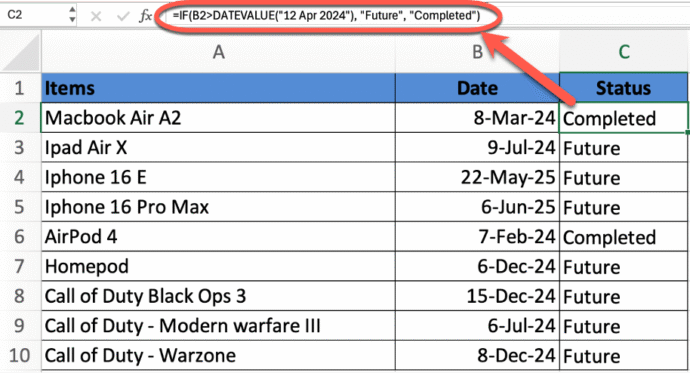
Mastering Date Comparisons in Excel Using IF Statements
Whether you’re managing schedules, tracking deadlines, or analyzing time-based data, comparing dates in Excel is a critical skill. This guide walks you through how to use the powerful IF function to compare dates—such as determining if one date is before, after, or equal to another. Learn essential Excel formulas that simplify date logic and help […]
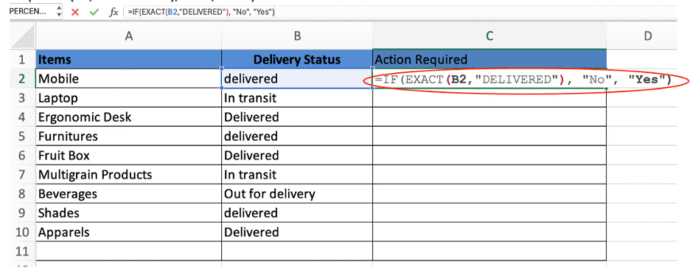
Excel case-sensitive text comparisons or not
Be careful comparing text in Excel because it looks easy but there are traps when comparing exact text (including upper/lower case) or not. Whether you’re cleaning data or ensuring accuracy in sensitive fields like usernames or product codes, we’ll help you get the results you need every time. Case-insensitive IF statement for text values When […]
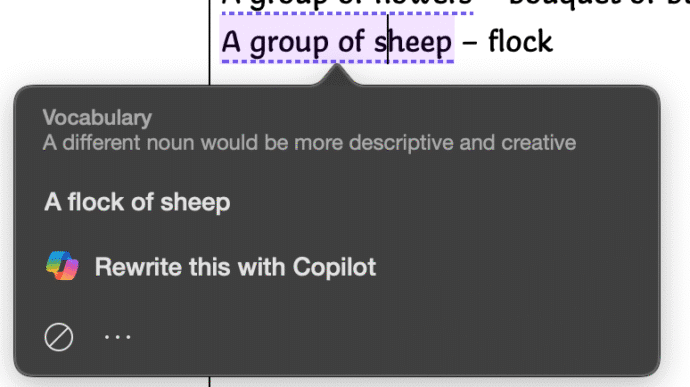
Collective Noun check in Word isn’t great.
Microsoft Word makes too many mistakes with collective nouns because only a few are detected by the grammar and style checks. Only US English notices “Subject-verb agreement with collective nouns” with other dialects ignored for no obvious reason. Many English words have a collective noun to describe a group pf those things. It’s not a […]

Copilot image making is now a LOT better
Microsoft has updated Copilot’s image making features in two important ways. Now it can spell properly and properly change your own photos. Available in both Copilot and it’s ‘parent’ ChatGPT we’ll show you what’s now possible and a lot better. You may have read that Copilot is now using OpenAI’s GPT-4o model – which means […]

PowerPoint Designer is now Copilot Design Suggestions
Microsoft is replacing a feature in PowerPoint with something called either “Slide Starters” or “Design Suggestions” using Copilot AI. It offers pre-populated slide templates with structured content such as titles, placeholders, tables, and timelines, tailored to match the user’s chosen layout. “Design Suggestions” replaces “Designer” which has been in PowerPoint for the last few years. […]

What does ‘Unverified’ mean in Outlook?
Outlook might label some emails as ‘Unverified’ and the photo/initials is just a question ? mark. What does ‘unverified’ mean? Is the email safe to open and how to stop some messages showing as ‘Unverified’? Unverified can appear in mailboxes hosted by Microsoft directly (Microsoft 365, Outlook.com). It’s a feature mostly controlled by the server […]
Beware SVG graphics used to Bypass Microsoft 365 Security Measures
SVG and invisible Unicode is being increasingly used to hack Microsoft 365 and Google/Gmail users even with multi-factor authentication (MFA). It’s possible because of significant enhancements in the Tycoon 2FA platform. Hacking into accounts is big business and like most businesses, hacking has moved into the cloud. “Software as a service” (SaaS) is a big […]