All about Microsoft Office Word, Excel, PowerPoint and Outlook, Microsoft 365, Office 2021 and earlier versions.
Microsoft 365 Copilot Explained: Features, Limitations and your choices
Navigating the evolving landscape of Microsoft 365 and Copilot AI can be challenging amid frequent update, varying features and so much hype. Our independent guide breaks down what Copilot is, its capabilities within Word, Excel, PowerPoint, Onenote and Outlook, and the distinctions between different Microsoft 365 plans. Microsoft has changed Copilot so many times that […]
All your choices before the end of Windows 10
Windows 10 ends support on 14 October 2025 and so does Microsoft 365/Office on Win10 (mostly). Here’s a guide to ALL your choices, not just the ones Microsoft is pushing. Including the Microsoft 365 support policy change. There’s a lot of advice around for the many people with Windows 10. Some of it is self-serving […]
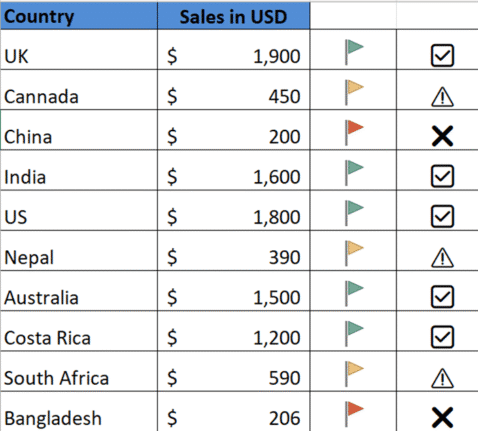
🚦 Mastering Excel’s Visual Indicators, icons and emoji
Use Excel with visual indicators to make lists easier to understand. Use IF function together with Conditional Formatting to display icons, text based on specific conditions There are so many possibilities available using Conditional Formatting or simple IF statements like these. Use IF Formula to show icons First, decide the conditions under which icons should […]
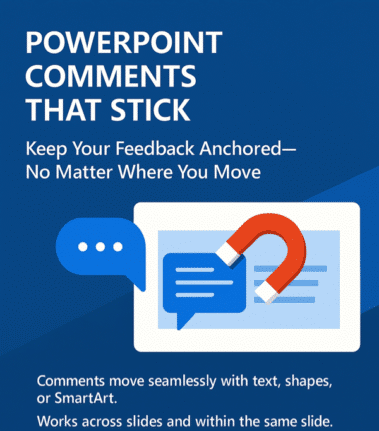
PowerPoint’s Newest Trick: Comments That Stick Like Glue
Ever felt like your PowerPoint comments had a mind of their own, wandering off when you moved content around? At long last, PowerPoint has learned a new trick: keeping comments ‘sticky’ attached to their content, no matter where you paste it. Previously, moving content in PowerPoint was like playing a game of hide-and-seek with your […]
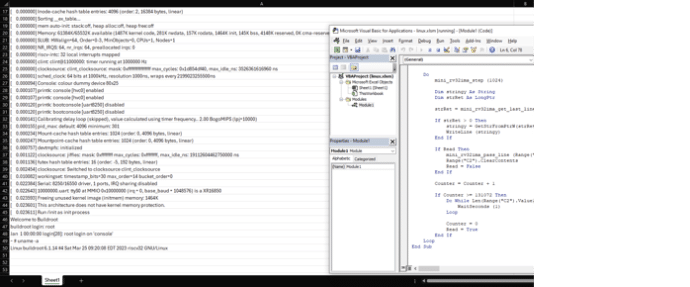
Run Linux from Excel? Yes you can!
A tech enthusiast named has achieved the improbable: running the Linux operating system within Microsoft Excel. It’s a clever trick that no-one has been asking for. The 18-year-old named NSG650 created a project, aptly titled “Linux In Excel,” transforms the spreadsheet application into a minimalist Linux terminal. Opening the provided ‘linux.xlsm’ file in Excel, users […]

Avoid Date and Number Mistakes with better data conversion in Excel 365/2024
Excel 365 and Excel 2024 let you control automatic text data conversions with stop mistakes creeping into your sheets. Whether you’re opening a CSV file or pasting from the web, you can now decide how Excel handles your text, numbers, and dates—finally putting you in charge of your own data. Opening .csv files directly in […]

What’s the difference? Microsoft 365 Copilot app or the Copilot app.
Microsoft has two mobile apps with the “Copilot” AI name. “Microsoft 365 Copilot” and “Copilot” apps for iPhone, iPad or Android. What’s the difference and which is best for you? Microsoft’s Copilot hype “Your AI companion for everyday life” (see below) always reminds me of “Your plastic pal who’s fun to be with” with Marvin […]
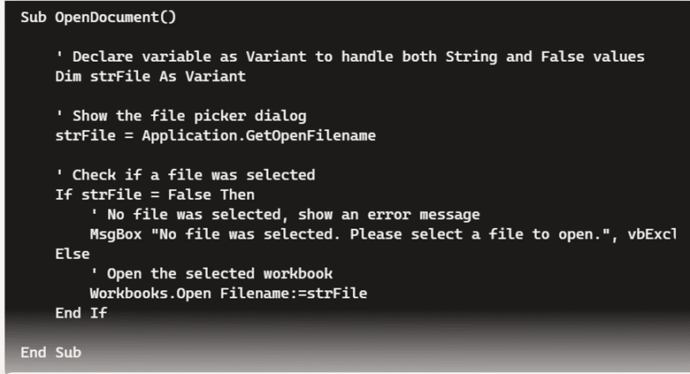
What the best choice to make and fix Office VBA code with AI?
AI systems have got a lot better at making and fixing Microsoft Office VBA code. We compare Copilot and ChatGPT to see which is best choice for coping with the complexities of Office VBA. Early in 2024 we tried asking ChatGPT for Office VBA code in some simple examples, the results weren’t great. A lot […]
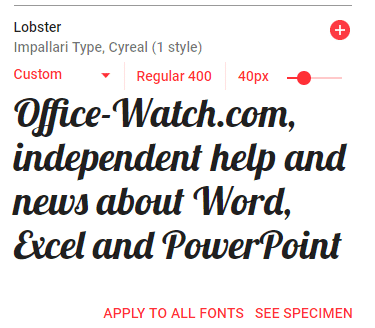
Free Google Fonts in Office: A Simple Step-by-Step Guide
Google offers a great variety of free open-source fonts that can be used in Microsoft Office, Windows or Mac. You just need to know the right trick to access them for Word, Excel or PowerPoint. Over 1,800 Google Font families There are 877 1,816 Google Font families currently available at https://fonts.google.com Google Fonts are intended […]
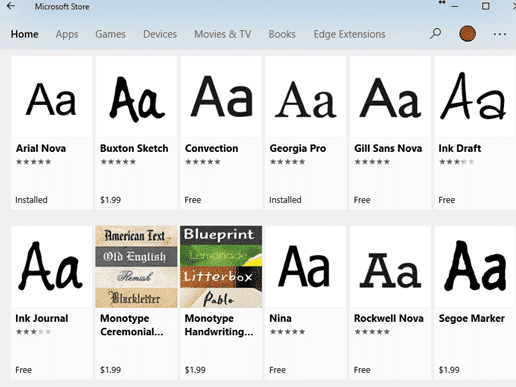
Better Than Comic Sans: Upgrade Your Fonts for a Stronger Impression
Tired of Comic Sans but still want a casual, friendly font? Microsoft Office has better built-in alternatives or there’s many other fonts that keeps the charm without the cringe. Here’s a quick guide to upgrading your documents. The Wall Street Journal has a history of Comic Sans, the font that people love to hate, complete […]
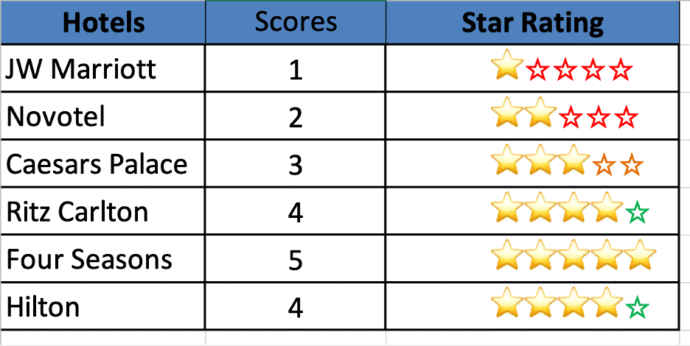
Score with Solid and Hollow Emoji in Excel
Display scores or ratings visually in Excel using solid and hollow emojis or symbols, you can use a combination of simple formulas and conditional formatting. This approach is useful for representing ratings, progress, or performance in an intuitive and engaging way. With a little Excel trickery, you can show multi-colored symbols with alternates for the […]

Copilot Word 365 Document summary gets better, for some
Microsoft 365 Copilot is improving their document summary feature in Word across Windows, Mac, and the web for some customers. Still no mention of the feature that Word Copilot users really want! Copilot Summary appears at the top of Word documents, whether you like it or not. It can be a useful way to get […]

Convert Office docs to text with Markitdown
Check out this clever Python tool that converts Word documents, Excel sheets, PowerPoint decks and PDFs into a plain text format. Markitdown is a Python library released by Microsoft via Github, converts many documents into nearly plain text (called MarkDown). It’ll convert all these formats into text. Some conversions need extra pip flags like ([pdf], […]
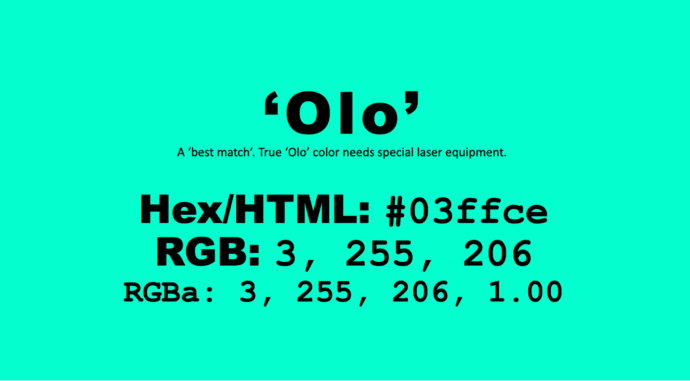
Get the new color, Olo, in Microsoft Office
There’s a special new color called ‘Olo’ developed by scientists in Berkely, California. The nearest match to Olo is possible in Microsoft Office, including Word and PowerPoint. Olo can only be seen with help from a special laser that fires the color into the eye. It’s claimed to extend human color perception into more saturated […]
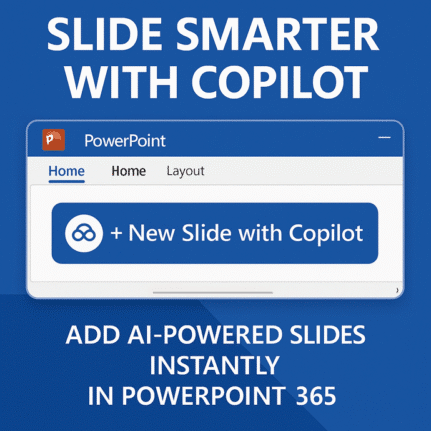
Add new PowerPoint slide with Copilot
PowerPoint is getting a useful addition to its Copilot AI options, make a new slide with Copilot. The Home tab of PowerPoint 365 will have ‘New Slide with Copilot’. A Copilot enabled Microsoft 365 plan is necessary, obviously. Or there’s “Add a slide” on the Copilot icon top-left of a slide. This is a welcome […]

More emoji and more choices from the Fluent Emoji Gallery
Get the most from Microsoft’s Emoji collection with a wonderful app, the Fluent Emoji Gallery with many options and puts Microsoft’s own emoji efforts to shame. Microsoft’s Fluent Emoji collection are a great collection of 3D looking icons but they are a bear to find and use. Michał Łeptuch’s Fluent Emoji Gallery (FEG) lets you […]









