All about Microsoft Office Word, Excel, PowerPoint and Outlook, Microsoft 365, Office 2021 and earlier versions.
Outlook (new) doesn’t mail merge with Word
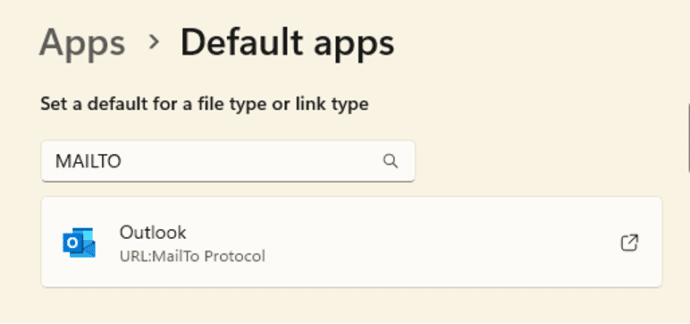
Outlook (new) for Windows doesn’t support Mail Merge from Word. Just one of the many limitations of that software which is still a work in progress. We’ve heard from a few people that Microsoft has ‘dropped’ mail merge from Word but that’s not true. Word’s Mail Merge has been there for decades and isn’t going away. Outlook […]

Microsoft 365 money saving chance – if you act now
Microsoft 365 Family and Personal users have a chance to beat the price rise widely expected to come in 2025. You can lock in the current price for up to five years. Why the expected price increase for Microsoft 365? Microsoft has already raised the price of Microsoft 365 in some countries with the “Microsoft […]
Copilot key didn’t last long – not even a whole year
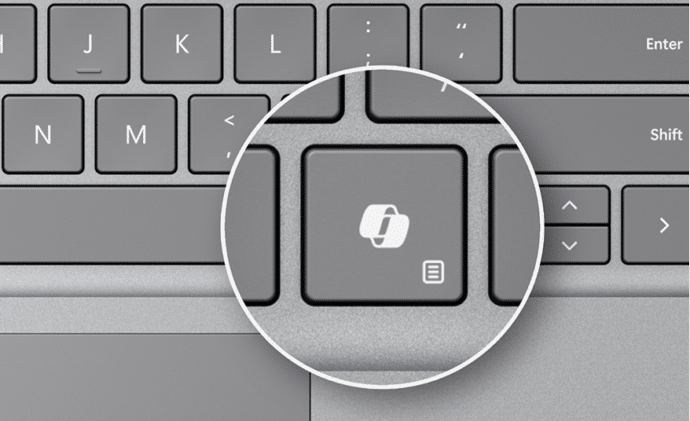
The dedicated Copilot key, announced at the start of 2024 is being partly phased out by the end of the same year! The Copilot key is on some new computers and is supposed to start the Copilot Windows app directly. At least that was the idea in January 2024 when the Copilot key was announced […]
Great Excel monthly calendar from just one cell
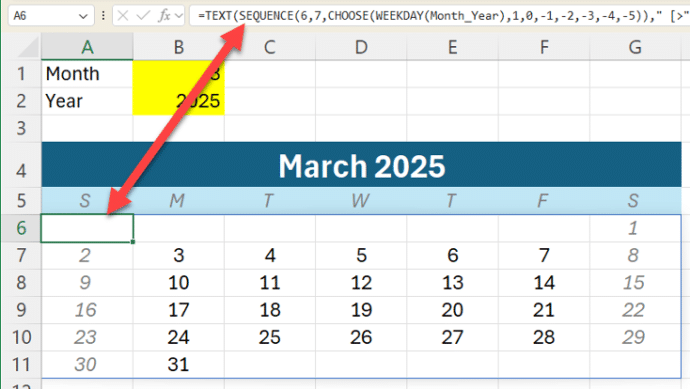
Modern Excel lets you make a whole monthly calendar from just one cell formula. We’ll explain how it’s done with a sample workbook for our supporters. At its simplest, Excel can make a single month like this from a formula in cell A6 which fills all the cells with the correct dates for that month. […]
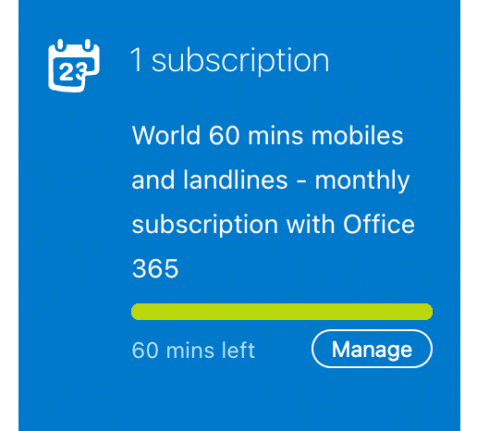
Bad news for Microsoft 365 customers, Skype Credit has ended
Skype has stopped their Skype Credits service which is bad news for Microsoft 365 consumers who took advantage of their monthly 60 minutes of free calls to worldwide phones. Without notice, Microsoft stopped both Skype Credits and Skype Numbers (incoming phone numbers to your Skype account). What’s now appearing at https://secure.skype.com/en/credit/ is bad news. Savvy […]
Get free Skype minutes to save on overseas phone calls
With your annual Microsoft 365 Personal/Family subscription, you get a fantastic perk: an hour of free Skype calls each month to many overseas destinations, and yes, that sometimes includes mobile phones! 📞🌍 Skype isn’t just for computer-to-computer calls, it can also make free or cheap calls to regular landline or mobile phone numbers (known as POTS – […]
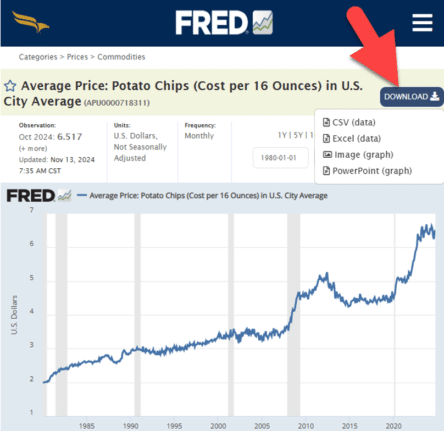
Everybody loves FRED, including Excel
Get Economic data or graphs from FRED (Federal Reserve Economic Data) to load into your Excel workbooks or PowerPoint slides. From unemployment rates to the price of potato chips. FRED has 825,000 data sets for the USA and around the world. Tip: search FRED for your country (Canada, United Kingdom, Australia etc) to see what […]
Forced move to Outlook (new) in April 2026
Microsoft has put Microsoft 365 customers on notice that a forced move from Outlook (classic) to their new, very different, Outlook for Windows will start in April 2026 for a large block of customers. Outlook (new) for Windows is a very different app from the Outlook we’ve used for years. Microsoft has released it to […]

Word’s Calculator tricks and problems
Word can do simple calculations because Word for Windows has its very own built-in calculator. Calculate in Word has some nice tricks but also problems and traps. Type a calculation, hit the button (see below) and the result appears in the status bar AND it’s loaded into the clipboard ready for pasting. Calculate is a […]

Word’s Hidden Calculator
You haven’t heard about it? Don’t worry, even Microsoft has no information about this feature, unless you dig way back into its archives where you’ll find that the calculator – which formerly held a prominent position on the Tools Menu – was driven underground in Word 6.0 to make way for the far more cumbersome, […]
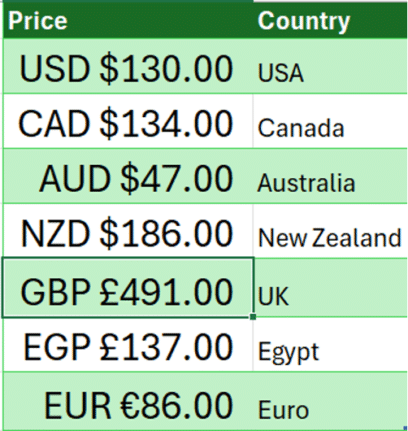
Show currency in Excel with country and symbol
How to show currency amounts in Excel with the country and correct currency symbol included. Excel doesn’t support the standard way that different currencies are displayed with their country codes like this: Dig into the Accounting/Currency Formats and you’ll find these among a VERY long list of currency symbol options. All those options let you […]

Pantone’s 2025 color ‘Mocha Mousse’ in Word, Excel and PowerPoint
Pantone’s color of the year for 2025 is “Mocha Mousse”. You can use that exact color in Word, Excel, PowerPoint, Outlook and Designer using the Hex/RGB color code. And we’ll look at the flowery prose that’s become a hallmark of this annual promotion. The color of 2025 is … Mocha Mousse We make fun of […]
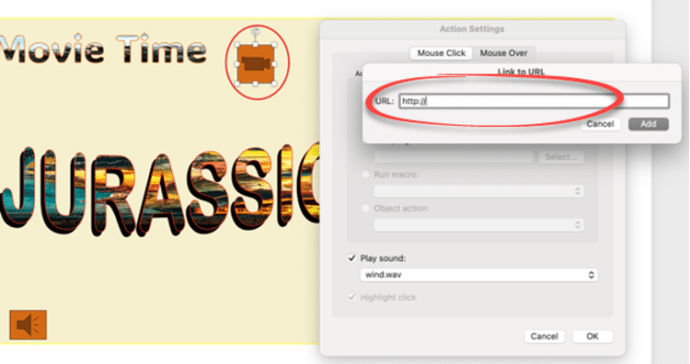
All you can do with PowerPoint Action Buttons
Action buttons in PowerPoint are versatile tools that bring interactivity and control to your presentations. By following a few simple steps, you can insert and customize these buttons to perform tasks such as navigating slides or opening external applications. Incorporating action buttons can greatly enhance audience engagement, making your presentation more dynamic and interactive. Whether […]

Make your own London Tube sign for Word or PowerPoint
The famous London Tube Roundel or station sign is easy to recreate for Word, PowerPoint or other Office apps. The best way to do this is SVG graphics in Microsoft 365, Office 2024/2021/2019/2016. SVG’s let you change the colors and set the text easily. They don’t have to be a railway sign. Use the roundel […]
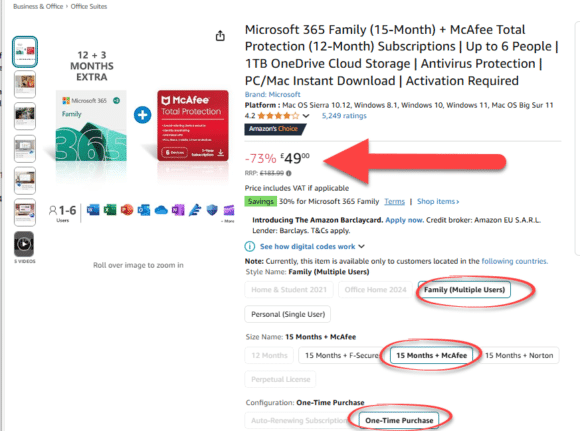
UK Deal alert: save on Microsoft 365
Amazon UK have a great deal on Microsoft 365 Family. There’s a minor condition which is easily bypassed once you know the trick. Office Watcher, John F, let us know about this offer at Amazon UK. Alas, the original offer didn’t last long but the replacement deal is still worth considering. It’s a good price […]
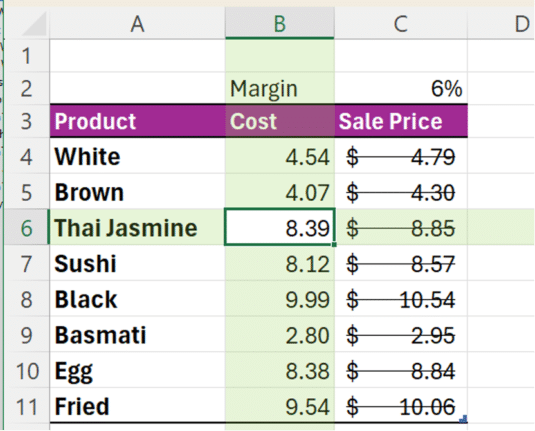
An Excel shortcut that can speed (or confuse) your day
Enter the Ctrl + – (minus) shortcut in Excel. This powerful shortcut instantly deletes entire rows or columns without any confirmation. But there’s hidden trickery going on and some misleading info online. Ctrl + – is commonly said to “delete the selected row or column” but, as usual, the reality is more complicated. Some online […]