
Would you like some Ramen with your font?
Check out this headline ‘ramen’ font that looks great and has a clever name – Times New Ramen. Seine Kongruangkit made a font from photos of noodles, nifty use of Photoshop and an undying love of Ramen noodles <g>. Times New Ramen – you have to love it, just for the name alone! The photorealistic […]

Group and Ungroup objects in Word, PowerPoint and Office
Shapes, images, and other items can be grouped together and often should be in Word, PowerPoint and other Microsoft Office apps. When you group shapes or objects, you can move, resize, rotate, flip them all at once, as if they were a single object. If you’ve ever had trouble moving something in Office but found […]

Image privacy breach still in Microsoft Office
Back in 2015 we were amazed and dismayed to discover a privacy gap in Microsoft Office. Seven years later Microsoft has done nothing to fix or warn customers about. The problem is with images inserted into Office documents (Word, Excel, PowerPoint). The image ‘meta-data’ including GPS coordinates are retained with the inserted image. Anyone getting […]

“Free” Office for Windows is being trialed
Microsoft is testing a free version of Office for Windows with limited features, an important requirement and ads to ‘pay’ for the software. It’s three Microsoft 365 for Windows apps but with restrictions on what it can do and where documents are saved. If you download from this page at Microsoft.com and install using a […]
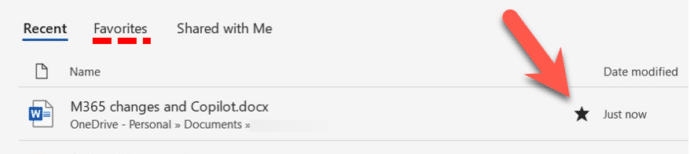
Pinned documents are now Favorites in Office – why?
Microsoft 365 apps are changing the ‘Pinned’ document list to ‘Favorites’ but why is Microsoft bothering at all? For many versions of Office/Microsoft 365 you’ve been able to keep regularly used files in a ‘Pinned’ list for faster access. The Pin icon lets you add a file to that list with a single click. Insiders […]
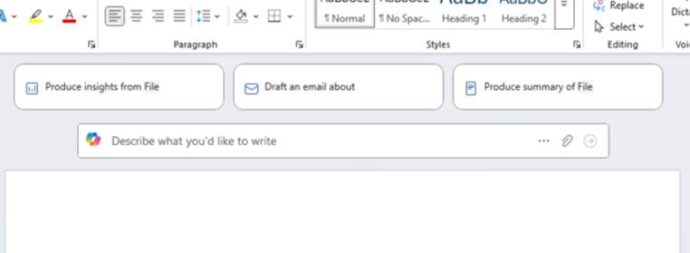
Stop Copilot appearing in Microsoft 365
Here’s how to stop Copilot prompts appearing in your documents, sheets and slides. Microsoft 365 customers are now seeing “Copilot Clutter” appearing in their Microsoft 365 apps, Word, Excel and PowerPoint. There is now a way to Disable Copilot available to some Microsoft 365 customers A Microsoft executive expressed surprise that customers didn’t want Copilot […]

Making QR Codes for Word and Office
QR Codes are those funny little boxes you see in apps and signs. They were once a bit unusual but COVID have made them part of our lives. You can add them to your Word, Excel or PowerPoint documents. Scan that code with your smartphone camera and it’ll read information, most commonly a web link. […]
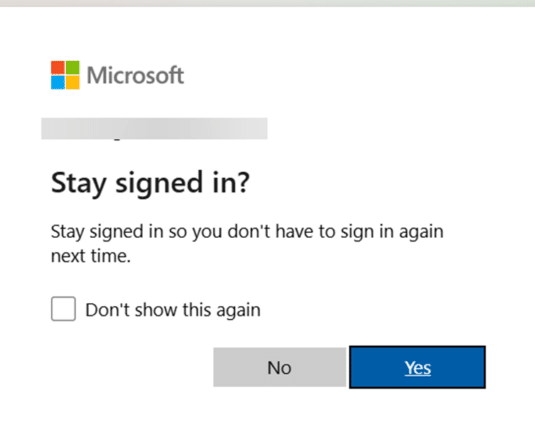
Keep safe after this change to Microsoft account logins
There’s important change in the way Microsoft handles browser logins to Microsoft accounts. If you’re using someone else’s computer or a public terminal, you need to know about this new security hole. Whenever you’ve signed into a Microsoft account for a web site, you’ve almost certainly seen this box. Stay signed in ?Stay signed in […]
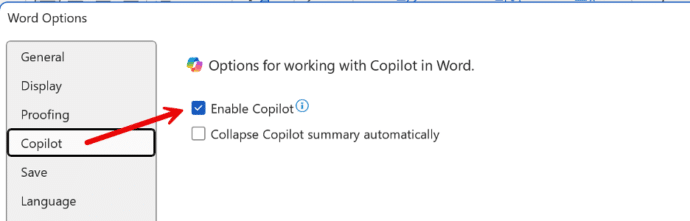
How to Disable Copilot in Microsoft 365
Microsoft is slowly adding an option to disable Copilot AI from their Microsoft 365 apps, Word, Excel and PowerPoint. Here’s what you’re supposed to see on your computer, but won’t necessarily. An option to disable Copilot is being rolled out to Microsoft 365 for Windows and Mac. First in Word 365 for Windows and later […]

Copilot Pro brings AI into Microsoft Office
AI technology without limits is available in Microsoft Office with Copilot Pro. AI features are integrated into Word, Excel, PowerPoint and Outlook for personal customers. Here’s how to get Copilot Pro and the secrets to getting it working. Copilot is Microsoft’s name for their AI based cloud services. They have been around for a little […]
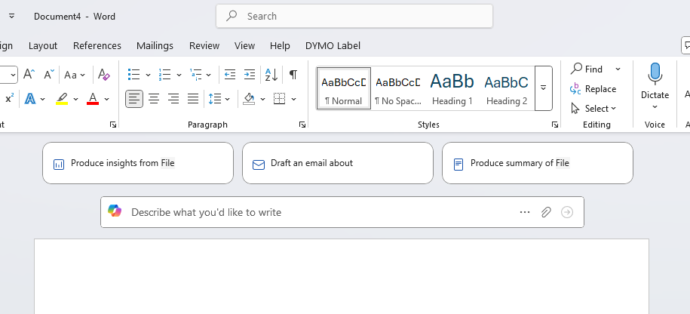
HUGE changes to Microsoft 365 happening now
Microsoft 365 customers around the world are waking up to a new look in their Word, Excel, PowerPoint and Outlook apps. It’s part of Microsoft’s huge changes to Microsoft 365 Family and Personal plans which include a very limited Copilot AI service and a big price rise. Microsoft 365 users might first notice these changes […]
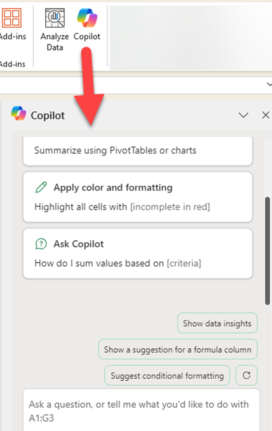
Copilot comes to Microsoft 365 with many limits and a high price
Microsoft 365 Family and Personal plans are getting Copilot AI integration into their Office apps but it comes with a big price increase and many limits to what people get for the extra cost. Customers in Australia, New Zealand, Malaysia, Singapore, Taiwan, and Thailand have seen massive prices rises in Microsoft 365 Family and Personal […]
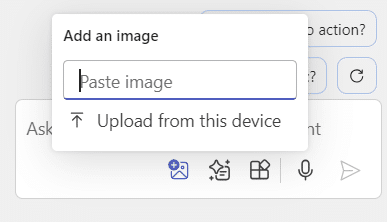
Add pictures to Copilot questions
You can now add images to your Copilot prompts / questions in Word and PowerPoint. Why bother with images? Well, they can save you time, help Copilot understand your requests better, and improve the accuracy of its responses. Whether you’re asking about a specific object or scene, images can clarify details that might be ambiguous […]

How to remove words from the Word dictionary
How and why to remove words from the main Microsoft Word dictionary. The Office Exclusion List ensures a red squiggly underline appears to warn you about an unwanted word. Sometimes the supplied Office dictionary has words you don’t want or you’d like a warning about. Here’s how to put the red squiggly line under words […]

Pantone’s 2025 color ‘Mocha Mousse’ in Word, Excel and PowerPoint
Pantone’s color of the year for 2025 is “Mocha Mousse”. You can use that exact color in Word, Excel, PowerPoint, Outlook and Designer using the Hex/RGB color code. And we’ll look at the flowery prose that’s become a hallmark of this annual promotion. The color of 2025 is … Mocha Mousse We make fun of […]
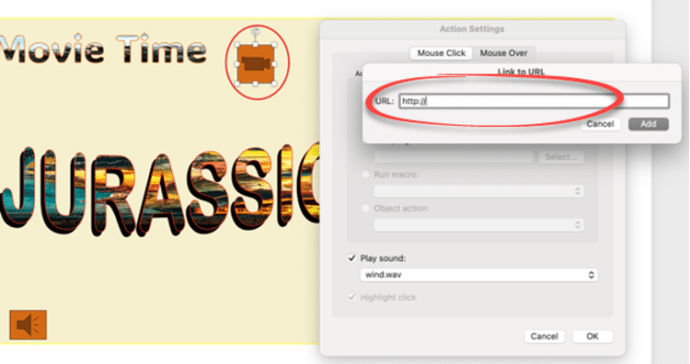
All you can do with PowerPoint Action Buttons
Action buttons in PowerPoint are versatile tools that bring interactivity and control to your presentations. By following a few simple steps, you can insert and customize these buttons to perform tasks such as navigating slides or opening external applications. Incorporating action buttons can greatly enhance audience engagement, making your presentation more dynamic and interactive. Whether […]









