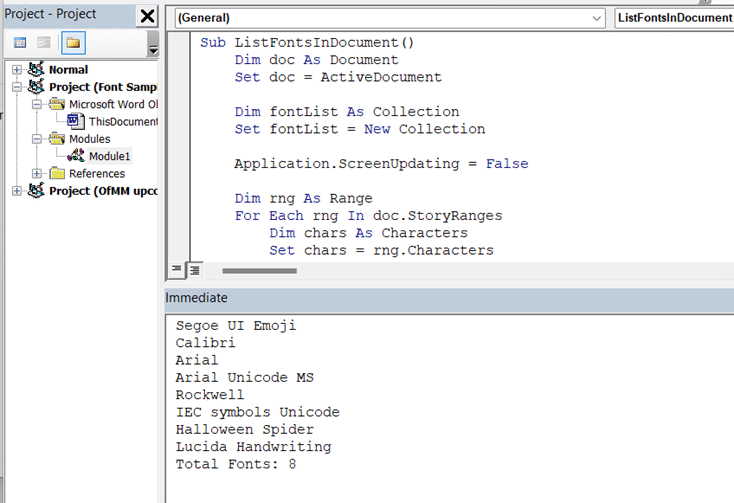
For a long time, Microsoft has quietly fixed bugs in Office, which is a good thing. Not so good is their habit of hiding news of these fixes. If you’ve been suffering with a particular bug, it’s hard to know when or if it’s been fixed. Among the January 2016
Microsoft Office has many benefits for its millions of users and there’s scientific evidence that Office features can make you appear smarter … truly. Simpler words make you seem smarter It’s an old student trick to use bigger words in an effort to impress the teacher but it doesn’t really
Not all appointments are ‘one off’, many happen on a regular basis. Outlook lets you add these ‘recurring’ appointments just once and they’ll appear in your diary each time. There’s even allowance for exceptions when the regular event is cancelled or changed. Outlook’s recurring appointments can handle pretty much all
There are many Miracast adapters available but the best is the Microsoft Wireless Display Adapter. If you get one, the hidden trick is to update the firmware. Miracast is a system for wirelessly connecting a computer to a remote screen for both video and audio. A Miracast dongle plugs into
Office for Android has been given some useful upgrades in a January 2016 update. Overall Share documents using WeChat and QQ apps. These are interesting choices because both are chat services mostly for the mainland Chinese market. Use the Share option to send a document or link via any compatible
There’s only one Office patch this month. Given Microsoft’s bad track record on patches, especially over the last few months, we can only hope that this patch is bug free. The patch itself is ‘déjà vu all over again’. It fixes yet more ways for a hacked Office document to
We’ve improved and expanded Organizing Outlook Email to fully include Outlook 2016. As usual with updates to our ebooks, the update is free to past purchasers of the 3rd edition. Among the many updates, we’ve added sections on the new attachments features in Outlook 2016. Also the Clutter feature for Exchange
Microsoft has joined with Harman to announce a project to link your car with Microsoft Office in the cloud. Sorry to pour cold water on all this but the announcement doesn’t include any products. In fact, there’s little of substance in the press release. We can look forward to having
In theory, Outlook can handle almost any number of folders or items but in practice there are performance limits, especially if you’re using Exchange Server / Office 365 hosting. See Outlook extremes – how big and long can you go with Outlook? for more details. The limits are: Outlook 2010 and Outlook
With Outlook 2007 SP2, Microsoft introduced a ‘hard’ limit on the size of outgoing emails using SMTP (ie POP or IMAP connections). This limit isn’t related to any limit imposed by the mail host, it’s a somewhat arbitrary value chosen in 2007 and not changed since. It’s still the limit
Greg L writes with another viewpoint on the great ” Office 32 vs 64-bit debate” ” 64-bit Office isn’t compatible with the Common Controls. A 64-bit version of the Common Controls may never happen. Add-ins and macros that use them won’t work. When Excel 2010 came out, I was on
How big and long can you go with Outlook? As usual with Microsoft Office, there are no simple answers to some of these questions. Outlook itself has few size limits because the PST/OST system has been adapted over time to expand way beyond current needs. But Outlook can appear to
Vision Australia has released a Word tool that helps ensure documents can be read by people who have trouble reading standard documents. All documents (Word, web pages etc) can include special, hidden, codes which allows the information to be reformatted to suit people with special requirements. For example, instead of
A Windows 10 patch can cause trouble for Office 2010, 2013 and 2016 for Windows users. Yet another faulty update from Microsoft in recent months. “It’s like deja-vu all over again” This time it’s a Windows 10 update called KB3124200 – a rollup of various patches into a single download.
If you’re looking for legal images for your document or presentation, one site to try is Pickit.com Pickit has thousands of images available, many from photographers who have uploaded their images to the site. While it’s targeted at PowerPoint users, it can be used whenever stock images are useful such
Microsoft has now provided a fix for the bad Outlook patch we told you about last week, though they’ve done it in a strangely clumsy way. The original patch KB3114409 for Outlook 2010 sometimes caused Outlook to always start in Safe Mode. After this failure of internal testing, Microsoft had
Microsoft has slightly backtracked on their OneDrive storage cutback decision from last month. Free accounts were dropped to a lowly 5GB while paid Office 365 accounts were reduced to 1Terabyte from ‘unlimited’ (with no drop in the annual fee). Now free accounts can keep their 15GB limit plus any ‘camera
Pantone, the commercial color company has announced its “Colors of the Year” for 2016. Here’s how to use the latest ‘in’ colors in your Microsoft Office documents. ‘Color of the Year’ is an end-of-year marketing trick by Pantone. It gets the company some free advertising and people talk about colors.
Microsoft has again released a bad patch for Microsoft Office and it’s particularly embarrassing. The December 2015 patch called KB 3114409 was supposed to stop a problem where Outlook 2010 started in Safe Mode. Instead the patch did the reverse … it forced Outlook 2010 into Safe Mode. Oh dear.
Word has a simple way to let you change standard text within a document – it’s called document properties. These are settings or constants that are hidden in the document ‘meta-data’ and can be inserted into the document. One document property is called ‘Subject’ which can have a value like
What does it mean to be an Office Insider? Microsoft has launched an ‘Office Insider’ program boasting ‘early access’ to ‘new Office innovations’ and giving people a place in the ‘ongoing process’ of Office development. It’s a reformulation of the Office beta testing program into an ongoing ‘advance view’ of
Apple’s iPad Pro has been released, to mixed reviews. But there’s little mention of the special requirements for Microsoft Office users that don’t apply to other iPad’s. To use the Office for iPad apps on an iPad Pro, you must have an Office 365 subscription. Regular iPads can use the
Which do you choose? Microsoft Office 32-bit or 64-bit? Does it matter? We’ve talked about this before ( 64-Bit Office – Is It Worth The Trouble? ) but it’s worth revisiting since computers have changed and so has the way Office is delivered. Microsoft now defaults to installing 32-bit Office
Microsoft Australia has a ‘cash back‘ deal on Office 365 subscriptions (new or renewal) bought until 3 January 2016. It’s worth checking out and we have some extra tips to help you get the most from Microsoft’s (temporary) largesse. Like most people, we don’t like ‘cash back’ offers. They are