Microsoft Excel 365 has built-in support for regular expressions (regex). The functions REGEXTEST, REGEXEXTRACT and REGEXREPLACE have powerful pattern matching, text extraction and replacement directly into spreadsheet formulas, eliminating the need for VBA, add-ins or convoluted workarounds. Even better, the functions use a widely understood form of Regex for text-manipulation
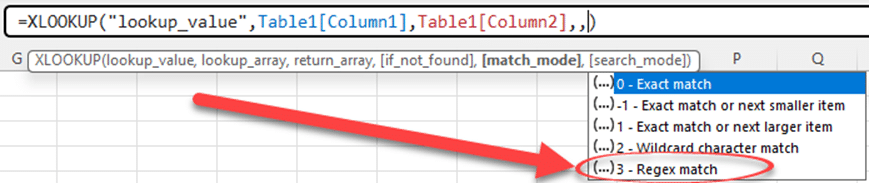
As promised, Excel 365’s Regular Expression support has been extended to include both Xlookup() and XMatch() functions. Regex adds a huge amount of power to matching results from a table. Back in July, Excel 365 added three Regular Expression (regex) functions, RegexTEST(), RegexEXTRACT() and RegexREPLACE(). At the time Microsoft promised
Now that Excel is getting proper Regular Expressions (Regex) here’s some resources to get you started. The upcoming Excel functions RegexTest(), RegexExtract() and RegexReplace() use a common type of regex (PCRE2) rather than some special Microsoft version. That’s important because each regex version has its own options and peculiarities. Using