All Outlook for Windows have a critical bug which makes it too easy for any hacker to gain access to a computer. It just needs a simple link clicked from an email to bypass Office Protected View protections, even from the Preview pane. So all Outlook’s should be updated asap.
A good part of Designer has been deleted with no notice or explanation. Erase is missing with only a ‘dumb’ alternative. The feature is Erase it let you select and remove parts of an image and automatically fill the area with surrounding content. The entire ‘Erase’ option has disappeared for
Microsoft Loop has a new feature that should be added to Word and PowerPoint, see what text has been written by Copilot AI instead of a human. Loop is adding a tag (‘floatie’) which shows who wrote some text and includes ‘Copilot’ as one of those authors. That’s a very
Need a heart symbol or image for your Valentine’s Day message, email, slide or card? Microsoft Office Icons have many choices available including Icons. Many of the stock or supplied resources in Office have passionate ‘heart’ symbols. As you’ll see, there are some anatomically correct icons among the romantic ones,
The latest AI tools can help add a personal touch to Valentine’s Day images, graphics and text like a love poem. Add some details about your loved one (name, hobbies etc.) and AI can do its magic. Free AI tools like Copilot, Microsoft Designer, Dall-E or ChatGPT can make something
Just by using Copilot you’re giving Microsoft free access to anything you do or get from their AI system. It’s a legal trap that everyone needs to keep in mind. We found this buried in the Copilot Terms and Conditions (T&C’s) starting on the Bing web site https://www.bing.com/new/termsofuse (strange place
Most readers of Office Watch will have a Microsoft account but is it as secure as it should be? Two-step authentication is becoming essential for the key Microsoft account. If you have Microsoft 365, OneDrive, Outlook.com, Windows 11/10/8.1/8, Windows Phone or (likely) Skype then you’ll have a Microsoft account. It’s
While a lot of Word, Excel and PowerPoint might appear to be the same for decades, there’s a lot of work happening ‘under the hood’ to keep Office working. Gilad Oren at Microsoft has written an interesting piece on how the whole real-time collaboration feature in Microsoft Office has been
For yet another way to make AI images, perhaps with a different look, you can now try Google Bard. Bard is Google’s AI helper, now available in ‘most countries’ (Google’s wording) but only in English for the moment. It does all the things we’ve come to expect from a broad
Two economics professors have been caught using Excel’s Autofill feature to fill in the blanks to complete a published academic paper. A study on green innovations and patents in 27 countries by two professors has come under scrutiny by a student as reported, by Retraction Watch. The paper was said to use
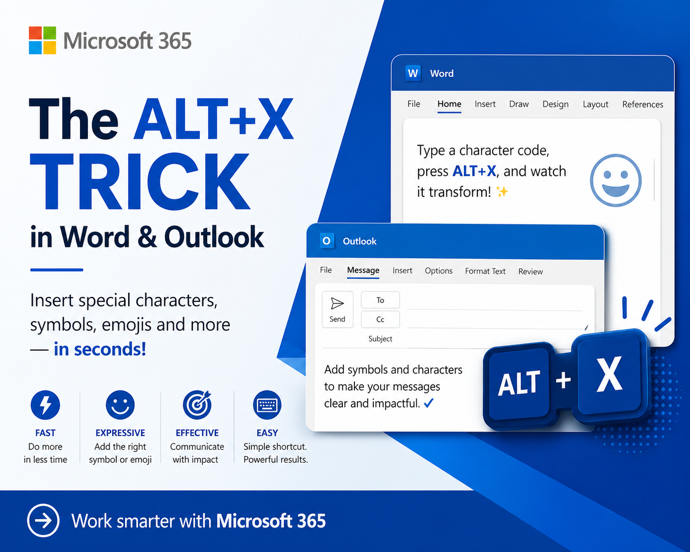
Keyboard shortcuts for special characters that work outside Office and without special setup on any Windows computer. It’s possible to enter any character into a Windows program using the Alt key plus the number pad (usually on the right side of a larger keyboard). This is a handy shortcut to
More than five ways to type characters with accent, grave, circumflex, tilde, umlaut, dieresis or cedilla in Microsoft Word and Outlook when they aren’t on the keyboard such as á ã à ä Ç ç ē é ê è ë â ê î ô û and many more. Typing accented
There are at least two ways to switch away from the new Aptos fonts in Microsoft Word and back to the old Calibri fonts or something else. Microsoft has forced a change to Aptos as the new default font in Word but that change doesn’t suit everyone. In particular, Aptos
Switch from the new Aptos default font in Outlook to another font that you prefer and is has better readability in Outlook desktop (Windows or Mac) and Outlook (new). Personally I’ve tried to like Aptos fonts but after a few months they still offend my eyes, especially in emails. It’s
Microsoft loves to boast about their “Copilot Copyright Commitment” but what does it really mean and how much protection do customers really get? There’s a concern that AI generated content might be subject to intellectual property (IP) law suits. Perhaps because an AI image or text is too similar to
Here’s a combined ‘one-click’ way to force an update to both Windows and Microsoft Office at the same time. Normally Windows and Office both update themselves automatically and in the background so you don’t have to worry about it. But there are times when you need to ensure both are
Microsoft is ending Wordpad on Windows 11 … not right away but sometime soon. Here are your options for a replacement. WordPad has been in Windows since 1995 as a basic word-processor with Word document compatibility. It was never much loved but still has an important place. It’s the only
According to Microsoft, AutoSave is the ‘greatest feature of all time’. That’s ‘over the top’ even for Microsoft and it only highlights the self-serving limitations of the current Autosave feature in Office. “Autosave is the greatest feature of all time and you can use it across your M365 apps. That’s
Let’s take a moment to explain, without the hype, what Copilot is and what it can do for you and all Microsoft Office users including Office 2021,2019 and earlier. We’ll explain some ways Copilot can save time and money doing simple tasks for anyone with Microsoft Office. Beleive me that
We’ve been using Copilot and Copilot Pro for a little while and here’s our first impressions of Microsoft’s paid AI services as they exist today. In other words, what you get for your money right now. It’s hard to justify paying upfront $360 per user for a year commitment to
What you need to know about Copilot for Microsoft 365 which brings AI technology into Microsoft Office including Word, Excel, PowerPoint and Outlook. Here’s how to get Copilot for Microsoft 365 and the secrets to getting it working. What is Copilot for Microsoft 365? Copilot for Microsoft 365 applies to Microsoft
There are two ways to try out paid Copilot for less money. If you’re not sure but want to try the enhanced AI features in Office there are a smart ways to get Copilot without dropping a lot of money in advance for unknown benefits. Let’s face it, Microsoft is
The Microsoft Readiness Toolkit for Office add-ins and VBA is being cancelled (‘retired’) from the end of March 2024. The toolkit has been around for some years to help “identify compatibility issues with your Microsoft Visual Basic for Applications (VBA) macros and add-ins that you use with Office”. The download
Until now, Excel for iPad could use PivotTables already setup in desktop Excel. Now you’ll be able to make and edit PivotTables too. An Excel for iPad PivotTable looks the same as in other Excel’s Being able to make last minute changes to a PivotTable on the iPad is very