Add the British National flag “Union Jack” into Office documents, Word, Excel or PowerPoint, then use some Office picture tools to enhance the image. The same help applies for any other national flag, just look for a different source. Get the British Flag Image There are many, many copies of
Has your invitation to the Coronation of King Charles and Queen Camilla got lost in the mail? Never fear, you can make your own ‘replacement’ <g>. Or more likely use the ornate graphics for some other purpose, not always so serious. Here’s an ‘invitation’ made in PowerPoint with a name
How to type the Per Thousand ‰ (or it’s official name ‘Per Mille‘) sign into Microsoft Word, Excel or PowerPoint. Per Thousand / Per Mille ‰ means ‘parts per thousand’ and can be used for values below 1%. It’s not regularly used in English. How Per Thousand ‰ looks in
There are SIX ways to add text that appears smaller and slightly below (subscript) or above (superscript) in Word, PowerPoint and other Office apps. This kind of text is commonly used in mathematics (e.g. X2) and other technical fields (e.g. H2O), but can also be used for something as simple
Reducing the line spacing or vertical gap between lines in Word paragraphs can be done in six different ways depending on your needs. Adjusting line spacing to put lines very close isn’t usually necessary for regular text. It becomes useful when trying some design tricks for headings, for example the
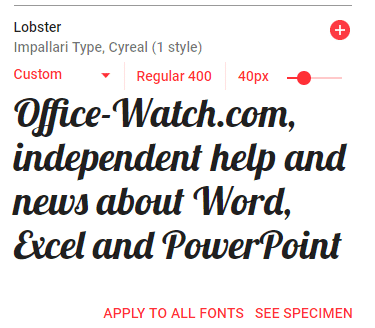
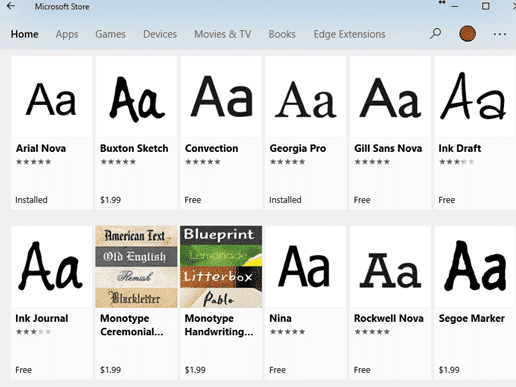
The (in)famous Goldman Sachs bank has released their own font which anyone can use in their Word, Excel or Powerpoint documents. It’s called Goldman Sans and is available for anyone to download and use. The font is especially useful in Excel workbooks. The company describes the sans-serif typeface as “approachable
There’s a simple Microsoft Word trick that lets you shrink the vertical space between lines. Specifically reducing to below single line spacing. To set less than 1 line space go to Paragraph | Line Spacing and choose ‘Multiple‘ – yes ‘Multiple’. Sounds screwy but it works. Set the Multiple line spacing value
How to insert the Speaking Head in Silhouette 🗣 emoji into Microsoft Word, Excel, PowerPoint or Outlook. Both in Office for Windows and Office for Mac. Speaking Head in Silhouette 🗣 emoji can be used as a different way to draw attention to a special point or note. Or as an
Insert the Siren or Police Car Light 🚨 symbol / emoji into Microsoft Word, Excel, PowerPoint or Outlook. Both in Office for Windows and Office for Mac. Police Car Light🚨 (aka Siren or Emergency Vehicle Light) symbol can be used any time you want to add warning or alert to
How to insert the Degree Fahrenheit ℉ into Microsoft Word, Excel, PowerPoint or Outlook. Both in Office for Windows and Office for Mac. Degree Fahrenheit ℉ symbol is used as the unit for the Fahrenheit temperature scale. It’s a single character that’s a combination of the degree symbol and capital
Insert the Degree Celsius / Centigrade ℃ into Microsoft Word, Excel, PowerPoint or Outlook. Both in Office for Windows and Office for Mac. Degree Celsius ℃ is a single character symbol is used to refer to a specific temperature on the Celsius or Centigrade scale. Centigrade was the original name for
Amazingly, a simple color can be trademarked and using one in a Word, PowerPoint or Office document can be illegal. We’ll explain why and a list of some colors you might need to avoid. Companies can trademark a color that’s associated with their product or logo. If you’re designing a
You can tell Microsoft Word to start an ordered or numbered list from any number or letter you like. Not just start an ordered list with 1 or A. Lists can also restart numbering after a break. Creating a numbered list There are different ways for creating a numbered list
Even after 15 years, there’s still misinformation about the ‘new’ Office document formats .docx .xlsx etc. We’ll explain these myths and how you can easily disprove them yourself. Most of these myths surround the use of ZIP compression to make the document files smaller. Folks have jumped to wrong conclusions
How to insert the Vertical Bar | into Microsoft Word, Excel, PowerPoint or Outlook. Both in Office for Windows and Office for Mac. Vertical Bar | symbol (technically a glyph) has many uses in computing, physics, maths and typography. In some programming languages | has a special meaning, for example
Here’s how to round numbers more accurately than Excel’s in-built Round() and other functions. This method uses the internationally recognized standard for rounding (yes, there is one), we’ll show the long formula, how it works plus the Let() and Lambda() versions that can make your worksheet easier to deal with.
Excel’s Round() function is not totally accurate. There’s a lot more to rounding numbers than we were taught in school and how Microsoft’s Round() function works. What we learned in school and Round() is OK. But if you’re dealing with larger groups of numbers, narrow rounding ranges or should be
Microsoft Word’s ‘Line Between’ option for multiple columns can replaced and formatted to a different color or other types of line. Word’s standard ‘line between’ column setting has no formatting. All you can do is choose ‘Line Between’ and no more. There’s no known way to change the look of
In Adding Vertical Lines in Word we looked at the many common choices for lines down the page. Moving beyond that, let’s look at other, more interesting and creative vertical non-line choices to spice up a Microsoft Word document. Sidebars Sidebars are the starting point for many different design element
There are at least six ways to add a vertical line in Microsoft Word. Vertical lines can help accentuate a piece of text in Word, but adding them is not as obvious as adding a horizontal line. These are most common options available. With all the features in Word there
You’re not stuck with the Microsoft Office automatic settings when inserting a new text box. Change the Text Box defaults to whatever you like for faster text box formatting in Office; Word, Excel, PowerPoint or Outlook. There are TWO ways to add a Text Box in Word and Outlook –
As well as links to web sites, Word lets you make ‘internal’ links to other parts of the same document in at least three different ways. Longer documents can benefit from internal links that let you and readers jump within the document. Insert Hyperlink – Place in this document The
Excel has two functions that round numbers to either the next Even or Odd numbers – these functions are called … wait for it … Even() and Odd()! Both Odd() and Even() round positive numbers UP to the next odd/even number. Negative numbers are always rounded DOWN to the next
Excel’s Ceiling() and Floor() function rounds a number up or down to the nearest specified multiple. The most common use is to match prices to denominations of coins or notes. Ceiling() is similar to MRound() except that MRound() rounds to the nearest multiple, Ceiling() always rounds UP. The reverse is