Halloween Icons, Graphics and Pictures to Add to Word, PowerPoint and Outlook
Add Halloween pumpkins, ghosts, witches’ hats, bats and skulls to your Word documents, PowerPoint slides and Outlook emails. Here’s how to find and use the built-in Halloween icons, stock images, stickers and illustrations in Microsoft 365 and Office 2024, 2021 or 2019.
Icons, Stock Images, Stickers and Illustrations are all available in Microsoft 365 for Windows or Mac. Some Icons are also available in Office 2024/2021/2019 Windows/Mac.
Looking for Halloween emoji 👻🦇🎃- check out Halloween emoji, fast find and copy
More Halloween in Office: Remake your own photos for Halloween with Microsoft Designer, spice up Halloween with Designer graphics, find 14 perfect pumpkin colors for Office, add skeleton and skull graphics to your documents, or grab free witch graphics for your designs. Plus, quickly copy Halloween emoji 👻🦇🎃. See more Halloween suggestions – images, icons, fonts and more.
Halloween Icons
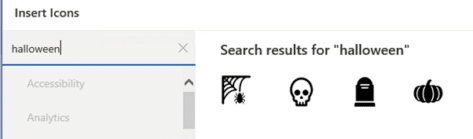
Insert | Illustrations | Icons has the best range of Halloween symbols. Look for ‘Halloween’ to find most, but not all scary icons like evil pumpkins, ghosts, witches hats and skulls.

Most, if not all icons, come in two forms; Black and White (outline).
Skeleton / Bones
But a few are missing. Search for ‘skeleton’ to see a complete set of bones plus a dinosaur skull.

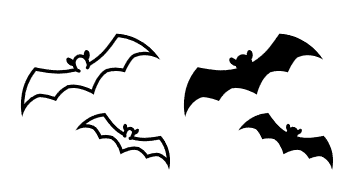
Bat
There are also ‘Bat’ icons.
Black Cat
Black Cat also needs a separate search.

Office 2024/2021/2019 icons
Office 2024/2021/2019 also has Icons, but a smaller selection. Only four icons (web, skull, headstone and pumpkin).
More Halloween Icons
Any icon or graphic can be recolored from Graphics Format | Graphics Styles | Graphics Fill. Better Icon, illustration or SVG editing trick in Office
Pumpkin color
One Pumpkin color is Hex #FF7518 or RGB: 255, 117, 24.

Use the vertical slider to choose a lighter or darker pumpkin shade.
See 14 perfect pumpkin colors and more in Microsoft Office
Free Halloween Icons from the Web
Beyond Office there are many Icons (really SVG graphics) available on the Internet. See Finding more SVG or Icons for Office then search for Halloween or specific words like Bat, Skeleton, Scary Clown etc.

If you’re using earlier versions of Office (Office 2016 and before), use JPG or PNG images.
Halloween emoji, fast find and copy has a searchable list of over 30 emoji.
Halloween Stock Images
There was a time when searching for ‘Halloween’ showed just two Stock Images in Microsoft 365. That’s been expanded a lot. Go to Insert | Illustrations | Pictures | Stock Images.

Stickers for Halloween
Looking for ‘Halloween’ shows two Stickers. Not sure what these two characters are supposed to be.
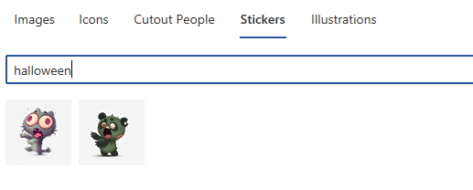
There’s an evil ghost and a heart shaped one.

Illustrations
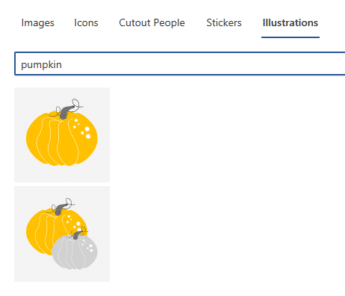
The Illustrations feature has no specific Halloween options. Some Cats but none of them black and they are all smiling.

There are two pumpkin Illustrations but the uncarved variety.
Stock images or premium content now in Microsoft 365
Sketchy or wriggly lines in Icons and SVG graphics
Edit options for SVG Icons in Office 365/2019