Microsoft has announced some of their plan for the changeover to the newer, totally rebuilt, Outlook for Windows.
The changeover plan will be in four stages; Opt-in, General Availability, Opt-out and finally Cutoff. There are no specific dates given, just a broad structure but the whole switch from ‘classic Outlook’ to ‘Outlook (new)’ will take years to complete.
In other words, there’s no rush for anyone to drop their current Outlook for Windows. In fact there’s plenty of good reasons to stick with ‘the devil you know’ for now.
Opt-in
This is where we are now. In Outlook for Windows you’ll likely see a ‘Try the New Outlook’ button at top-right.
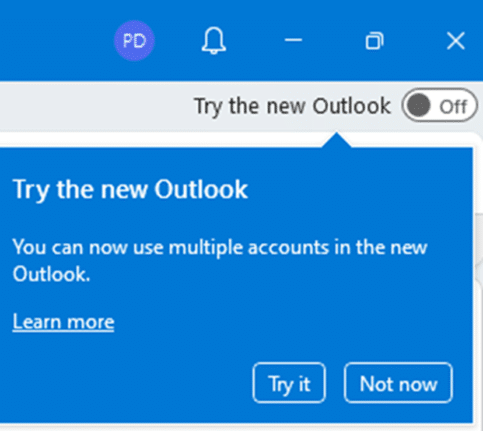
Users can choose to use either the current ‘classic’ Outlook for Windows or the totally new, quite different Outlook.
Microsoft makes it look like there’s an either/or choice of the two Outlooks. You can run both classic and new Outlooks on the same computer and at the same time.
Office Watch does NOT recommend changing to Outlook (new) at this stage. Especially NOT for anyone with a non-Microsoft mailbox (e.g. Gmail, Yahoo, AOL or others) because of the privacy concerns.
General Availability
Microsoft, to the astonishment of many, says that Outlook (new) will reach ‘General Availability’ (GA) soon. But what does that mean?
For Outlook (new) it means “Customers with relevant licensing will be able to obtain regular and assisted technical support through their respective Microsoft support programs”
In other words, there will be standard support for Outlook (new) once Microsoft raises the ‘General Availability’ flag.
Even after ‘General Availability’ the existing or ‘classic’ Outlook for Windows will be installed by default.
Opt-out
At some point, new installations of Office will be given new Outlook automatically – that’s the ‘Opt-out phase. That won’t affect existing use of classic Outlook and there’ll be an option to install classic Outlook instead.
Microsoft promises at least 12 months notice of the change to ‘Opt-out’.
Admins for organizations will be able to control which version of Outlook is used and if changeover is available.
Cutoff or how long will the current ‘classic’ Outlook last?
Microsoft says that the current ‘classic’ Outlook will continue to be supported “until at least 2029”.
That means support for classic Outlook in Office 2016, Office 2019 and Office 2021 will still end on their support end dates in 2025, 2025 and 2026 respectively. The ‘2029’ date only applies for the Microsoft 365 version of Outlook classic and possibly a future “Office 2024”
For our thoughts on this plan see Digging deeper into the Outlook (new) timetable
Too many Microsoft Outlook’s – we explain them all
New ‘Follow’ option is really a bad sign for Outlook customers
