Microsoft Copilot Researcher Gets a Two-Brain Upgrade: Critique and Council Explained
Microsoft is making its Copilot Researcher tool significantly smarter by making two AI models work together. The update introduces two new modes called Critique and Council, both using a combination of OpenAI ChatGPT and Anthropic’s Claude. Critique has one AI write the research report while a second independently checks it for accuracy, completeness, and source quality. Council goes further: two models each produce a full report, and a third AI compares them to show where they agree, where they differ, and what unique insights each brings.
Critique uses one model then asks the other AI to check. The new default when choosing ‘Auto’.
Council has both AI models do their thing, then a third AI merges the two answers; what they agree on, disagree or have diverse opinions/facts.
“Available Now” – sorta, kinda
Microsoft execs are boasting that Researcher Critique and Council are “Available Now” but that’s not the whole story.
Officially, only Microsoft’s Frontier program for Enterprise organizations can get Critique and Council for the moment. That’s assuming your IT ‘gods’ allow access to the Frontier (beta/Insiders) agents and options at all.
Hopefully/eventually other Microsoft 365 Copilot customers will get access, Enterprise, Business and maybe even Consumers. Keep an eye out for these features to appear in the standard model picker in Researcher. When they do arrive, Critique in particular should be worth switching to as your default for any serious “in-depth” research task.
BUT, one of our test accounts with a M365 Business plan plus Copilot is already showing the Council option.
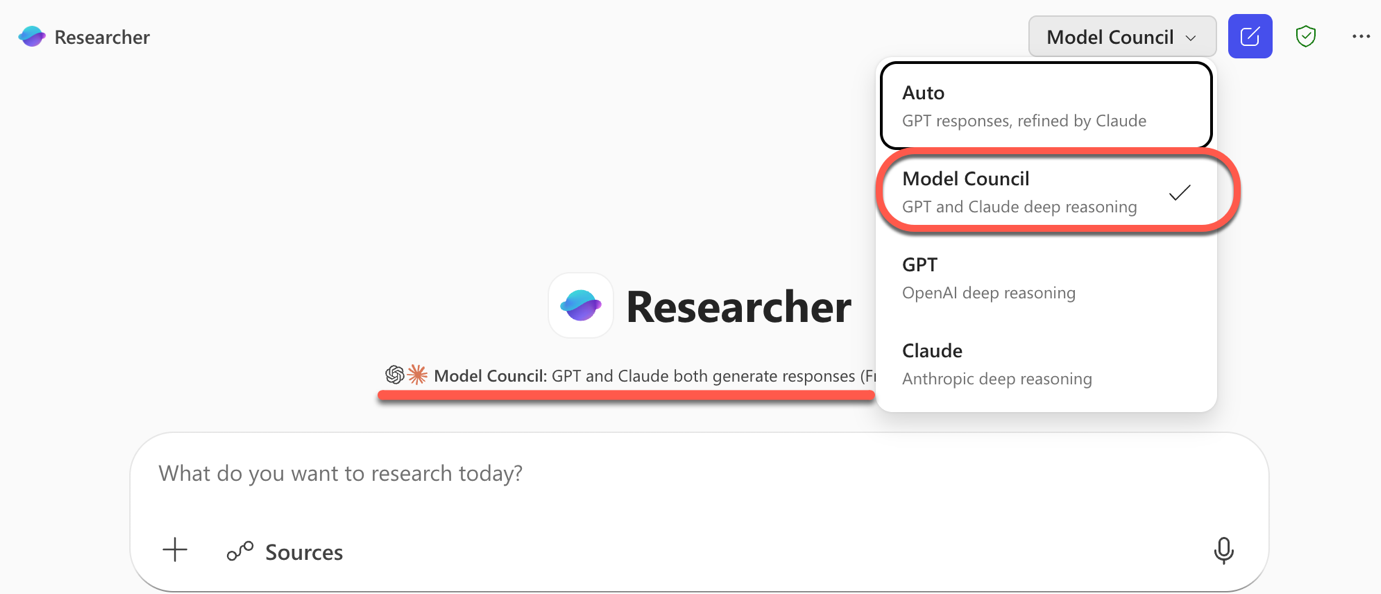
If you have an Enterprise or Business plan with Copilot add-on, we suggest checking the Researcher options to see what’s available (compared to what Microsoft says is available – sigh).
What Is Researcher, and Why Does This Matter?
Researcher is the agent inside Microsoft 365 Copilot built for heavy-duty research tasks at work: think writing a competitive analysis, summarizing a regulatory landscape, or pulling together findings from across dozens of sources. Until now, it used a single AI model to plan, search, write, and review a report.
The new multi-model approach changes that by separating the job of generating a report from the job of evaluating and improving it.
Critique: Two AI Models, One Better Report
Critique assigns one AI model to lead the research, plan the task, and produce an initial draft, while a second model acts as an expert reviewer before the final report is delivered. Think of it as having a researcher write the report and then hand it to a critical editor before it lands on your desk.
Those two models come from competing AI companies. Critique draws on models from Anthropic (the maker of Claude) and OpenAI, depending on which role each is playing.
Critique will be the default setting when you use Researcher with “Auto” selected in the model picker. You do not need to do anything special to get it.
The AI reviewer specifically checks for three things:
- Source reliability: Are the sources reputable and appropriate for the topic?
- Report completeness: Does the report actually answer what you asked?
- Evidence grounding: Is every key claim backed by a reliable citation?
How Much Better Is Copilot Critique?
In plain terms: the reports are more thorough, better written, and more accurate than what a single model produces.
Microsoft says they tested Critique against an industry benchmark called DRACO (Deep Research Accuracy, Completeness, and Objectivity), which uses 100 complex research tasks across 10 fields including medicine, technology, and law.
Researcher with Critique scored 13.88% higher than Perplexity Deep Research, which had been the top-performing system in the benchmark paper. Breaking that down by category, the biggest gains were in breadth and depth of analysis (+3.33 points), presentation quality (+3.04 points), and factual accuracy (+2.58 points), with all improvements being statistically significant.
Council: See What Two AI Models Disagree About
Council (aka Model Council) takes a different approach: it runs an Anthropic model and an OpenAI model at once, with each producing its own complete, standalone report.
A third “judge” model then compares the two reports and produces a summary that shows where they agree, where they diverge, and what unique insights each one contributed.
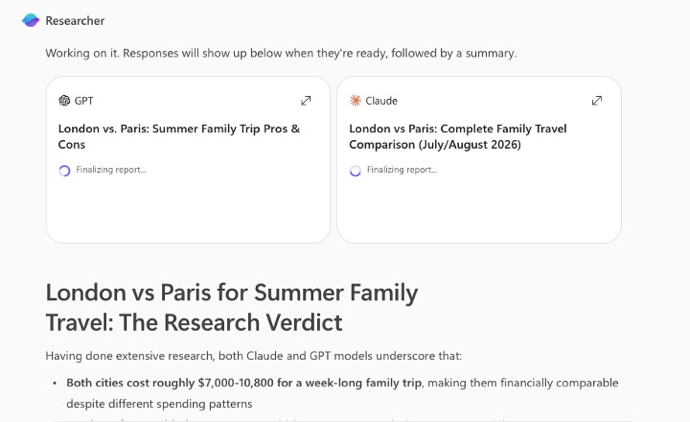
This is genuinely useful for high-stakes research where you want to know whether an AI conclusion is rock solid or whether a different model would push back on it. If both models land on the same finding independently, that is a stronger signal than if only one did.
Council is available by selecting “Model Council” in the model picker inside Researcher.
Smart and Smartie comments
Anything to do with Copilot invites both smart and snarky comments on social media and the changes to Researcher are no different.
““GPT responses, refined by Claude” is the real headline. the critique layer might matter more than the generation layer.”
“Using multiple models together makes sense, but coordinating them well is where most of the complexity lies”
“Multi-model orchestration is the right direction but the hard part isn’t routing queries across models, it’s knowing when to trust which model’s output on the same question. critique-based systems only work if the models have genuinely different failure modes”
“Introducing Critique: because when one AI hallucinates, the solution is obviously to add more AIs to vote on which hallucination sounds most professional.”
“so no single model is good enough yet, got it”
Microsoft Copilot Deep Research: Pros and Cons
Copilot Access Levels for Microsoft 365 Consumer Plans: What You Actually Get
Standard vs Priority Access in Copilot: What Is the Difference?
Microsoft 365 Copilot Agent Explained
Microsoft 365 Copilot Explained: Features, Limitations and Your Choices