Adding the Argentina flag to Word, Excel or PowerPoint should take thirty seconds, but Argentina sets a trap that most countries do not. There are officially two national flags, the ceremonial one with the golden Sun of May and a plain version without it, and picking the wrong one is the giveaway that you grabbed the first image you found. The proportions are unusual too, 5:8. Here is where to get a proper scalable image, the exact hex colors including the brown that everyone forgets, and why the Argentina flag emoji will look broken for every Windows colleague who opens your file.
Two Argentine flags, not one
This is the part almost everyone gets wrong.
The version with the golden Sun of May in the middle is the Official Ceremonial Flag (Bandera Oficial de Ceremonia), see left below. The plain sky blue and white triband with no sun is the Ornamental Flag (Bandera de Ornato), see right below. Both are legally the national flag, but they are not interchangeable. When flown together, the ornamental flag must always sit below the ceremonial one.

For decades, Decree 10,302/1944 reserved the sun version for federal and provincial government use only, and private citizens were required to use the plain version. Law 23,208 of 1985 scrapped that restriction, so individuals and businesses can now legally use the full sun flag as well.
What this means for you
Use the Sun of May version. It is the flag Argentines recognize as the flag, it is what appears on the football shirts, and it has been fair game for private use for forty years. The plain triband looks like you downloaded the wrong file. Only use the plain “sun free” version if you specifically want a decorative banner effect, such as bunting or a background wash.
Get the Argentina flag image
There are many copies of the Argentine flag floating around. We prefer Wikipedia, because it has an SVG scalable version (the good option) plus PNG versions for older Office and other programs.
SVG graphics are supported by Microsoft 365 and Office 2024, 2021 and 2019. They stay sharp at any size.
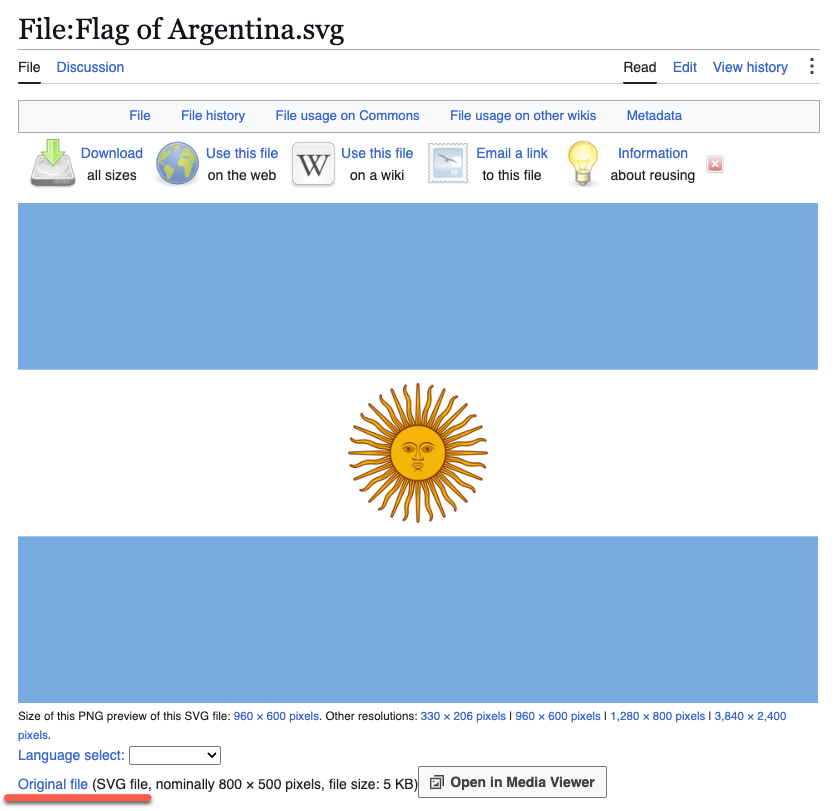
Go to https://en.wikipedia.org/wiki/File:Flag_of_Argentina.svg for the Son of May version of the flag.
The Ornamental Flag is also available at https://commons.wikimedia.org/wiki/File:Flag_of_Argentina_(civil).svg .
Below the image is a list of file sizes. Right click and choose ‘Save link as…’ (or the equivalent in your browser).
- Microsoft 365, Office 2024, 2021, 2019: choose ‘Original file’, which is the SVG.
- Older Office: choose one of the ‘PNG preview’ sizes. Pick a resolution larger than you actually need.
Check and lock the aspect ratio
The Argentine flag has unusual proportions or aspect ratio. Most flags are either 2:3 or 1:2.
Argentine flag’s official proportions are 5:8, standardized in 2002 and confirmed by presidential decree in November 2010.
In Picture Format | Size, open the dialog and tick “Lock aspect ratio”.
Argentina flag colors
Handy to know when you are matching or contrasting colors in a document, worksheet or slide. Argentina is unusually precise here: the colors are officially defined using the CIE 1976 standard, with equivalents published for screen, print, textile and plastic. Where possible use the hex code in modern Office.
- Sky blue (celeste): 116, 172, 223 or #74ACDF . Pantone 284 C for print.
- White: 255, 255, 255 or #FFFFFF
- Sun yellow: 246, 180, 14 or #F6B40E . Pantone 1235 C for print.
- Sun brown (the outline and facial features): 133, 52, 10 or #85340A . Pantone 483 C for print.
The brown is the one people forget. It is not decoration, it is what makes the sun’s face readable. If you recolor the flag and drop the brown, the sun turns into a yellow blob.
The blue has genuine history behind it. Under Juan Manuel de Rosas from 1829 the official shade was pushed toward a much darker turquoise, partly to distance it from the pale blue of his Unitarian opponents. Light blue was restored as official in 1895 and confirmed again by decree in 1907. If you ever see a dark blue Argentine flag in a history book, that is why.
Insert the Argentina flag into Word, PowerPoint or Excel
Once the image is saved to your computer it is the standard routine. Go to Insert | Pictures | This Device and choose the file you downloaded. Resize and position it like any other image, aspect ratio locked.
Flag effects
With the image in Office, all the usual Picture Format or Graphic Format options are available. If you inserted an SVG you get a Graphics Format tab on the ribbon. If you inserted a PNG or JPG you get Picture Format instead.
Effects like Shadow, Reflection and Bevel add visual interest without distorting the flag itself, which matters more here than with a simple two color flag.
Shadow
Try Graphics Effects | Shadow | Outer for a subtle drop shadow to the right and below. Open the side pane to fine tune the distance, blur and transparency.
Reflection
Reflection gives a glossy mirrored fade below the flag. Use it sparingly. A reflection flips the sun’s face upside down in the mirrored copy, which looks wrong if the reflection is too strong. Keep the transparency high.
Beveled edges
Bevel adds a slight 3D lift to the edges. Effective on a title slide, overkill in a report.
Beyond these, an SVG lets you use Graphics Fill and Graphics Outline to change colors directly. Resist the temptation. Recoloring a national flag is exactly the kind of thing that gets noticed and not in a good way.
The Argentina flag emoji: mostly a waste of time
There is a proper flag emoji: 🇦🇷 . It is built from the regional indicator letters A and R, the standard two letter country code system.
Here is the catch. On Windows it will not display as a flag. The Segoe UI Emoji font used by Word, Excel, PowerPoint, Outlook and Teams on Windows contains no glyphs for national flags. Instead of the sky blue and white stripes you get two little boxed letters, “AR”. Mac, iPhone and Android render it properly, which is what makes this such a trap: it looks perfect while you are writing and broken the moment a Windows colleague opens the file.
What this means for you: never use the flag emoji in a document other people will open. Use the SVG or PNG image instead. Emoji is fine in a chat message to someone you know is on a phone or a Mac. It is not fine in a report, a slide deck or a spreadsheet header.
Flag etiquette in Argentina
Argentina takes its flag seriously and there is a real body of law and decree behind it. Practical points for anyone putting the flag in a document:
- Use the sun version, get the sun right. The Sun of May has 32 rays, 16 straight and 16 wavy, alternating. It is copied from the engraving on the first Argentine coin, approved in 1813. If you find a graphic with a different ray count, it is wrong. Do not draw your own.
- Do not flip it. The stripes are symmetrical, so a horizontal mirror is harmless, but flipping the image vertically turns the sun’s face upside down. Some Office effects, including certain reflection and 3D rotation presets, will do this to you. Check the face after applying any effect.
- Do not recolor or add to it. Slapping a company logo over the sun is the kind of thing that generates complaints.
- June 20 is Flag Day (Día de la Bandera), a national holiday since law 12,361 of 1938, marking the death of Manuel Belgrano, who created the flag and first raised it at Rosario on February 27, 1812. If your document is dated or seasonal, those are the two dates worth knowing.
French Flag in Word, Excel and PowerPoint: Get the Colors Right
England Flag in Word, Excel and PowerPoint: The Right Way
US Flag in Word, PowerPoint and Excel: Download High Quality
Insert the British ‘Union Jack’ Flag into Word, Excel or PowerPoint
Australian Flag and More into Word, Excel or PowerPoint Docs
Add the Irish Flag into Word, Excel or PowerPoint
Add the Indian Flag into Word, Excel or PowerPoint
National Flag Emoji Missing from Microsoft Office and Windows
Symbols and Emoji in Microsoft Office, Windows and Mac
Microsoft Office Support End Dates 2026: The Complete Checklist


.svg)