Microsoft Calls Copilot “Entertainment Only” While Selling It as a Productivity Tool
Microsoft’s legal terms do say that Copilot is for ‘entertainment purposes only’ but that doesn’t apply to everyone. We explain that the “Copilot Terms of Use” are different for individuals and businesses, though Microsoft only has itself to blame for the confusion.
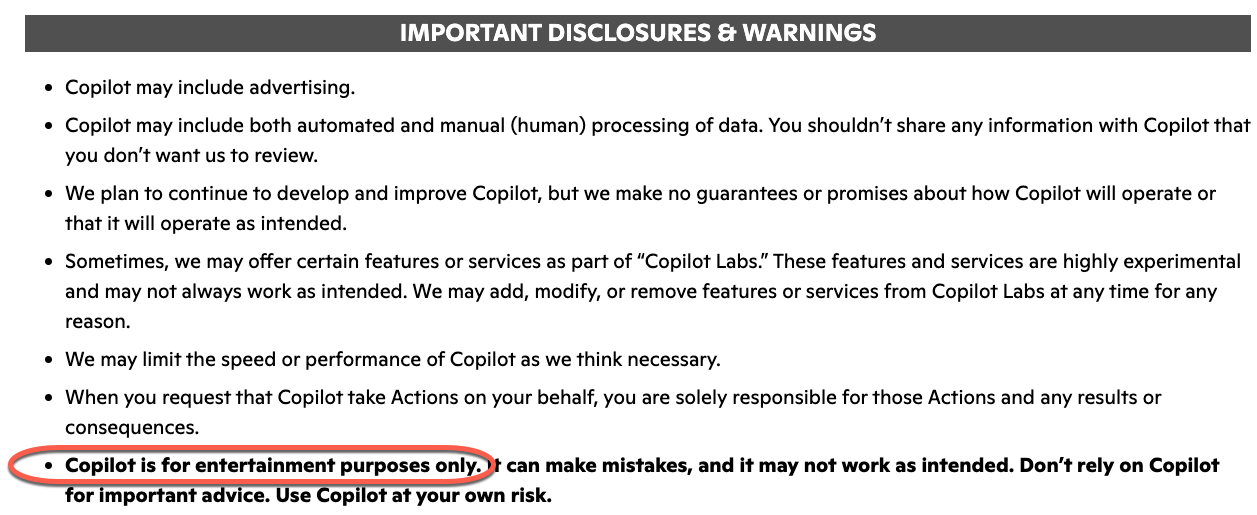
Microsoft’s own terms of service contain a striking disclaimer about Copilot that contradicts years of the company’s marketing. Toms Hardware has highlighted the Microsoft Copilot Terms of Use, updated in October last year, the AI is described as being for “entertainment use only”, and users are warned not to rely on it for important advice.
That’s not the whole story because that ‘entertainment use only’ phrase does NOT apply to all Copilot users. First, what’s been reported, the exact wording is blunt:
“Copilot is for entertainment purposes only. It can make mistakes, and it may not work as intended. Don’t rely on Copilot for important advice. Use Copilot at your own risk.”
That’s in bold among many “Important Disclosures & Warnings” in the Copilot Terms of Use for Individuals.
Microsoft is now saying, via a statement to PCMag“
The ‘entertainment purposes’ phrasing is legacy language from when Copilot originally launched as a search companion service in Bing, As the product has evolved, that language is no longer reflective of how Copilot is used today and will be altered with our next update.”
Curiously, even Microsoft seems to have overlooked the exact limits of their own disclaimer.
For individuals only
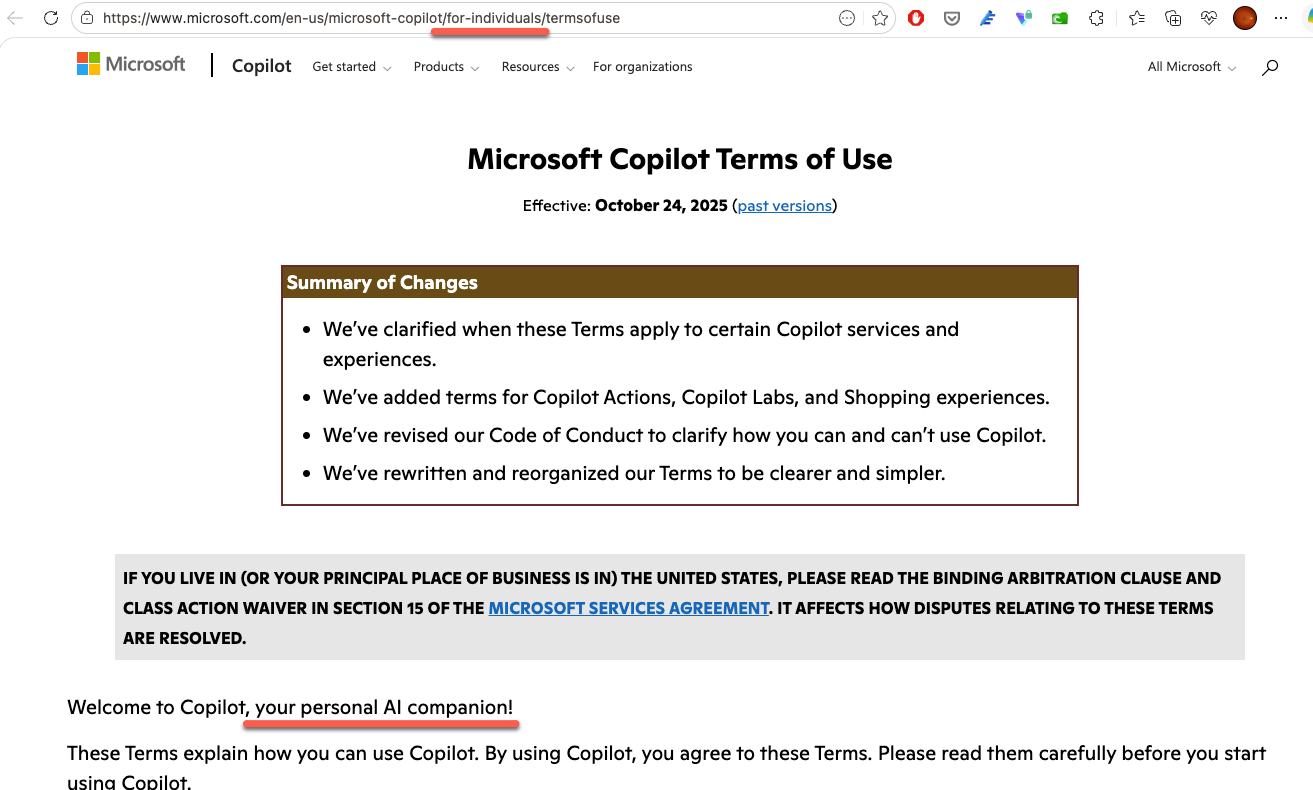
The ‘entertainment purposes only’ phrase is only in the Copilot T&C’s for personal, individual users. Though that’s not at all clear from the heading of the “Microsoft Copilot Terms of Use” which only mentions the term ‘individuals’ in the web link and a mention of ‘personal AI’.
No ‘entertainment’ for business or enterprise
Copilot use for business and enterprise customers is governed by a document and a famously byzantine labyrinth: “Microsoft Products and Services Data Protection Addendum (DPA) and Microsoft Product Terms, with Microsoft acting as a data processor.”
This Is Lawyer Language, But It Still Matters
To be fair, companies generally add disclaimers like these to protect themselves from lawsuits. And Microsoft is not alone. xAI, maker of Grok, similarly warns that its AI may produce “hallucinations,” be offensive, or “not accurately reflect real people, places or facts.”.
But the gap between what the marketing says and what the legal terms say is unusually wide here. Microsoft charges a lot for Microsoft 365 Copilot and has embedded the tool throughout Word, Excel, Outlook, and Teams. Calling it “entertainment” in the fine print, even just for individuals, while billing it as a serious productivity tool is a huge contradiction.
The Real Risk: Trusting AI Output Without Checking It
The deeper problem is not the disclaimer itself. The issue is that some people treat AI output as gospel, even those who should know better. It’s a great worry that people are using AI as an alternative to Google or Bing searches, apparently blind to the risks.
There is a psychological reason this happens. Humans are susceptible to automation bias, a tendency to favor results that machines produce and to ignore data that might contradict them. AI makes this worse because its outputs often look plausible or even correct at a quick glance.
What Does This Mean for You?
If you use Copilot in Word, Excel, Outlook, or anywhere else in Microsoft 365, treat every output as a first draft from a fast but sometimes careless assistant, not as a finished, verified answer. That applies to everyone; individuals, workers, managers and even astronauts.
Practically, that means:
- Never paste Copilot output into a client document, legal filing, financial report, or anything with real consequences without reading it carefully first.
- Fact-check any specific figures, dates, names, or citations that Copilot produces. It can invent them confidently.
- Be especially skeptical when Copilot sounds certain. Confident tone is not the same as accurate information.
- For medical, legal, or financial questions, go to a qualified professional. Full stop.
The tool is genuinely useful for drafting, summarizing, brainstorming, and speeding up repetitive tasks. Microsoft is not wrong that it saves time. But “saves time” and “can be trusted without checking” are two very different things, and only one of them is true.
Microsoft Copilot is Not as Popular as Microsoft Says, Customers Aren’t Buying the Hype
Uncovering Microsoft’s Hidden Copilot Legal Trap
Are You Protected with the Copilot Copyright Commitment?
Is Microsoft Using Your Data to Train Copilot AI: The Facts
Microsoft Copilot Reaches New Levels of Marketing Hype
Copilot Deep Research Tested: Real Results, Flaws, and Formatting Fails
How to Disable Copilot in Microsoft 365: Step-by-Step Guide
Microsoft 365 Has NOT Been Renamed “Microsoft 365 Copilot”
Microsoft Kills Free Copilot Chat in Word, Excel and PowerPoint: What Happens on April 15
Copilot Access Levels for Microsoft 365 Consumer Plans: What You Actually Get