Microsoft Office licensing, screen size and Continuum
We recently talked about how screen size is important to whether you need to pay for Microsoft Office … but what happens when the screen size changes?
That might seem like a strange idea … how can a phone or tablet device change its screen size? Well it can and Microsoft itself makes that easier with Windows 10.
Windows 10 has an interesting feature called ‘Continuum’ that has some geeks and nerds excited not so much for what it can do now, but what it means for the future.
Source: Microsoft
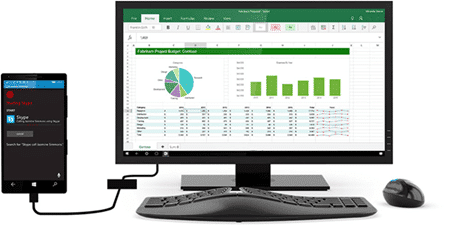
Continuum changes the way a phone operates when it’s plugged into a screen, keyboard and mouse. Instead of just showing the same phone screen with tiny menus, you see full screen Windows with a Start Menu in the corner of a desktop. When you start Windows apps like the Office Mobile apps, they show a proper ribbon and menus, not the tiny menus at the bottom. In other words, the Windows 10 device changes from a phone suitable display to a desktop mode when the screen permits.
That means your ‘free’ Office apps for Windows 10 on smaller screens become something you have to pay for when Continuum is used. Same device, same apps but a larger screen means that the apps will need linking to a valid Office 365 subscription to work fully.
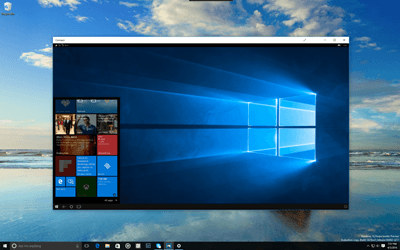
Coming to Windows 10 is a wireless version of Continuum that will affect licensing the same way. It’s called (so far) Connect. Connect apps on a Windows 10 phone and computer let you wirelessly display and control the phone from the Windows 10 computer screen. The phone displays a full desktop as in this image, not just a mirror image of the phone screen.
 Source: Microsoft
Connect is only available in Windows 10 Preview releases at present but should be available publicly later this year.