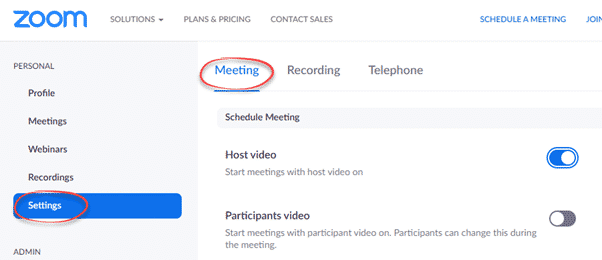
Zoom is a good online meeting & conferencing tool but with any collaboration tool comes risks for the unwary. There are options to protect yourself and others from people misusing Zoom. ‘Zoombombing’ is now a thing with people jumping into online meetings/classes then sending porn and other images to all
Some GoPro, camcorder, digital camera or DSLR cameras can be used as a webcam connected to your computer, with a little trickery and the right cables. Many camcorders and digital cameras have a video/audio output option. Look on the camera for a small HDMI socket or other output option. Those
For a different perspective on calling apps, we were delighted to receive this long and detailed message from Michael Joyce who has both the technical experience but regular use of calling apps like WhatsApp, Skype and Viber. Michael is just one reader who has a better experience with WhatsApp than
If someone asks you to Viber with them, here’s how to get ready for Viber and some settings you might like to change from defaults. Viber is a messaging, voice/video calling service similar to WhatsApp and Signal. Screen sharing and file transfers are also possible. Source: Viber We’ve seen Viber
Choose the best online call and conference service to keep in touch with the people in your life. We’ve looked at all the major online voice and video calling/conferencing options and ranked according to ease of use, access to all-comers and reliability across slow Internet connections. Leaving aside privacy considerations,
A simple and cheap way to keep kids amused and give them something to talk to grandparents and others during online calls. Grandma/pa starts with some trivia questions for the kids to research, sent by email. Later in the day there’s an online call when grandma/grandpa can catch up on
Here’s how to call someone using Zoom or answer a call, then some of things you can do in a call. Zoom makes a blurry distinction between a call (between two people) and a meeting (more than two). It’s even possible to start/accept a Zoom call while in a Zoom
Be prepared for the possibility that one mailhost/email address might not work. That’s a risk at any time, not just now. Setup an emergency, backup email account. One way to prepare is having TWO email addresses with different mail hosts. If one stops, you can keep sending messages with another,
A few readers have asked if email services are slowing down. Maybe, but not significantly and not to worry about. There are some things to prepare your email for the worst. We’ve noticed that emails aren’t arriving as quickly as they usually do. An order confirmation email that would normally
Microsoft has announced some more temporary changes and slow-down in their Office 365 hosted services for Teams, SharePoint and Streams. As usual, Microsoft makes these announcements quietly and without much detail. Will Microsoft figure out that with customers scrambling to adjust, it’s time for Redmond to be fully open and
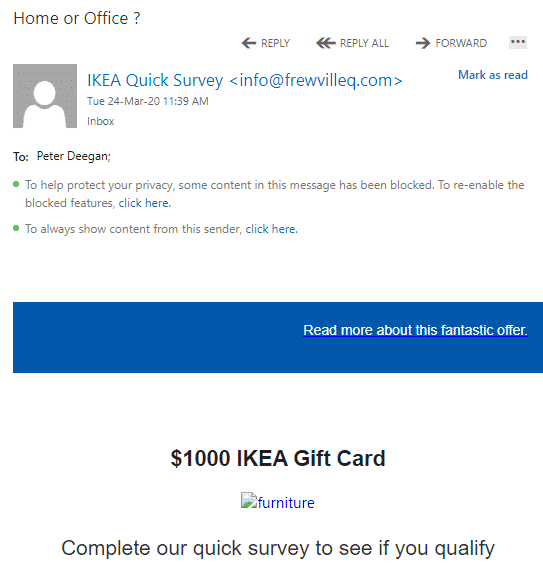
Four simple clues that an email should be deleted. Among the bogus coronavirus emails was something new to us and apparently the anti-spam filters that should have detected it. We’ll use the dangerous email as an example of what to look for in a scam or virus-infected email. The email
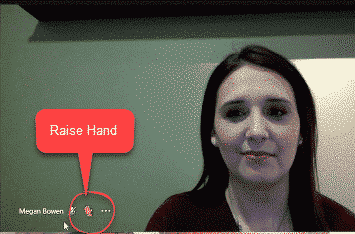
You may have read about ‘new’ Teams features like ‘Raise Hand’ and noise suppression but not that they won’t go public until sometime ‘later this year’. Microsoft is doing its usual trick of promoting future features in their products as if they are available now. Only a close reading reveals
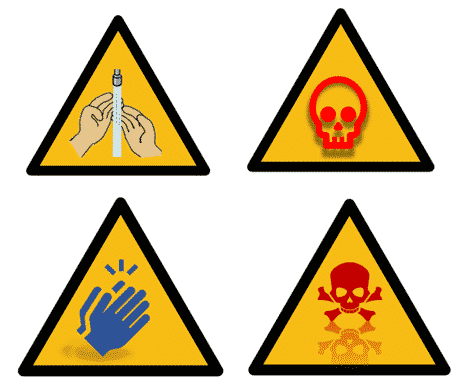
We’ve added more documents and slides to our template collection, Keep Calm with Microsoft Office with extras like ‘Keep Calm and Wash Hands’. The new designs include useful graphics for coronavirus, biohazard symbol and a hand washing graphic. These and many more Word docs & PowerPoint slides in Keep Calm with Microsoft
Here’s a download of the standard but blank Warning Triangle graphic and image ready for Word and PowerPoint. We’ll look at the official warning sign specification as a starting point, then we’ll look at variations based on that. In other words, symbols that look a bit like a warning sign,
An opera loving reader has asked about the New York Metropolitan Opera’s nightly streaming and how to get it. The operas are available free and across the globe. The Met’s instructions are a little convoluted with talk about their apps for Apple and Android etc. That’s all well and good
Windows 10 1709 (Fall Creators) for Enterprise ENT and Education EDU is having an extended lifecycle until 13 October 2020. No word yet on Microsoft Office policy. That’s to give those organizations some welcome stability at this time. The last thing customers need at the moment is a forced revamp
Linking to other people on Zoom is necessary before you call them. We’ll explain both sending contact requests and receiving them. A person has to be added to your Zoom contacts list before you can call them. Similarly, they have to add you to their contacts before they can call
Zoom online meeting software has become very popular with many people joining it for the first time. Here’s how to fully get ready for a Zoom meeting, there’s more to it than the official advice. Two Office Watch readers found themselves asked to join a Zoom meeting at short notice.
Microsoft’s Team collaboration service has hit some snags this week in stark contrast to the company’s shameless promotion of Teams over other useful services. We’ll explain what happened and what you can do if the Teams troubles happen again. On both Monday and Tuesday this week, many people had trouble
Microsoft has quietly announced some minor but important slow down in some of their cloud services including the way real-time edits of Office documents are handled. It’s a wise move given the increased demand for cloud services. Microsoft had an outage on their much-hyped Teams services earlier this week. Like
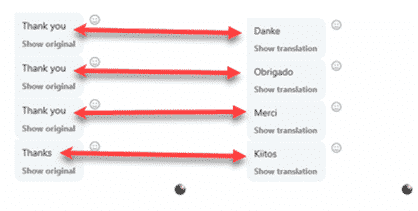
Skype subtitles are great if you’d prefer a text record of your call or you’re hard of hearing and like a text extra. As a bonus, the same subtitles service will translate when talking to someone who speaks another language. Try Skype’s Live subtitles option. It will convert the spoken
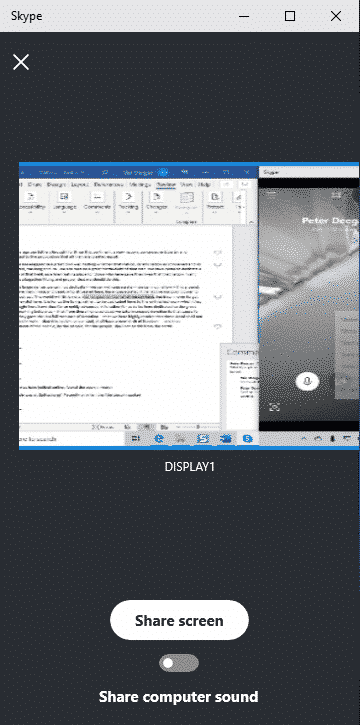
Instead of people looking at your face during a Skype call, they can see a computer screen instead. That includes a Word document, worksheet or PowerPoint presentation. Start a call as usual, either an audio or video call. In the call window, look for the menu ‘three dots’ button. It’s
Skype can be integrated into collaborating on Word, Excel or PowerPoint documents. It’s not officially part of Microsoft Office collaboration but is easily done. It lets you work on a document while talking to other collaborators at the same time. Like this … This works with any modern version of
Already we’ve seen signs of stress on Internet access, cloud and streaming services. Do you have alternatives ready to use? Two popular collaboration services, Slack and Microsoft Teams have already suffered slow downs or outages. Part of our Remote Life and Work coverage. Tips and help from experts in working