A clever Belgian guy has figured out a way to make a lot of money out of Microsoft Office. Sadly, it’s probably illegal, definitely improper and Microsoft has stopped it. We’ve talked about two-factor authentication and recommended it for anyone with a Microsoft Account, especially with Office 365. ‘2Fac’ makes
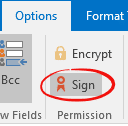
” I get emails with smime.p7s attachments. What are they? How do I open one? Should I be worried? “ Firstly, don’t worry if you see a smime.p7s email attachment. It’s nothing to worry about and it’s not something you can open. Smime.p7s is a digital signature which can be
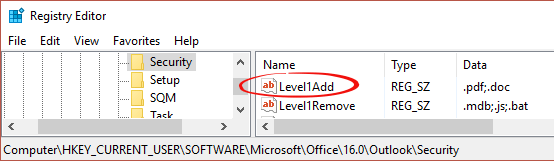
A few readers have noticed our articles about Outlook attachment blocks with mentions of ‘Level 1’ settings to both add and remove file extensions. Outlook has a second level of attachment protection called, amazingly, Level 2. There are no file extensions setup by default so most people don’t notice Level
As well as removing file types from Outlook’s extreme protection, you can also add ‘banned’ file types. It’s done in a very similar way to unblocking ‘Level 1’ attachments. The Outlook attachment blocks can be added in the Registry at: HKEY_CURRENT_USER\Software\Microsoft\Office\<version>\Outlook\Security The <version> of Outlook is Outlook 2016 16.0 Outlook 2013 15.0
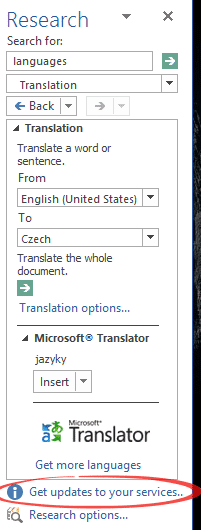
In any ideal world, there’s just one action necessary to update your copy of Office for Windows. We don’t live in an ideal world. In the Research pane, mostly used for Translation but also other lookups, there may be a small link at the bottom ‘Get updates to your services’.
Office 2016 for Mac is getting some new features, first to Office for Mac Insiders and then to all Office 2016 for Mac users on an Office 365 plan. Mac customers even get a useful feature BEFORE Office for Windows … that doesn’t happen very often. Shared Files A new
The current US Presidential campaign is, how shall we say, ‘interesting’ to put it mildly. And now Microsoft Word has been drawn into political controversy … not for the first time either. Office-Watch.com prefers to stay well away from politics in any country but this is directly about MS Word
How can you get an email attachment that Outlook for Windows has blocked? Outlook will automatically block email attachments with certain extensions. We’ve copied the full list of blocked extension below. Developers and IT people are the most likely to get frustrated by Outlook file blocks. In many cases the
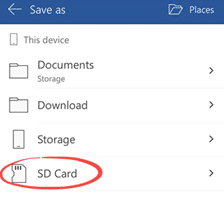
Microsoft continues its improvement of Office for Android plus some shameless cross-promotion of their products. The most important new feature is saving to SD cards. Many Android devices have a slot to insert an SD or microSD card for additional storage. It’s a good and cheap way to expand a
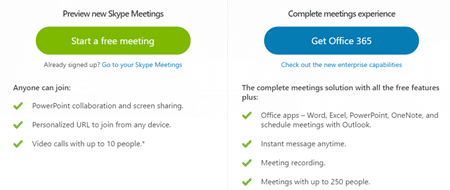
Microsoft has released ‘Skype for Meetings‘ a new multi-person video conferencing service which is available free with more features to Office 365 business plan customers. Before you get too excited there’s lots of conditions and hidden tricks in this latest announcement. We count at least six conditions * either in
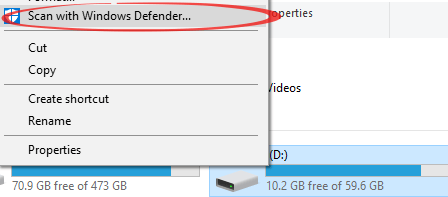
So far, we’ve focused on how to protect yourself from infected emails and attachments which arrive via email into Outlook. What about documents that arrive on a USB memory stick, instant messaging or other means? There are both virus check and preview options available, similar to Outlook. Windows Defender comes
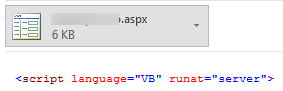
Programmers and developers have an Outlook Reading/Preview pane option, but there’s a catch. Windows Preview Handlers http://previewhandlers.codeplex.com/ has preview plugins for a range of programming source code. It gives some contextual colorization to the code, making it easier to read. ActionScript .as ASPX .aspx C# .cs CSS .css Diff .diff,
Office for Windows insiders have been promised text highlighting in PowerPoint 2016. The lack of highlighting has been a notable omission from PowerPoint for some time. Word has it in spades, Excel has some highlighting options too. The highlighting tool appears on the Home tab, Font block … just where
Microsoft is rearranging the Office development teams to start a fundamental change in the way Office works. Julie Larson-Green, Microsoft Office’s Chief Experience Officer and long-time Redmond executive has talked about moving Office from a ‘document’ base to a ‘task‘ base. At the moment, we use Office through specific programs
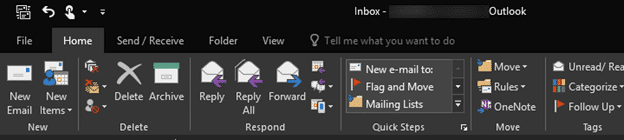
The Outlook preview pane isn’t just convenient, it’s a good front line defence against hackers and viruses. Here’s an in-depth look at a deceptively simple part of Outlook. The standard preview pane hasn’t changed a lot for many versions of Outlook. Microsoft now calls it a Reading Pane which recognizes
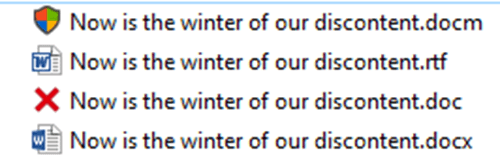
How can you put an obvious visual warning on the screen for file types you should be wary about? We’ve warned about opening old or potentially dangerous file types like .doc .xls or .rtf . There are options to totally block opening these files from Outlook. That can be frustrating
The latest issue of Private Eye (No. 1421 to 7 July 2016) notes that Microsoft UK is paying an amazingly low tax rate. We wondered how Office 365/2016 prices in the UK compare with those ‘across the pond’ in the USA? How much extra is Microsoft grabbing off UK consumers.
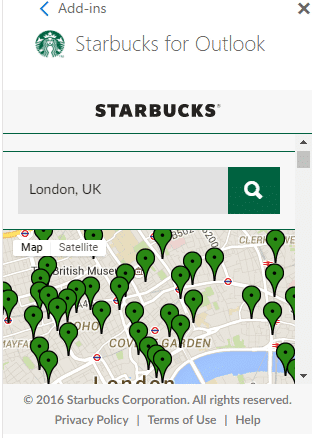
Starbucks and Microsoft have released a tool to help promote the famous coffee chain through Outlook. But there’s more limitations to the offer than the hype suggests. Starbucks for Outlook is promoted as for Outlook 2016, Outlook 2013 and Outlook.com but it’s more complicated than that. We’ll look at that
Office 2016: the real startup guide has been updated to include all the recent changes in Office 2016 for Windows. Office 2016: the real startup guide isn’t a single release, anyone who buys the ebook gets the free updates too. It’s a bit like the rolling updates to Office 2016 itself, but
Slide 10 of the Microsoft/LinkedIn investor presentation caught our eye: Source: Slide 10 of presentation with “Microsoft and LinkedIn Conference Call” 13 June 2016. Microsoft’s 2012 claim that a billion people use Office has now grown to 1.2 billion! We weren’t the only ones to point out how extreme that
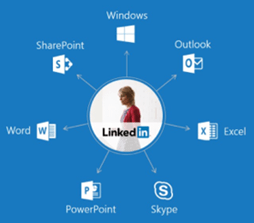
Randall Stross has an interesting piece in The New York Times about the possible effects on Office of Microsoft’s latest purchase. He refers to a slide sent to Microsoft investors to explain the LinkedIn purchase: “A professional’s profile everywhere Today, there is no one source of truth for an individual
If you’re not careful, Military and Veterans can pay more than they need to Office 365. For many years, Microsoft has offered a ‘Military Appreciation‘ discount to qualifying members of the US and Canadian armed forces. It doesn’t get a lot of attention but Office-Watch.com has done its best to
Microsoft has released the June 2016 updates to Office for Windows (Office 365 subscribers only) – both security and other updates. The new features are things we covered many months ago but are now available to the public. Office 2016: the real startup guide has full coverage of all these
Here’s the complete list of June 2016 updates to Office 2016 for Windows. This is what Microsoft calls the ‘Deferred Channel’ that’s sent to all subscribers every four months. June 14, 2016 Version 1602 (Build 6741.2048) Access: Security updates This channel release contains security updates covered in the following security bulletins: