Microsoft 365 – the subscription / annual fee plan for Microsoft Office on Windows, Mac, iPhone, iPad and Android.
Includes Word 365, Excel 365, PowerPoint 365, Outlook 365 and many other ‘365’ programs, apps and services.

Why Microsoft Keeps Paying Customers Guessing
Microsoft 365 announcements come thick and fast, but they share a frustrating habit: they rarely tell you whether you actually get the feature being hyped. Whether it’s a sweeping change to how Microsoft 365 updates are delivered, or Copilot gaining the ability to switch on Track Changes in Word, the company’s blog posts consistently skip […]
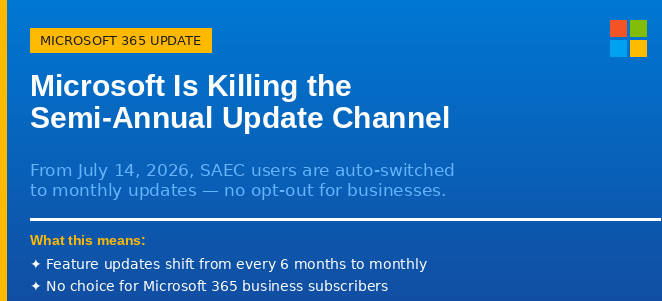
Microsoft Is Killing the Semi-Annual Update Channel: What It Means for Your Organization
Microsoft is ending the Semi-Annual Enterprise Channel (SAEC) for Microsoft 365 Apps on July 14, 2026. From that date, any organization still using the six-monthly update schedule will be automatically moved to Monthly Enterprise Channel (MEC) updates, whether they want to move or not. This affects business and enterprise Microsoft 365 customers who deliberately chose […]
How to Type the Question Exclamation Mark ⁈ in Word, Excel, PowerPoint and Outlook
The Question Exclamation Mark ⁈ is a single character that combines the energy of both punctuation marks into one, perfect for expressing surprise mixed with a genuine question. Whether you are working in Word, Excel, PowerPoint, or Outlook on Windows or Mac, there are several quick ways to insert it, including a keyboard shortcut or […]
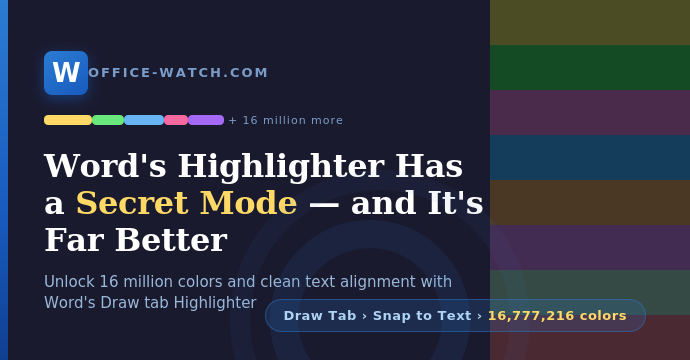
Discover Word’s secret Highlighter with 16 Million Colors
Word’s standard Highlight Color button on the Home tab does the job for quick work, but it caps you at a mere 15 colors. The Draw tab’s Highlighter pen is a far more powerful tool hiding in plain sight. Turn on one setting you get the clean word alignment and find capability just like the […]

How to Turn On the Oxford Comma in Microsoft Word (And Why It Matters)
Microsoft Word has a built-in setting to enforce or ban the Oxford comma, also called the serial comma, and most people have no idea it exists. Whether you swear by that final comma in a list or consider it unnecessary clutter, Word can automatically flag any sentence that breaks your preferred rule. The setting works […]

Word’s “Punctuation Required with Quotes” Setting: Inside, Outside, or Off?
Microsoft Word has a built-in grammar setting that decides where commas and periods should sit when they appear next to closing quotation marks. American English puts them inside the quotes. British English puts them outside. The Punctuation Required with Quotes setting in Word’s Grammar options lets you enforce whichever rule you follow, or none entirely […]

How Multi-level Lists really work in Word
Multi-level lists in Microsoft Word look simple on the surface but hide a lot of complexity underneath. Whether your numbered headings keep resetting for no obvious reason, or you just want to understand why linking list levels to Heading styles makes everything more reliable, this guide cuts through the confusion. You will learn exactly how […]

Six More Warnings Hidden in Copilot’s Legal Fine Print, What Office Users Need to Know
Microsoft’s Copilot Terms of Use are already under fire for labeling the AI “for entertainment purposes only,” but that headline-grabbing clause is just the beginning. Buried deeper in the fine print are six more warnings that shift legal risk squarely onto you, the user. From indemnifying Microsoft against claims arising from your use of Copilot’s […]

PowerPoint Now Catches More Color Contrast Problems in Slides
Microsoft has upgraded the Accessibility Assistant in PowerPoint for Microsoft 365 to detect color contrast issues on transparent backgrounds, not just solid-colored ones. Until now, if your slide text sat on top of an image, gradient, or layered visual, PowerPoint’s checker could miss real readability problems entirely. The tool now evaluates contrast against what your […]
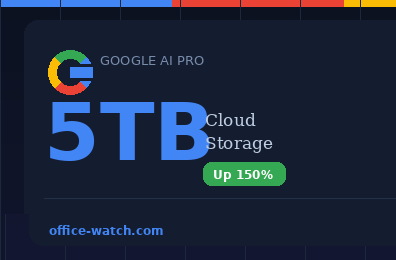
Google Just Bumped AI Pro to 5TB: How Does It Stack Up?
Google has quietly upgraded its AI Pro plan, bumping the included cloud storage from 2TB to 5TB at no extra cost, while keeping the monthly price at US$19.99. The extra space can be used across Gmail, Google Drive, and Google Photos. It’s a well-priced combo of more cloud storage and AI services, not a direct […]

Copilot Can Now Edit Your Word Documents Directly on iPhone
Copilot can now make direct edits to your documents in the Word for iPhone/iOS appwithout you ever leaving the app. No more copying text back and forth between Word and a separate AI chat window. Open a document in Word for iPhone, tap the Copilot icon, type what you want done, and Copilot rewrites, restructures, […]

Microsoft Calls Copilot “Entertainment Only” While Selling It as a Productivity Tool
Microsoft’s legal terms do say that Copilot is for ‘entertainment purposes only’ but that doesn’t apply to everyone. We explain that the “Copilot Terms of Use” are different for individuals and businesses, though Microsoft only has itself to blame for the confusion. Microsoft’s own terms of service contain a striking disclaimer about Copilot that contradicts […]

How to Fix Outlook PST and OST Data Files: Step-by-Step Repair Guide
Your Outlook (classic) PST and OST data files are the heart of your email on Windows. They store every message, calendar appointment, contact, and task on your computer. Most people never think about them until something goes wrong. When classic Outlook crashes, search breaks, or data goes missing, a corrupted PST or OST file is […]

Microsoft Dials Back Copilot in Windows, Will Microsoft 365 Get the Same Treatment?
Microsoft is said to be dialing back Copilot in Windows, so it’s only fair to ask, will Microsoft Office get the same treatment? As Copilot’s promises and over-hype collide with reality, Office users can only hope for better AI that’s not ‘in your face‘. Microsoft now claims it will dial back Copilot’s heavy-handed presence in […]
Microsoft Copilot Researcher Gets a Two-Brain Upgrade: Critique and Council Explained
Microsoft is making its Copilot Researcher tool significantly smarter by making two AI models work together. The update introduces two new modes called Critique and Council, both using a combination of OpenAI ChatGPT and Anthropic’s Claude. Critique has one AI write the research report while a second independently checks it for accuracy, completeness, and source […]

Gmail Finally Lets You Change Your Email Address — Without Losing Anything
For the first time in more than 20 years, Google is rolling out the ability to change your @gmail.com address without starting over. That means you can keep your existing inbox, Google Drive files, YouTube history, subscriptions, and purchase records, all under a brand new email address. The feature is arriving gradually but is now […]









