Microsoft 365 – the subscription / annual fee plan for Microsoft Office on Windows, Mac, iPhone, iPad and Android.
Includes Word 365, Excel 365, PowerPoint 365, Outlook 365 and many other ‘365’ programs, apps and services.
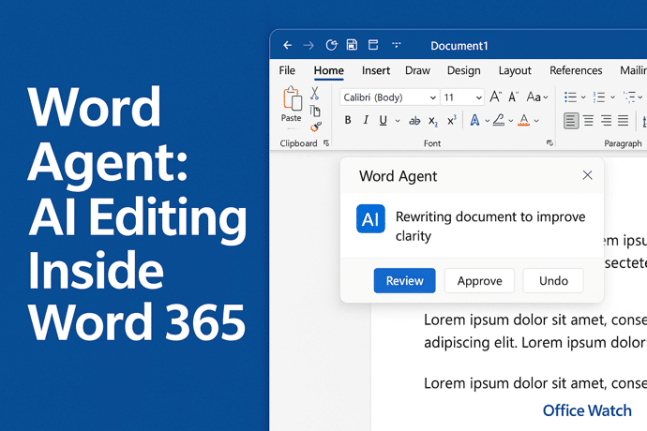
Microsoft Word Agent Deep Dive: about the New AI Editor & What You Can Really Do With It
The latest feature from Microsoft Word — the new Word Agent — transforms how you interact with documents by letting the AI edit content directly within your document. It tackles everything from writing new docs and editing existing ones to reformatting style and structure. Our real-world tests show it’s not perfect and still requires oversight. […]
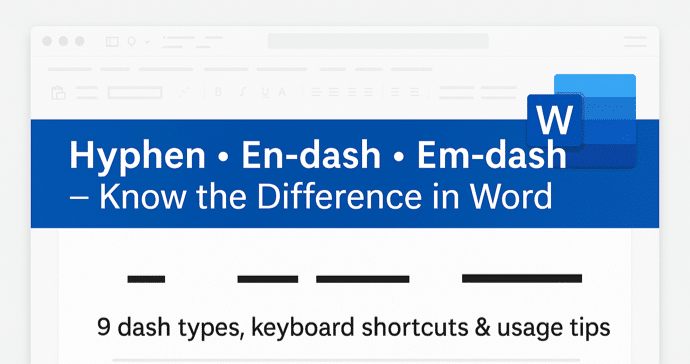
Master Hyphens, En-dashes & Em-dashes in Microsoft Word — Your Ultimate Guide
If you’ve ever paused over that little horizontal line in a document and wondered whether you should use a hyphen, en-dash or em-dash, you’re not alone. In Microsoft Word there are nine distinct dash or hyphen-like characters, each with its own typographic role and keyboard shortcut. From the standard hyphen for compound words to the […]
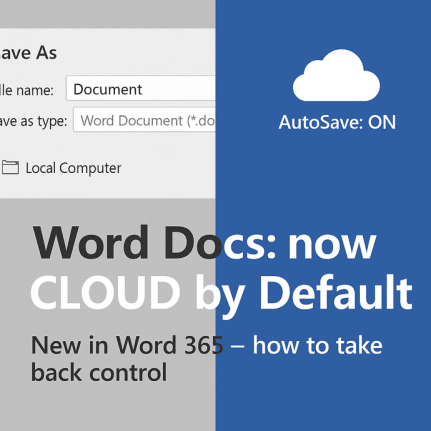
Word Documents Now Auto-Save to the Cloud — What You Need to Know
Microsoft’s recent update to Microsoft Word introduces a bold change: new documents are now default-saved to the cloud (via OneDrive or SharePoint) with AutoSave enabled and different file naming. This shift removes the familiar local save location as the default — raising concerns around privacy, offline access and user control. This is an arrogant but […]

How to Access Excel Agent in Excel on the Web
Microsoft’s new Excel Agent—part of the Copilot AI suite—is already available in Excel on the web, even before its full rollout to Windows and Mac in December 2025. This step-by-step guide explains exactly how to find and enable Excel Agent through Excel Labs, so you can start automating formulas, managing data, and enhancing productivity directly […]
Excel Agent for Microsoft 365: A Deep Dive into Excel’s New Assistant
Microsoft’s new Excel Agent brings powerful AI-driven automation to spreadsheet creation and data analysis. We’ve explored how Excel Agent helps you generate budgets, sample data, and insightful reports with simple text prompts, saving time while expanding what’s possible inside Excel. Discover where it shines (or falls short) in real-world tasks. Excel Agent is definitely a […]

How to Quickly Generate Fake Data Lists for Excel – Two Proven Methods
If you’re working in Microsoft Excel and need to test formulas, dashboards or data‐driven workflows, real data can often get in the way. Fortunately, you don’t have to wait for live data sets or scrub proprietary information—this article shows you two powerful techniques to create fake data lists quickly and reliably. Whether you’re a data […]
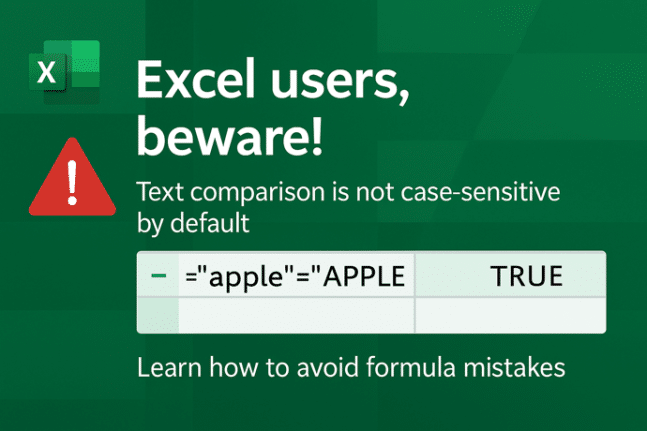
Excel Text Comparison Warning: Why Your Formula Results Might Surprise You
Excel users, beware, comparing text in formulas doesn’t always behave as you’d expect. While most programming languages treat text strings with upper/lower case as different, Excel doesn’t. By default, it compares text without case sensitivity, leading to potential errors in formulas and automation. Learn how to correctly use functions like EXACT() and TRIM() to avoid […]

How to Use School-Bus Yellow in Word, PowerPoint & Microsoft Office”
If you’ve ever wondered how to replicate the distinctive “school bus yellow” shade in your documents or slides, you’ll find the answer here. It’s the standard hue for North American school buses, chosen for visibility and impact. You can apply this same shade in Microsoft Word, Microsoft PowerPoint or any other Microsoft Office document simply […]

Microsoft Word Waves Goodbye to “Send to Kindle”
Microsoft Word is officially retiring its “Send to Kindle” feature, ending the convenient way users could send documents straight from Word to their Kindle libraries. This marks the end of a short-lived integration but you can still put Word documents on a Kindle in other ways. Starting February 9, 2026, “Send to Kindle” feature will […]
Microsoft 365 Refunds: Australian Customers Offered Compensation After Court Action
Microsoft Australia is issuing refunds to some Microsoft 365 subscribers following court action over its marketing practices. While the refunds currently apply only to Australian customers, the case raises important questions about transparency and accountability for Microsoft 365 users worldwide. The move highlights growing scrutiny over how tech giants advertise subscription services and the rights […]

What the “Possible Word Choice” Error in Microsoft Word Really Means
If you’ve ever seen Microsoft Word underline a word with a cryptic “Possible Word Choice” warning, you’re not alone. This subtle feature of Microsoft Editor can confuse even seasoned users. It flags real words that might not fit the sentence’s context, often catching homophones or subtle mix-ups that spell-check misses. Here’s how this grammar alert […]

Simplify Excel Formulas with the CHOOSE Function
Tired of endless nested IF statements in Excel? The CHOOSE function offers a cleaner, smarter way to pick from multiple options using a single, simple formula. Learn how to replace complex conditional logic with CHOOSE(), streamline your spreadsheets, and make your formulas easier to read, maintain, and debug. Choose() an alternative to IF or NestedIF […]

KWN – three letters that all Word users should know
Ever had a heading in Microsoft Word that seemed to wander off from its paragraph like a rebellious teenager? Or a bullet point that ghosted its follow-up text? Enter “Keep with Next” or KWN to its friends, Word’s low-key matchmaker that makes sure certain paragraphs stay together—forever (or at least until you change your formatting). […]

Microsoft Faces Legal Action in Australia Over Misleading Microsoft 365 Price Rise Claims
Microsoft’s subscription practices are under scrutiny in Australia as the country’s competition regulator takes the tech giant to court. The Australian Competition and Consumer Commission (ACCC) alleges that Microsoft misled approximately 2.7 million Microsoft 365 Personal and Family subscribers over how it communicated a major price increase and subscription change. This case could have wide-reaching […]
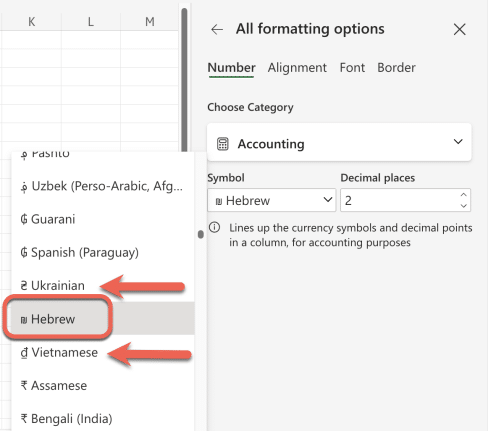
Excel’s “Hebrew Shekel” Label Sparks Unfounded Online Rage
A viral post recently accused Microsoft Excel of bias for labeling the shekel as “Hebrew” instead of “Israel.” However, there’s no conspiracy—Excel lists currencies by language, not country, using the same format for all entries. Thanks to Office Watcher, Gary B. from Portland for alerting us to this bit of ragebait on social media. It […]

Unlock Hidden Details: Add more to Word Headers and Footers
Most Word users stop at page numbers and dates in their headers and footers, but Microsoft Word can do much more. From inserting document titles, authors, and file paths to using advanced field codes like StyleRef or NumPages, you can make your headers dynamic, informative, and even interactive. Discover the powerful, lesser-known elements you can […]









