Microsoft 365 – the subscription / annual fee plan for Microsoft Office on Windows, Mac, iPhone, iPad and Android.
Includes Word 365, Excel 365, PowerPoint 365, Outlook 365 and many other ‘365’ programs, apps and services.

Mastering Headers and Footers in Microsoft Word: Simple Steps for a Professional Look
Creating polished, consistent headers and footers in Microsoft Word is easier than you think. This guide walks you through every step—from adding page numbers and section-specific layouts to using “Different First Page” for cleaner title pages. Whether you’re preparing reports, articles, or academic papers, these techniques will help your documents look professional, organized, and reader-friendly […]

How to Change Word Field Code Colors or Formatting Based on Number Values
Did you know you can make Microsoft Word automatically change text color or formatting depending on whether a number is positive, negative, or zero? With field codes like {SEQ} or {MERGEFIELD}, it’s easy to apply different font styles, colors, or highlights directly in your document—no macros required. This simple formatting trick lets you visually distinguish […]
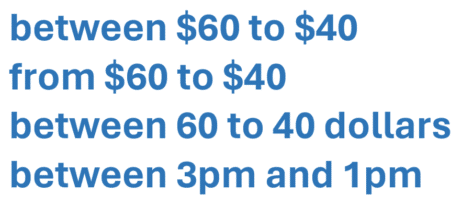
Microsoft Word Misses a Common Grammar Mistake: Largest to smallest
Microsoft Word’s grammar checker might help with commas and verb tenses, but it misses one subtle yet frequent English mistake, putting numbers, amounts, times, or dates in the wrong order. After our article on adjective order in English , Aussie Office Watch reader “MJ” pointed out something that Word doesn’t check for. Maybe it should […]
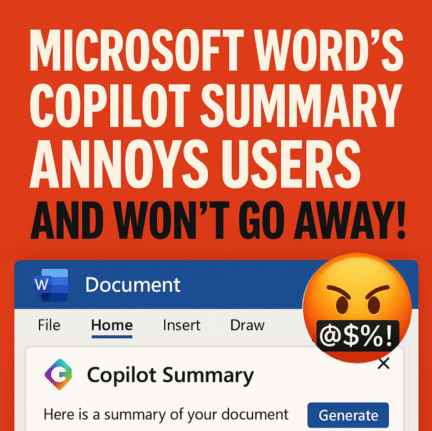
Microsoft Word’s Copilot Summary Annoys Users and won’t %£@$% go away!
Microsoft Word 365 users are frustrated by the Copilot Summary feature that refuses to disappear. Copilot Summary automatically appears above documents and can’t be fully hidden or disabled. While designed to help summarize content, its lack of control options and buggy behavior have made it more of an annoyance than an aid, typical of Microsoft’s […]
Copilot is not as popular as Microsoft says, Customers Aren’t Buying the hype
Microsoft’s Copilot is NOT the wildly popular, world class AI product that Microsoft says it is. That’s not just an opinion; there are hard facts to back it up. The recent sharp price drop and ignored user frustration suggest otherwise. From intrusive integration to privacy concerns, Copilot’s rollout has backfired. Of course, nothing could be […]
Copilot Deep Research Tested: Real Results, Flaws, and Formatting Fails
Microsoft’s Copilot “Deep Research” promises detailed, AI-generated reports—but does it deliver? Office Watch’s hands-on tests reveal the strengths, limitations, and frustrating formatting flaws behind Microsoft’s most ambitious Copilot feature yet. From factual errors to messy Word documents, here’s what you should know before relying on Deep Research for serious work Copilot’s Deep Research option creates […]

Why Windows Replaces Helvetica with Arial — The Hidden Font Substitution Explained
Did you know Windows quietly swaps out Helvetica font for Arial every time you open certain documents? This subtle substitution affects how text looks in Word, browsers, and more. Learn why Helvetica isn’t included in Windows, how Microsoft handles font replacements behind the scenes, and what you can do to regain control of your document’s […]
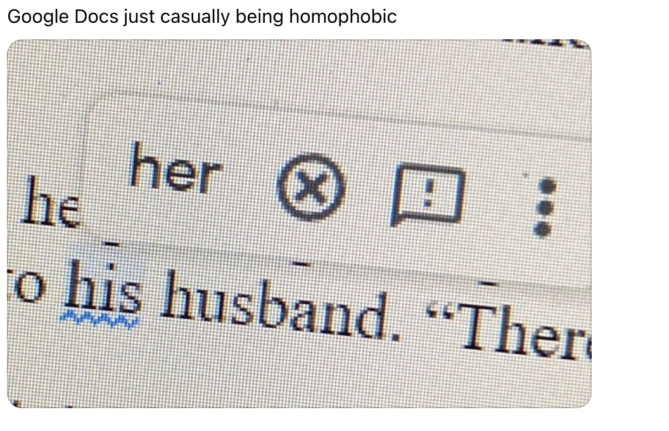
Is Microsoft Word Casually Homophobic? Why Grammar Checkers Differ
A viral post sparked debate over whether Microsoft Word’s grammar checker shows hidden bias, but the truth is more technical than cultural. Office Watch investigated and found that Word and Google Docs simply make different choices about what to flag in grammar suggestions. There’s no homophobia here, just decisions that shape how language tools interpret […]

Excel’s Copilot() Function Can Be Dangerous in the Wrong Hands
Microsoft’s Copilot() function in Excel comes with real risks. When used incorrectly, Copilot() can produce misleading or nonsensical results that could compromise data accuracy and decision-making. Treat this AI feature with caution and Microsoft should add stronger safeguards and clearer warnings against misuse. It all started with this post on the socials. Please, please don’t […]
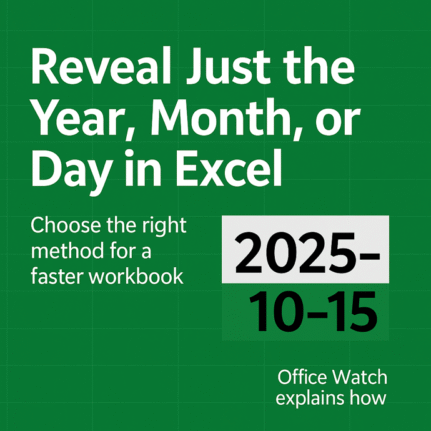
Excel dates: How to Reveal Year, Month & Day Details in many different ways
Want to show only the year, month, or day from an Excel date? We explain how to use the TEXT(), YEAR(), MONTH(), and DAY() functions or cell formatting to display or calculate date details efficiently. Learn when to use each method, which is fastest, and how your choice affects Excel performance and spreadsheet clarity. Once […]
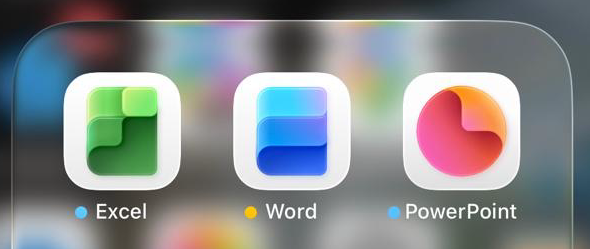
Microsoft Office Icons Lose Their Letters — Users Push Back on Confusing New Design
Microsoft is testing new Office icons for Word, Excel, and PowerPoint that drop their signature “W,” “E,” and “P” letters. The minimalist redesign, currently seen in iPhone preview apps, aims for simplicity but sacrifices instant visual recognition. Without letters, the icons blend into a sea of app symbols, making it harder to find the right […]
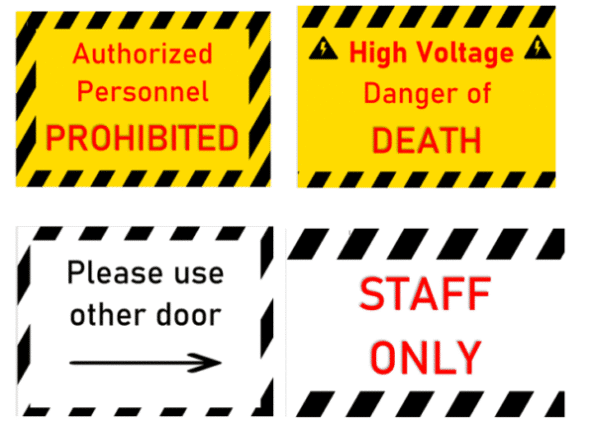
How to Create a Striped Border in Microsoft Word for Emergency or Warning Signs
Need an attention-grabbing border for safety notices or urgent messages? Creating a striped border in Microsoft Word isn’t as simple as it seems—but with the right technique, you can design professional-looking emergency or warning signs in minutes. This step-by-step guide from Office Watch shows how to use Word’s background picture feature and text boxes to […]

Create Better Striped Borders in Microsoft Word with This Simple Trick
Want to make your Microsoft Word pages or signs stand out? Skip the frustrating page background tool and try this smarter way to add diagonally striped borders. Get full control over stripe position, color, and layout — perfect for eye-catching warning signs, notices, or creative designs that look sharp on every version of Word. A […]

Microsoft 365 Premium: New Plan, Lower Prices, and Built-In Copilot AI
What does the new Microsoft 365 Premium plan mean for all subscribers? It’s all good news with no major changes or price rises to worry about. Microsoft 365 Premium: Copilot AI, new Features & Pricing is the the second major change in Microsoft 365 consumer plans in less than a year. The changes come with […]
Microsoft 365 Copilot Expands for Personal & Family Plans — But Limits Remain
Microsoft is extending more Copilot features to Microsoft 365 Personal and Family subscribers, offering expanded AI tools across Word, Excel, Outlook, and more. While users now gain access to enhanced drafting, summarizing, image generation, and voice features, the long-standing cap of 60 AI credits per month still applies. Compared to the unlimited use in the […]
How to Upgrade to Microsoft 365 Premium: Step-by-Step Guide
Thinking about switching to Microsoft 365 Premium? Whether you’re moving from a Personal or Family subscription, upgrading unlocks expanded AI-powered Copilot features and enhanced productivity tools. This guide walks you through the upgrade process, highlights what to expect, and answers common questions about credits, shared accounts, and potential billing issues—helping you decide if Premium is […]









