
Copilot Wave 2 – watch out for the fine-print
A new collection of Copilot features have been released under the banner “Wave 2” with inclusions for Excel, PowerPoint, Outlook, Word and Teams. Don’t get too excited because there’s ‘fine print’ that limits who can catch this wave. Before we explain a little of what’s in the new set of Copilot features, let’s look at […]
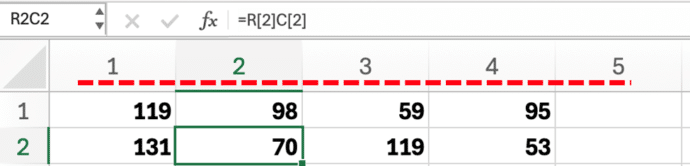
Excel – why do the columns have numbers not letters?
What to do if Excel’s columns have numbers across the top instead of letters. There’s a simple setting to switch between two different ways of labelling cells. You open an Excel workbook and the column headings look all wrong – instead of letters (A, B C …) there are numbers. There are numbers for both […]
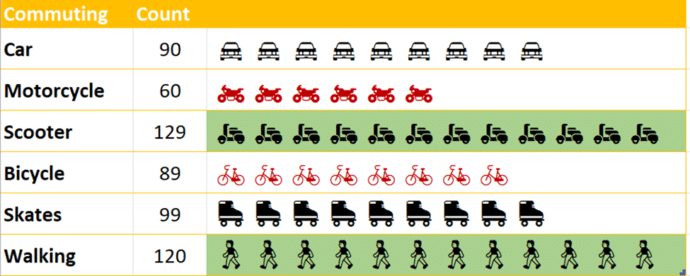
Building In-Cell Bar Charts in Excel
In-cell charts in Excel provide a powerful method to visualize data trends and patterns. They allow you to quickly derive insights within a worksheet, making information interpretation more straightforward without fussing about with full charts. We’ll explain how to make in-cell charts and then go further and show how to make them look better by […]
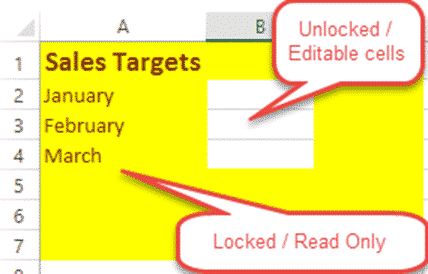
Lock up and stop editing of Excel worksheet or cells!
How to lock your Excel worksheet from editing – the whole thing or some cells. Allow some people to edit a few cells, leaving the rest of the cells and formulas untouchable by others using the worksheet. Here’s a very simple example: Anyone opening the worksheet can enter a US dollar amount to see the […]

TrimRange solves a long-standing performance Excel problem
Excel is getting a new function TrimRange() which should solve a long-standing calculation performance problem. As well as speeding up workbooks, TrimRange() comes with some new range options that add to the well-known colon. Ever since Microsoft added dynamic arrays to Excel there’s been a problem … how to reference a range of cells that […]
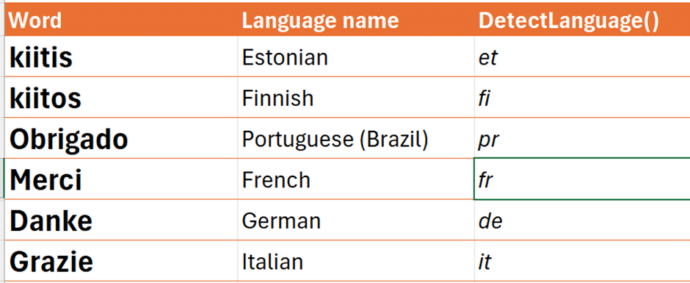
Inside the new translation functions in Excel
Excel 365 has two new translation functions to identify language from text or translate text from one language to another. Let’s see how the work, some problems and unknowns. New in Excel 365 are: DetectLanguge() to identify the language of the text supplied, hopefully correctly (see below) Translate() converts text from one language to another. […]

Grouping values from an Excel list
There’s a simple but not so obvious way for Excel to take a list of values and show them grouped into segments or groups. As an example, here’s the results of a class exam with their scores grouped into blocks of 20. It’s done with a tricky use of PivotTables and one of the somewhat […]

Koalas galore in Microsoft Office
We went hunting for koalas in Microsoft Office. Found more than 18 of the cuddly marsupials for Word, PowerPoint or Outlook. There are emoji, Office icons, SVG, online images and more making a colony or cling of koala (either can be the collective noun for koala). None of the endangered species where harmed in the […]
Office crashes while typing – the problem and workaround
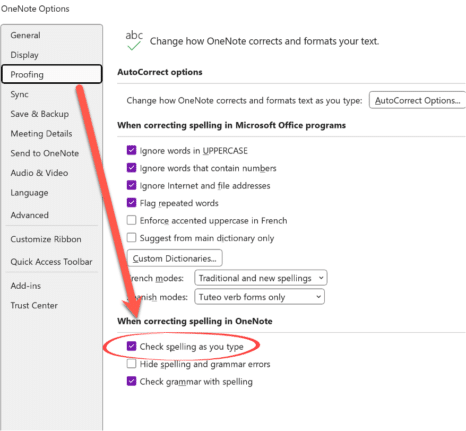
Microsoft 365 for Windows might crash while someone is just typing (you read that right). All the Office apps, Word, Excel, PowerPoint, Outlook or OneNote can be affected according to Microsoft, which knows about the problem and offers some workarounds. The problem is caused by an out-of-date language pack which has all the spelling and […]

Excel gets Regular Expressions for Xlookup and XMatch
As promised, Excel 365’s Regular Expression support has been extended to include both Xlookup() and XMatch() functions. Regex adds a huge amount of power to matching results from a table. Back in July, Excel 365 added three Regular Expression (regex) functions, RegexTEST(), RegexEXTRACT() and RegexREPLACE(). At the time Microsoft promised the obvious extension of Regex. […]

Quicker ways to Zoom in Microsoft Office
There are quicker ways to use the View Zoom slider in Microsoft Word and one little-known trick that works in other Microsoft Office apps, Excel and PowerPoint. Plus a related Windows volume tip. Scroll to View Zoom Hover the mouse pointer over the Zoom slider (bottom right in Word, Excel and PowerPoint) then use the […]
Don’t trust Excel’s Linked Data Types, always verify
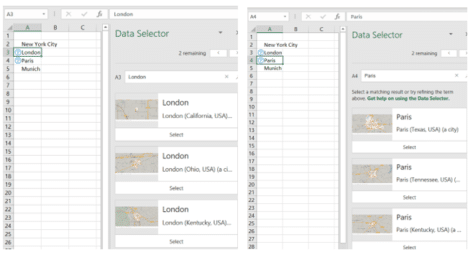
Excel 365’s Linked Data Types are technically impressive. However, the reliability of the data is a problem Microsoft doesn’t talk about. We discovered mistakes with the data without actively looking for them. In general, the data sources are ‘scraped’ from sites like Wikipedia which explains some, but not all, of the omissions and oddities. Stock […]

UK vs Great Britain and problems with Excel’s Geography
Excel 365’s Geography data type isn’t totally reliable or accurate. Looking at its results for the UK (United Kingdom) vs Great Britain is just one example of the problems you need to watch out for. If you’re not clear on the difference between United Kingdom and Great Britain, see below. Here’s the current results from […]
Olympic medal comparisons in Excel
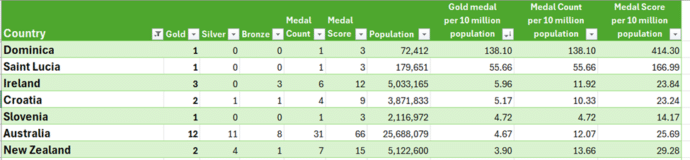
We’ve expanded our live Paris Olympics medal table to compare countries’ performances to their population or wealth. Along the way we explain how to cope with some problems that can arise when Excel theory hits the Real World. Our newsletter readers get a working example workbook to try themselves. We compared population and GDP (Gross […]
Excel for Mac gets PowerQuery ‘from folder’ updates
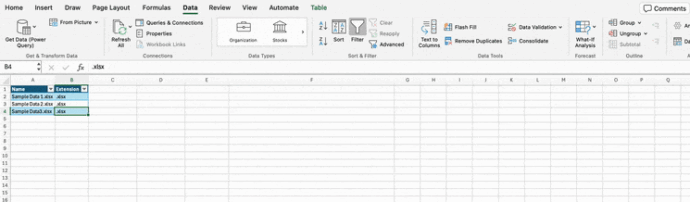
Excel for Mac is now getting the ‘From Folder’ option in PowerQuery. An important part of the PowerQuery puzzle. PowerQuery’s ‘From Folder’ lets you add more data to a query simply by adding data files into a folder. PowerQuery will then scoop up all the data and add it to Excel. Among the many choices […]
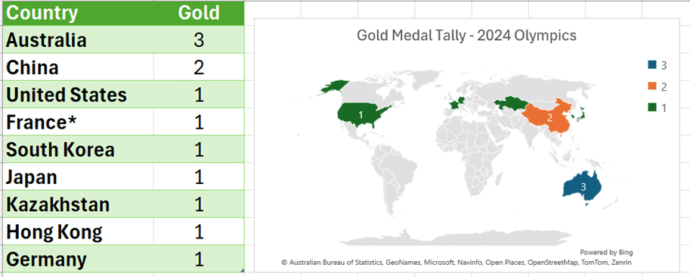
Make your own Medal Table for the 2024 Olympics
Use Excel to get your own automatically updating Medal Table for the 2024 Paris Olympics then make charts and maps too. Our newsletter readers get a working example workbook to try themselves. Not interested in the Olympic medal count? This article and download are a good, working example of how to automatically download from a […]









