
Type Playing Card Suit Symbols ♠♥♦♣ in Word, Excel, PowerPoint and Outlook
Need to type a Spade ♠, Heart ♥, Diamond ♦ or Club ♣ symbol in Microsoft Office? There are actually eight playing card suit symbols available, including solid and outline versions, and they work across Word, Excel, PowerPoint and Outlook on both Windows and Mac. Here is every way to insert them, from the fast […]

Excel’s COPILOT() Function Gets Facts Wrong: Our Tests Prove You Cannot Trust It
Excel’s new COPILOT() function lets you pull AI generated data directly into spreadsheet cells, but our hands on testing reveals a serious problem: the facts it returns are frequently wrong. Copilot() delivered errors that ranged from subtle omissions to outright fabrications. Before you rely on COPILOT() for anything beyond brainstorming, here is what you need […]

How to make the Microsoft Office Ribbon Work the Way You Do
Microsoft designs the Office ribbon for first-time users and its own marketing goals, not for the way you actually work. The good news is that you’re not stuck with it. In Word, Excel, PowerPoint, and Outlook you can rearrange the ribbon in just a few clicks, moving the tools you use most to where they […]

Pi 𝜋 choices in Word, Excel, PowerPoint and Outlook
There are twelve different choices for the Pi symbol 𝜋 to type to Microsoft Word, Excel, PowerPoint or Outlook. Both in Office for Windows and Office for Mac. We’ll show you all twelve including the most common 𝜋. Pi is the famous math constant. 𝜋r2 calculates the area of a circle from its radius (r) or in […]

Circle & Sphere Excel Formulas Using PI(): Easy Calculations for Area, Circumference and Volume
Need to calculate circle or sphere measurements in Microsoft Excel? With Excel’s built-in PI() function, you can quickly work out values like circumference, area, arc length, surface area, and volume using simple formulas. Instead of typing the long value of π, Excel provides the PI() function accurate to 14 decimal places, making it easy to […]

Three new Office Security Patches You Should Not Ignore
Microsoft has quietly patched three vulnerabilities in Office that deserve more attention than they usually get. Two of them can be triggered just by looking at a file. The third turns Excel and Copilot into a potential data leak. Today’s “Patch Tuesday” has fixes for another 79 more security bugs in Windows, Office and other […]

How to show the Developer Tab in Microsoft Office (Word, Excel, PowerPoint & Outlook)
The Developer tab in Microsoft Office unlocks powerful tools like macros, form controls, and advanced customization features. Even if you’re not a programmer, many useful option, such as checkboxes, drop-down lists, and macro controls are hidden there. If the Developer tab is missing from Word, Excel, PowerPoint, or Outlook, you can easily enable it in […]

Office.eu: Europe’s New Privacy-First Alternative to Microsoft 365
Europe now has its own serious contender to Microsoft 365. Office.eu is designed to keep business data inside the EU and under European law. Built on open-source technology, the service combines document editing, cloud storage, email, chat, and video meetings in a single browser-based workspace, offering organizations a privacy-focused alternative to Microsoft 365 and Google […]
Excel’s Two New IMPORT Functions Make Pulling External Data Easier
Microsoft Excel has introduced two powerful new functions that make importing external data into spreadsheets faster and simpler. IMPORTTEXT and IMPORTCSV functions let you pull data directly from text or CSV files into Excel with a single formula, creating refreshable dynamic arrays can be updated when the source changes. These functions give Excel users a […]

How to Create Custom “Don’t” or Prohibited Symbols in Word, Excel and PowerPoint
Whether it’s no smoking, talking, eating or whatever you can make your own ‘Prohibited’ or ‘Not Allowed’ symbol for serious or fun reasons. Whether you want to block a specific action in a document, presentation, or worksheet, Word, Excel and PowerPoint make it easy to design your own customized “Don’t” symbol. From combining shapes to […]
How to Type the Square Root (√) Symbol in Word, Excel, PowerPoint and Outlook
Need to insert the square root symbol (√) in Microsoft Office? Whether you’re working in Word, Excel, PowerPoint or Outlook, there are several quick and easy ways to add √ to your document, spreadsheet or email. From keyboard shortcuts and Alt codes to Equation tools and symbol menus, here’s how to insert the square root […]
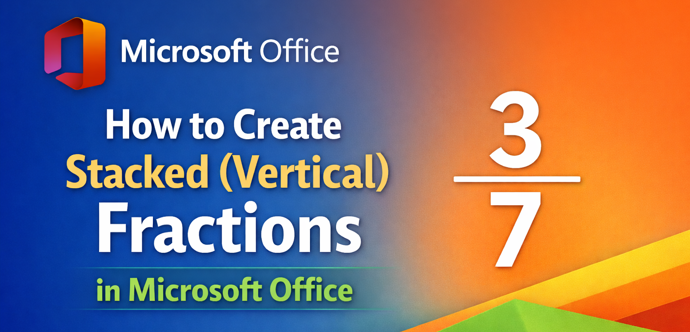
Make stacked or vertical fractions in Microsoft Office
Creating clean, professional-looking stacked fractions in Microsoft Office is easier than many users realize, if you know where to look. The built-in Equation feature lets you insert vertical (stacked) and other fractions quickly, without hacks or manual formatting. Here’s the fastest and most reliable way to add proper mathematical fractions in Word, Excel or PowerPoint. […]

What is “Office Math” and where is it in Microsoft Office?
Microsoft talks about “Office Math” in Microsoft Office but you won’t find that name in Word, Excel, PowerPoint or OneNote. We explain where to find “Office Math” and why it appears under the name “Equation” in Microsoft 365 or Office. Also how to convert “Equation Editor” formulas into modern “Office Math” Microsoft talks about “Office […]

Olympic Rankings in Excel; Gold, Silver, Bronze
Olympic style medal tables (Gold, Silver, Bronze) can be rank correctly in Excel including allowance for joint or equal results. This guide shows how to build an accurate Olympic style rankings table in Excel that match how medal standings are officially calculated. 🥇🥈🥉 VBA and Lambda code included. Use this to make the right wording […]

Hex Color Codes in Microsoft Office: How to Use Exact Colors Every Time
Microsoft Office doesn’t make hex color codes obvious, but they’re fully supported if you know where to look. Whether you’re matching brand colors in Word, Excel, PowerPoint, or Outlook, using hex color codes ensures perfect consistency across documents and presentations. Here’s how hex colors work in Office and how to use them correctly. Hex color […]

How to get the official Olympic logo for Office documents
Need the real Olympic logo for Word, PowerPoint, or other Office documents? No need to make your own, use unofficial or low-quality versions. Here’s how to find and use the official Olympic logos correctly in Microsoft Office documents, sheets, slides or emails, without copyright or quality issues. Also the correct color codes to match the […]









