
OneDrive Personal Vault Explained: What It Protects and What It Doesn’t
Microsoft’s OneDrive Personal Vault promises extra security for your most sensitive files, but many people misunderstand what it actually does. We explain how OneDrive Personal Vault works, what protections it truly offers, and, just as importantly, what it does not protect, so you can decide whether it’s right for your data security needs. Files in […]

Revealed: What is a Service-Side Change in Office and how to find them
A “service-side change” in Microsoft Office is Microsoft’s way of quietly changing how Office works, without updating your apps, asking permission, or bothering to tell you first. It’s new terminology so we explain what it is and how to know your computers are up to date. For admins, auditors, and long-suffering users . The latest […]

Emergency Office Update: What Every Customer Needs to Know Now
Microsoft has just released an emergency or out-of-band (OOB) security update to fix a serious Microsoft Office zero-day vulnerability or security bug that’s already being used in real-world attacks. Microsoft 365, Office 2024 and Office 2021 are affected, even ‘old’ Office 2019 & 2016 apps are fixed. This patch was not part of the normal […]

How to Import PDFs into Excel and Auto-Refresh Data Using Power Query
Import PDF data into Excel and refresh it automatically. Microsoft Excel 365 or 2024 for Windows has a refreshable PDF connector that lets you import tables or entire pages from PDF files using the Get & Transform tool. This means you can set up a process once and optionally refresh your spreadsheet whenever the PDF […]

Office for Mac has KeyTips: Faster Keyboard Navigation
Microsoft quietly added KeyTips to Office for Mac, giving users the same faster, keyboard-driven access to the Ribbon that Windows users enjoy. The long-awaited feature brings Mac users a little closer to parity with Word, Excel, OneNote and PowerPoint on Windows. It’s another “About Bloody Time” late innovation from Microsoft. Office for Windows has Keytips […]
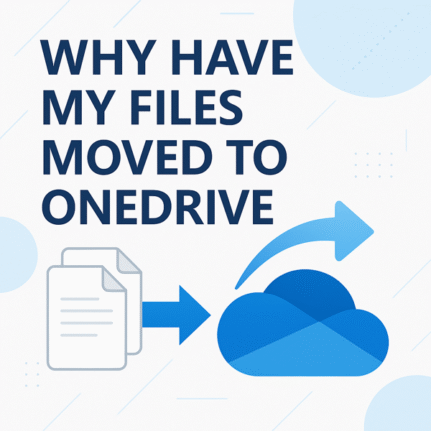
Why did Windows move my files to OneDrive? (What it is & how to fix it)
Did your Documents, Desktop or Pictures suddenly “live” in OneDrive? If you’re wondering why your files moved to OneDrive, you’re not alone. That wasn’t a ghost, it was Windows’ Known Folder Move. Microsoft tricks people by calling it “PC folder backup”. Here’s what that means, how to stop it safely, and how to move files […]

Office 2024 for Windows & Mac: Features, Pricing and Everything You Need to Know
Office 2024 is Microsoft’s latest standalone productivity suite for Windows and Mac, with a one-time no-subscription purchase for Windows or Mac. Office 2024 includes Word, Excel, PowerPoint, OneNote, Outlook (in Home & Business), and more, with performance, UI updates, and feature enhancements drawn from recent Microsoft 365 developments. This guide covers features, pricing, system requirements, […]

How to Fix Excel Copilot “#Connect” Errors
Microsoft Excel’s Copilot() can show #CONNECT “Too many requests” errors if you use the function incorrectly. Copilot() is different from almost every other Excel function because it has limits on how often it can be used. Don’t panic, there’s practical steps you can take to keep Excel’s connection to AI working. The Copilot() function in […]

AI Coding Tricks for Microsoft Office: Hard tasks made simple with AI help
AI makes hard tasks in Microsoft Office so very easy, not just for typing or formatting, but for writing code, formulas, and automation scripts across Word, Excel, PowerPoint, and Outlook. In this guide, we explore the best AI coding tricks for Microsoft Office, showing how tools like ChatGPT and Copilot can generate VBA, Excel formulas, […]
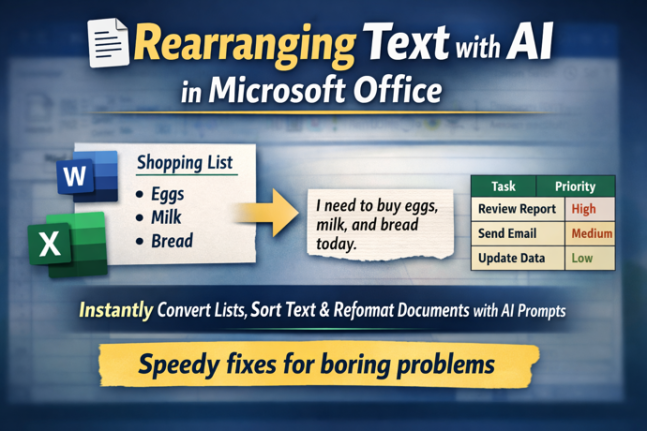
Rearranging Text Instantly with free AI: Smart Tricks for Microsoft Word & Excel
Transform how you work with text using free AI tools like ChatGPT, Copilot, Gemini and Meta AI. In this guide, you’ll learn how to rearrange lists, convert tables to paragraphs, resort text alphabetically and reformat steps in seconds, all with simple prompts instead of tedious manual editing. Whether you’re working in Word, Excel or another […]
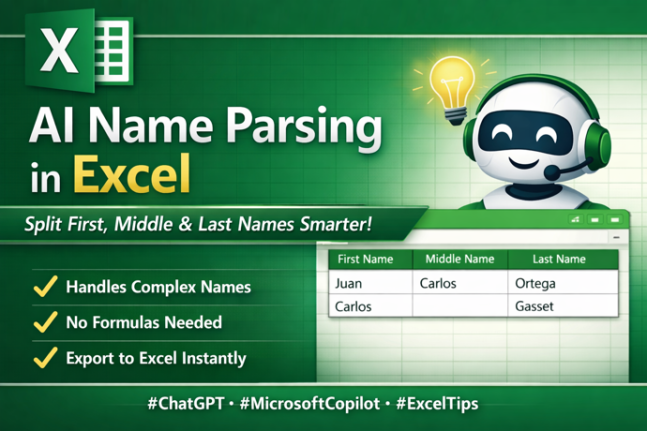
Name Parsing: Smarter AI Way to Split First, Middle & Last Names
Struggling to separate first, middle and last names in messy data lists or join first/last names? Traditional Excel tools or Flash Fill often fall short with real-world name complexity, including multi-part surnames and inconsistent formats. The latest AI tools, such as ChatGPT and Microsoft Copilot, can intelligently parse full names into structured columns, handling exceptions […]
Convert Excel’s COPILOT() Output into Static Cells – Stop Auto-Updates & Preserve Values
Get greater control over your Excel workbooks by converting dynamic COPILOT() responses into static, editable values that won’t change unexpectedly. This guide walks you through simple yet powerful methods to ensure your AI-generated results stay stable, compatible with features like Stock data, and remain auditably accurate. Whether you’re preparing a one-off report or embedding COPILOT() […]

Combine Excel Arrays with HStack() or VStack()
It can be fairly challenging to combine data in Excel. There are two new functions HStack() and VStack() to combine dynamic arrays or ranges, by either stacking the data horizontally or vertically. As shown in the example below by simply using =VSTACK(B2:D3,F2:H3) it’ll stack both cell ranges on top of each other. Using =HSTACK(B2:D3,F2:H3) will […]

Copilot Chat in Word, Excel & PowerPoint, a Practical Guide for Microsoft 365 Users
Microsoft is now embedding Copilot Chat directly inside Word, Excel, PowerPoint apps, giving users a conversational AI interface right next to the doc, sheet or slide. Ask questions, summarise, rewrite, explore ideas, and get help with your open document or spreadsheet without leaving the app. No need to switch to a separate browser or Copilot […]

Turn Copilot Off in Microsoft 365: How to Guide for Word, Excel, PowerPoint & Outlook
If you’re finding Microsoft 365 Copilot intrusive or just prefer a cleaner Office view, you can turn AI off across your desktop app, including Word, Excel, PowerPoint and Outlook. Users who don’t want Copilot help can disable it on both Windows and Mac. In this guide, we walk through how to switch off Copilot completely […]

Office 2016 gets surprise ‘late’ security updates
Microsoft has quietly delivered another round of security updates for Office 2016, even thought the software officially ended support two months ago. These patches focus on critical vulnerabilities that could still affect businesses and individuals running this older version of Microsoft Office. Here’s what’s been fixed and how to get the updates. We’re obliged to […]









