All about Microsoft Office for Apple Mac. Word, Excel, PowerPoint, Outlook on macOS, Microsoft 365 for Mac, Office 2021 for Mac and earlier versions.

Find & Copy Thanksgiving Emojis
Looking for the perfect holiday emoji for your document, slide or email? This quick-and-easy list from Office Watch offers a searchable collection of Thanksgiving-themed symbols that work across Windows, macOS, iPhone and Android. These emoji are supported (with different looks) on Windows, iPhone, iPad and Android devices. Unicode value (hex) The Unicode value column lets […]
Create Dynamic array Excel Drop-Downs in Minutes
If you’re working in Microsoft Excel and want a drop-down list from a dynamic array you have to use a workaround because the direct method for fixed arrays doesn’t work for dynamic arrays. Here’s the simple workaround to use a dynamic array function to generate a list of unique values from a data table, and […]
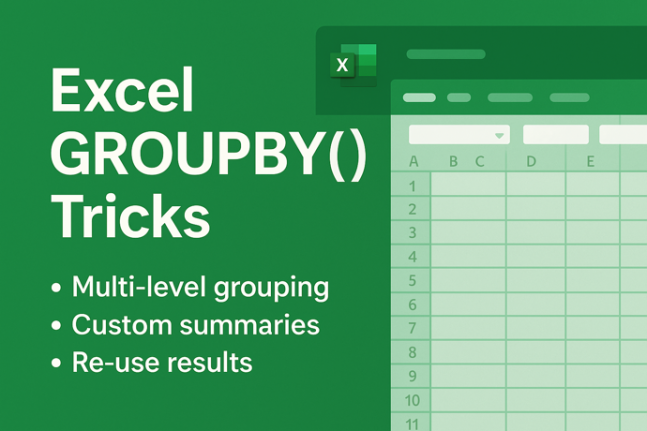
Get more for Excel’s GROUPBY() with These Powerful Tricks
Unleash the full potential of Excel’s GROUPBY() function, the game-changer for summarising data in Microsoft Excel. While GROUPBY() seems simple at first glance, clever combinations with other functions open up advanced capabilities: multi-level grouping with automatic subtotals, creating multiple summaries in one formula, custom headings, and even pulling results into other parts of your workbook […]
How to add a Picture with Text Wrapping in Microsoft Word – Simple Steps for Text Flow
Want to make your document look polished by having an image neatly enveloped by text? In this quick tutorial, you’ll learn how to insert a picture into Microsoft Word and apply proper text-wrapping so it can sit on the left, right, center or anywhere – and stay there. Let your text flow around a graphic […]
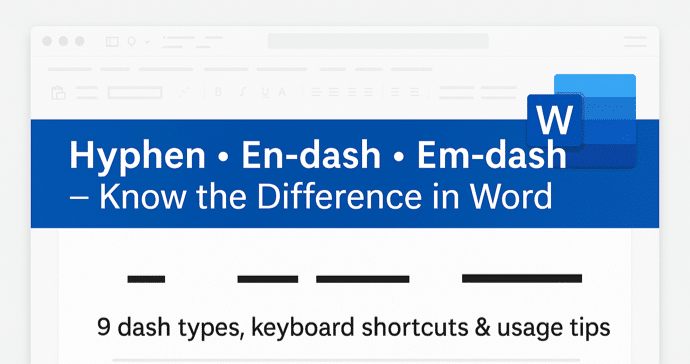
Master Hyphens, En-dashes & Em-dashes in Microsoft Word — Your Ultimate Guide
If you’ve ever paused over that little horizontal line in a document and wondered whether you should use a hyphen, en-dash or em-dash, you’re not alone. In Microsoft Word there are nine distinct dash or hyphen-like characters, each with its own typographic role and keyboard shortcut. From the standard hyphen for compound words to the […]

How to Use School-Bus Yellow in Word, PowerPoint & Microsoft Office”
If you’ve ever wondered how to replicate the distinctive “school bus yellow” shade in your documents or slides, you’ll find the answer here. It’s the standard hue for North American school buses, chosen for visibility and impact. You can apply this same shade in Microsoft Word, Microsoft PowerPoint or any other Microsoft Office document simply […]
Microsoft 365 Refunds: Australian Customers Offered Compensation After Court Action
Microsoft Australia is issuing refunds to some Microsoft 365 subscribers following court action over its marketing practices. While the refunds currently apply only to Australian customers, the case raises important questions about transparency and accountability for Microsoft 365 users worldwide. The move highlights growing scrutiny over how tech giants advertise subscription services and the rights […]

Microsoft Faces Legal Action in Australia Over Misleading Microsoft 365 Price Rise Claims
Microsoft’s subscription practices are under scrutiny in Australia as the country’s competition regulator takes the tech giant to court. The Australian Competition and Consumer Commission (ACCC) alleges that Microsoft misled approximately 2.7 million Microsoft 365 Personal and Family subscribers over how it communicated a major price increase and subscription change. This case could have wide-reaching […]
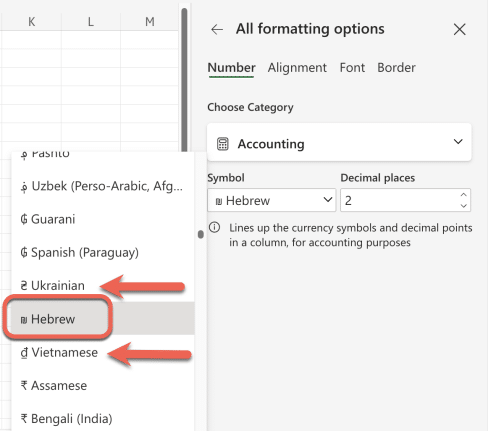
Excel’s “Hebrew Shekel” Label Sparks Unfounded Online Rage
A viral post recently accused Microsoft Excel of bias for labeling the shekel as “Hebrew” instead of “Israel.” However, there’s no conspiracy—Excel lists currencies by language, not country, using the same format for all entries. Thanks to Office Watcher, Gary B. from Portland for alerting us to this bit of ragebait on social media. It […]

Unlock Hidden Details: Add more to Word Headers and Footers
Most Word users stop at page numbers and dates in their headers and footers, but Microsoft Word can do much more. From inserting document titles, authors, and file paths to using advanced field codes like StyleRef or NumPages, you can make your headers dynamic, informative, and even interactive. Discover the powerful, lesser-known elements you can […]

Mastering Headers and Footers in Microsoft Word: Simple Steps for a Professional Look
Creating polished, consistent headers and footers in Microsoft Word is easier than you think. This guide walks you through every step—from adding page numbers and section-specific layouts to using “Different First Page” for cleaner title pages. Whether you’re preparing reports, articles, or academic papers, these techniques will help your documents look professional, organized, and reader-friendly […]

How to Add Prefix and Suffix Text in Microsoft Word Styles (Workarounds Included)
Microsoft Word lacks native support for adding prefix and suffix text through styles—but clever workarounds can make it possible. This guide from Office Watch shows how to simulate prefixing and suffixing paragraphs or character styles, just like CSS’s :before and :after elements. Learn how to format consistent labels, product codes, or custom paragraph markers using […]
Copilot is not as popular as Microsoft says, Customers Aren’t Buying the hype
Microsoft’s Copilot is NOT the wildly popular, world class AI product that Microsoft says it is. That’s not just an opinion; there are hard facts to back it up. The recent sharp price drop and ignored user frustration suggest otherwise. From intrusive integration to privacy concerns, Copilot’s rollout has backfired. Of course, nothing could be […]
Copilot Deep Research Tested: Real Results, Flaws, and Formatting Fails
Microsoft’s Copilot “Deep Research” promises detailed, AI-generated reports—but does it deliver? Office Watch’s hands-on tests reveal the strengths, limitations, and frustrating formatting flaws behind Microsoft’s most ambitious Copilot feature yet. From factual errors to messy Word documents, here’s what you should know before relying on Deep Research for serious work Copilot’s Deep Research option creates […]

Why Windows Replaces Helvetica with Arial — The Hidden Font Substitution Explained
Did you know Windows quietly swaps out Helvetica font for Arial every time you open certain documents? This subtle substitution affects how text looks in Word, browsers, and more. Learn why Helvetica isn’t included in Windows, how Microsoft handles font replacements behind the scenes, and what you can do to regain control of your document’s […]
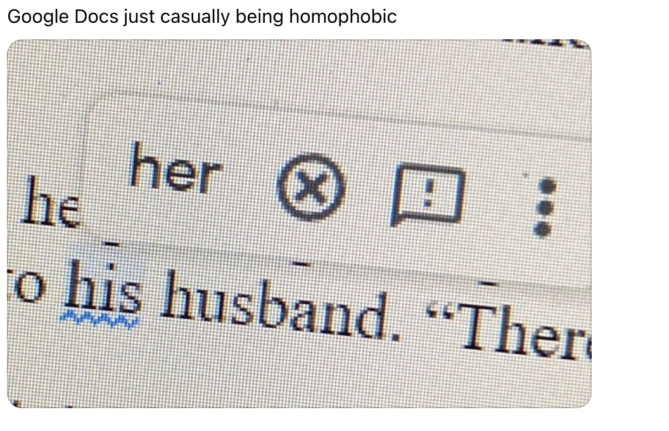
Is Microsoft Word Casually Homophobic? Why Grammar Checkers Differ
A viral post sparked debate over whether Microsoft Word’s grammar checker shows hidden bias, but the truth is more technical than cultural. Office Watch investigated and found that Word and Google Docs simply make different choices about what to flag in grammar suggestions. There’s no homophobia here, just decisions that shape how language tools interpret […]









